What Changed in the Latest Patch Cycle (The Big Stuff Players Actually Feel)
Star Citizen patches usually change four things that you notice immediately:
- Your day-to-day loop: where players go, what missions are worth doing, which locations are crowded, and what feels “hot” or “dead.”
- Your ship experience: flight feel, UI/HUD behavior, weapon balance, survivability, and how often you need repairs.
- Your performance and stability: FPS, stutters, streaming hitches, crashes, shader compilation behavior, and server responsiveness.
- Your logistics: inventory quirks, what items are easy to restock, where you can buy essentials quickly, and how painful recovery feels after a death.
In the 2026 Alpha 4.6 era, the headline patch direction is:
- a new system-wide crisis event that pulls players across systems,
- new convenience shopping options for ship essentials,
- visibility tools for low-light flying,
- updates tied to engineering/ship armor gameplay,
- meaningful ship updates (including a major pass on the Aurora series),
- performance polish (streaming and density management), and
- a large set of bug and crash fixes.
If you only remember one thing: new patches aren’t just “more content.” They change where it’s smart to spend your time.
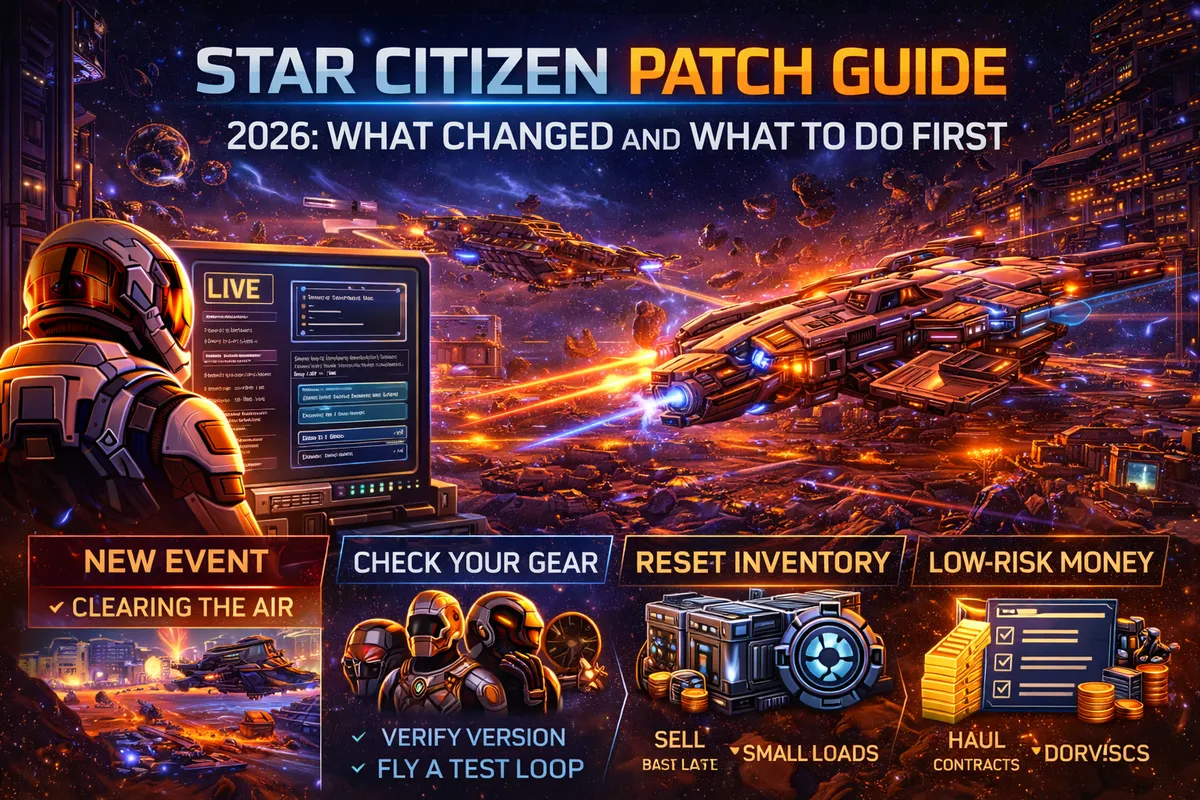
The Patch Mindset That Makes You Progress Faster
Players who thrive after patches do three things:
- They reset their routine before they grind.
- They test their setup before they trust it.
- They choose a low-risk loop for the first session.
This matters because the first 60–90 minutes after a patch is where most frustration happens: you try to do a “big run” with high stakes, something breaks, you lose gear, you lose time, you feel like the patch “ruined the game.”
The fix is simple: treat your first session like a checkout process. Confirm the basics first, then scale up.
What to Do First After Updating (The 30-Minute “Stability & Setup” Checklist)
Use this checklist every patch. It keeps your first session clean and prevents most “patch day rage.”
- Step 1: Verify you’re on the correct LIVE version.
- Don’t assume you updated correctly—make sure you’re actually on the new build before troubleshooting anything else.
- Step 2: Do one “safe location” login test.
- Spawn in a station or city, open your inventory, open mobiGlas, and confirm your UI is responsive.
- Step 3: Check your character basics.
- Helmet on. Undersuit present. Medpens available. Don’t leave the hab half-dressed.
- Step 4: Check ASOP ship retrieval and ship state.
- Retrieve one ship, store it, retrieve it again. This catches the “my ship is bugged” situation early.
- Step 5: Reset your keybind confidence.
- Test your critical binds: interact, mobiGlas, landing gear, call ATC, quantum spool, scan/ping, weapon group toggles, countermeasures.
- Step 6: Fly one short loop.
- Take off → quantum to a nearby station → request landing → land → store ship.
- If this works, you’re ready for real gameplay.
- Step 7: Only then start missions.
- Begin with low-stakes contracts for the first session (deliveries, basic bounties, basic salvage). Save high-value cargo runs and risky missions for session two.
This routine sounds boring. It’s also the fastest path to “patch feels fine.”
Must-Do Reset Tasks That Prevent 80% of Patch Problems
Some patch issues are not “your PC is bad.” They’re normal post-update friction: shaders, streaming cache changes, UI state weirdness, and leftover settings conflicts.
Here are the most valuable reset habits:
- Rebuild your shader cache naturally (don’t panic).
- After a patch, the game may stutter as it compiles. That can improve after a couple sessions.
- If performance is dramatically worse, do a one-time cache clean and retest.
- Don’t turn cache cleaning into a superstition—use it when symptoms are severe.
- Avoid doing your first session in the heaviest city or hottest event zone.
- Your goal is to confirm stability, not stress-test in the worst location immediately.
- Re-check graphics and renderer options after updates.
- Some patches shift performance behavior. If you change Vulkan/DirectX settings, test in one consistent route and compare.
- Do not mix “tweaks” and “testing.”
- Change one major setting at a time (clouds, upscaling, renderer). Otherwise you won’t know what helped.
New Content You Should Know About (So You Don’t Miss the Patch’s Best Value)
Every patch has a “center of gravity”—the new thing that pulls players, creates opportunity, and changes where the game feels alive. In this cycle, that includes:
- A system-wide crisis event that sends players across regions on multiple mission types (hauling, courier, resource gathering, ship combat, cargo recovery, escort, defense).
- New Kel-To ship supply kiosks in major cities that provide quick access to essential ship/engineering provisions.
- Cockpit low-light visibility improvements via a Light Amplification system (LAMP) for supported ships.
- Continued engineering and ship armor gameplay updates.
- A major Aurora series update (a “gold standard” pass) that changes how that classic starter ship feels and functions.
- Quality-of-life improvements like re-enabled place-from-inventory, new salvage debris, and star map information improvements for planetary harvestables.
If you’re a returning player, this is important: your old “hub” might still work, but the patch likely introduced a new “best place to be” for both fun and profit.
The #1 Patch Mistake: Going Straight Into High-Stakes Gameplay
The most common post-patch disaster stories come from:
- Doing a full-wallet cargo run
- Taking risky salvage or illegal missions
- Wearing your best gear into a bunker
- Going straight into crowded hotspots
- Testing a new ship build in a high-tier bounty
Instead, follow the safe ramp:
- Session 1: stability + basic contracts
- Session 2: your main loop (bounties, salvage, mining, hauling)
- Session 3: high-stakes content and optimization
You’ll earn more long-term by not losing your first night.
What to Do First In-Game (The “First Hour After Patch” Plan)
If you want a simple plan to follow the moment you log in, do this:
- Minute 0–10: Stabilize your inventory.
- Make sure your local inventory has a basic kit: undersuit, helmet, medpens, a few mags if you do FPS, and one cheap weapon if needed.
- Minute 10–20: Set your regeneration and recovery plan.
- Decide where you want to respawn for this patch cycle (often a station hub near the content you’re running). Store a backup kit there.
- Minute 20–35: Run a “confidence loop.”
- One short mission type you rarely fail: a delivery, a low-risk bounty, or a simple objective mission.
- Minute 35–60: Choose a “patch-friendly grind.”
- Pick one of these depending on your ship:
- Basic bounties (low tier)
- Verified salvage contracts (low risk)
- Short hauling contracts (low financial risk)
- ROC mining or short mining loops (consistent, low drama)
By the end of hour one, you should feel stable and ready—not stressed and broke.
Patch-Specific Opportunities: How to Take Advantage Immediately
New patches create opportunity because everyone piles into the same places and activities. That means:
- More player activity around new missions and events
- More demand for support roles (medics, escorts, crew gunners)
- More cargo movement and salvage opportunities
- More “new player traffic” (which can be good for group play and rescue beacons)
If you want to profit early in a patch cycle, you have two smart options:
- Option A: Run the patch’s featured content early while it’s active and payouts are often attractive and social activity is high.
- Option B: Avoid the crowd and farm stable loops while everyone else is distracted.
Both strategies work. The key is choosing intentionally instead of drifting.
Performance After Patch: How to Get Smooth FPS Without Over-Tweaking
If a patch makes your performance feel worse, the goal is to find out which problem you have:
- Shader rebuild stutter: feels like small hitches when entering new areas; improves after a few sessions.
- Streaming pressure: feels like bigger stutters in dense locations; improved by SSD health, RAM headroom, and texture streaming polish changes.
- Renderer instability: Vulkan vs DirectX behavior can change with drivers and patches.
- Server-side sluggishness: your FPS may be fine but everything feels delayed.
A practical post-patch performance routine:
- Set volumetric clouds lower if cities are painful.
- Use upscaling (Quality or Balanced) to stabilize performance at higher resolution.
- Test in three locations: a city, a station, and open space.
- Avoid “tweak spirals.” Make one change, test, then decide.
This patch cycle also includes performance-focused updates like texture streaming polish and density manager updates. That’s good news—but it still means you should retest your old settings and confirm what’s best now.
Low-Light Flying: How to Use LAMP Without Overthinking It
Low-light visibility can turn landing into a nightmare: dark outposts, nighttime storm conditions, and “where is the pad?” moments. LAMP is meant to help by improving cockpit visibility in low-light conditions on supported vehicles.
Practical advice:
- Treat LAMP like a situational tool, not a permanent filter.
- Use it when you’re landing in darkness, searching for landmarks, or navigating dim environments.
- Don’t rely on it to replace safe flying habits. Still approach slowly, still request ATC, still watch altitude and speed.
If you’re the kind of player who does a lot of nighttime hauling, salvage yard landings, or quick bunker drops, this feature can directly reduce “random crashes” that are really visibility failures.
City Supply Kiosks: Why Kel-To Kiosks Matter for Everyday Gameplay
A huge quality-of-life pain in Star Citizen is “I need one small thing, now I’m stuck doing a 20-minute shopping trip.” Kel-To ship supply kiosks are designed to reduce that friction by putting essential supplies in a quick-access format at major cities.
How to use them effectively:
- Make them your emergency top-up option: engineering tools, essentials, provisions, and “I forgot the basics” recovery.
- Don’t treat them as your full shopping replacement. For full weapon variety, armor variety, and bulk purchases, you’ll still prefer the big stores and station hubs.
The value is speed. Speed is survival. Speed is also profit per hour.
Engineering and Ship Armor Updates: What Changes in Your Day-to-Day
Engineering and ship armor changes can be easy to ignore until you’re in a fight or your ship behaves differently under pressure. In patch cycles where these systems are being updated, you should expect:
- More emphasis on ship condition and maintenance
- More meaningful differences between ship classes in survivability
- More reasons to keep basic tools and supplies available
- More “why does my ship feel different?” moments after updating
What to do first:
- Don’t jump into high-tier combat immediately.
- Run a few low-risk fights and observe:
- shield behavior
- weapon sustain
- damage taken during jousts vs controlled orbits
- repair frequency
- Adjust your routine accordingly (repair earlier, disengage earlier, avoid needless face-tanks).
Starter Ship Changes: The Aurora Update and What It Means for Beginners
When a classic ship like the Aurora receives a “gold standard” update, it can change how it feels to live with: HUD clarity, component access, overall usability, and quality-of-life details.
If you’re a new player or you rely on Aurora ships:
- Re-learn your ship. Don’t assume muscle memory is perfect after a major pass.
- Test your routine: box mission, station landing, basic bounty, inventory access, and a short quantum loop.
- If the ship feels better, lean into it—starter ships that feel good keep players playing longer, and consistency is the true “starter meta.”
The Patch Event: How to Approach System-Wide Crisis Missions Efficiently
Patch events are often designed to:
- pull players into a shared narrative
- diversify mission types (hauling, escort, recovery, combat, gathering)
- create social density (which can be fun and profitable)
If you want to enjoy the event without chaos, run it like a pro:
- Start with the lowest-risk roles first.
- Hauling and courier objectives are often the easiest way to learn the event structure.
- Treat your first event run as reconnaissance.
- Learn where it sends you, how long legs take, what failure states exist, and where players concentrate.
- Bank progress frequently.
- Events create crowd pressure and higher risk. Cash out and store gear more often.
- Bring a cheap, replaceable kit.
- Events are where unexpected PvP or random chaos is most likely.
- If you like money and stability, become the support player.
- Escorting, medical support, and supply delivery often have great “value per stress” when everyone else is chasing combat.
What to Do First If You’re a Cargo Trader or Hauler
Patches can shift commodity availability, terminal behavior, and the “hotness” of trade lanes. Your first session after a patch should focus on protecting your wallet.
Do this first:
- Run a small load. Always.
- Confirm you can buy and sell cleanly at your chosen terminals.
- Watch for demand caps and slow sell-through before scaling.
- Consider hauling contracts early because they reduce financial risk while you learn new market behavior.
Your patch survival rule:
- Never go all-in on cargo during your first post-patch session.
What to Do First If You’re a Salvager
Salvage is often profitable after patches because:
- new debris density or salvage-related adjustments can create new opportunities
- event traffic can create more wrecks and activity
- players are distracted, making certain routes easier to farm
Your first salvage session after patch:
- Run verified salvage first.
- Confirm your selling route works.
- Build a “cash-out threshold” (sell before you’re overloaded).
- Store spare tractor tools and a basic kit at your salvage hub so you recover fast if something goes wrong.
Also: don’t assume “unverified is best” on patch week. Start stable, then go spicy later.
What to Do First If You’re a Miner
Mining is sensitive to patch behavior because scanning, distribution, and stability can shift. Your first session should be about confirming your loop is still smooth.
Do this first:
- Run one short mining trip and cash out quickly.
- Confirm scanning and fracture behavior feels normal.
- If you refine, do one small refinery job first, then scale.
- Keep a backup loop ready (bounties, salvage, courier) in case mining feels buggy on patch day.
Mining wins when you’re calm. Patch day punishes rushed miners.
What to Do First If You’re a Bounty Hunter or Combat Player
Combat players often feel patch changes immediately (weapon balance, ship armor behavior, flight feel, and mission pacing). The fastest path to adapting is:
- Start one tier lower than your usual missions.
- Test your time-to-kill and how fast shields drop.
- Adjust one variable at a time:
- speed band (stop jousting)
- weapon type (don’t swap constantly)
- power management habits
- disengage discipline
If a patch introduces more stability fixes, take advantage by running longer chains—but only after your first “test hour” confirms reliability.
What to Do First If You’re a Medic or Rescue Player
Patch cycles often create rescue opportunities because:
- people return, forget basics, and die in funny ways
- events create chaotic zones with real rescue demand
- new content makes players push risky missions
Your first steps:
- Restock medical supplies and keep extras at your respawn hub.
- Confirm your beacon workflow and party markers feel stable.
- Run one low-risk rescue or support mission first (or support a friend).
- Treat patch-week rescues as higher risk: bring replaceable gear and a clear extraction plan.
The best medics survive by refusing bad rescues.
The “Do This Before You Grind” Inventory Plan
Inventory pain is one of the top reasons patches feel bad. Fix it with a simple system:
- Build a Standard Kit (cheap and repeatable):
- helmet + undersuit + medium armor (optional) + backpack + medpens + one weapon + ammo.
- Build a Spare Kit Stack:
- store 3–5 duplicates of your standard kit at your main hub.
- Separate “Nice Gear” from Daily Gear:
- keep your rare armor and fancy weapons stored and only bring them to planned runs.
- Keep Tool Redundancy:
- extra multitool/tractor tool in at least two locations (your main hub and one backup station).
This turns death from “session ruined” into “minor delay.”
Your First Money Loop After Patch (Fast, Safe, Reliable)
If you want the safest way to get back into earning quickly, pick one of these “patch-friendly” loops for your first two sessions:
- Short courier/delivery loops (great for testing travel and landings)
- Low-tier bounties (great for testing combat feel and ship condition)
- Verified salvage (great for consistent money with manageable risk)
- Hauling contracts (great for income without risking your wallet on commodities)
- ROC mining (great for consistent money with session-friendly structure)
Pick one loop and repeat it until it feels normal again. Then expand.
Patch Bugs and Known Issues: How to Stay Productive Anyway
Every patch has quirks. The winning approach is not “avoid all bugs.” It’s “avoid getting stuck.”
Here’s the anti-stuck strategy:
- If a mission breaks, abandon quickly and pick another.
- If a ship is bugged, store/retrieve once; if still broken, claim.
- If the server feels unstable, reduce your stakes: smaller cargo, cheaper gear, shorter loops.
- Keep a reliable fallback activity you can do even on messy days (simple bounties, deliveries, station-based tasks).
Patches reward flexible players. Don’t let one broken mission hijack your whole night.
The Best “Patch Week” Travel and Safety Rules
Patch week often brings higher player density in predictable places. That’s fun, but it increases risk if you’re carrying value.
Use these rules:
- Don’t do full-wallet cargo runs.
- Don’t sell huge loads at famous scrapyards unless you’re ready for risk.
- Don’t linger at terminals and outposts.
- Have a diversion destination before you quantum.
- If you suspect danger, leave early. Pride is expensive.
Survival is a profit multiplier.
BoostRoom: Make Every Patch Feel Like a Fast Restart
A patch doesn’t have to reset your progress. The players who recover fastest are the ones with a system: a hub, a standard kit, a stable loop, and a clean upgrade path. BoostRoom is built to give you that system quickly—so you spend patch week playing, not troubleshooting.
With BoostRoom, you can get:
- A first-session checklist tailored to your ship and gameplay loop
- A “patch-friendly” money plan (safe early, scalable later)
- A hub and inventory routine that prevents death from ruining your night
- A clear what-to-do-first route for new events and content drops
- A practical performance and settings plan that avoids endless tweaking
If you want patches to feel like new opportunity instead of new frustration, BoostRoom is built for that.
FAQ
What should I do first after a Star Citizen patch?
Do a short stability checklist: confirm version, test inventory and ASOP, run a takeoff → short quantum → landing loop, then start low-risk missions before attempting high-stakes gameplay.
Why does Star Citizen stutter more after a patch?
Patches often trigger shader and streaming rebuild behavior. Stutters can improve after a couple sessions. If performance is dramatically worse, do a one-time reset routine and retest.
Should I run the new event immediately?
Yes if you enjoy shared content, but start with low-risk roles first and bring a replaceable kit. Treat your first event run as reconnaissance.
Is it safe to do cargo runs on patch week?
It can be, but risk is higher due to crowded routes and unpredictable terminal behavior. Start with small loads or use hauling contracts until you confirm sell-through and stability.
Do I need to change my settings every patch?
Not always. Retest your baseline performance and only change one major setting at a time if you need improvements.
How do I avoid losing time to bugs after a patch?
Don’t fight broken missions. Abandon and switch quickly. Store/retrieve ships, claim if needed, and use low-stakes loops when the session feels unstable.
Where should I set my respawn point after a patch?
Choose a station hub near the content you’re running and keep spare kits there. Faster recovery means more playtime.
What’s the best “safe money loop” right after a patch?
Verified salvage, low-tier bounties, hauling contracts, or short courier missions—anything that’s consistent and doesn’t risk your full wallet.



