BoostRoom

Roblox games to play online

Roblox games to play online aren’t just “games” in the usual sense—Roblox is a massive online universe where millions of people jump between experiences built by a global creator community. One minute you’re hanging out in a roleplay city, the next you’re racing, building a tycoon, trying a parkour tower, solving a mystery with friends, or exploring an adventure world. That variety is the main reason Roblox stays popular: there’s always something new, and you can usually find an experience that fits your mood in seconds.

May 5, 202614 min read

Why Roblox Is One of the Best Places to Play Games Online


Roblox stands out because it mixes three things in one platform:

  • Endless variety: You can play roleplay, simulators, tycoons, obstacle courses, social games, adventure/progression games, creative building, and more.
  • Always-online community: Most experiences feel alive because they’re built around people—servers, friends, groups, and shared events.
  • Constant updates: Popular experiences update often, and new experiences appear every day.

For many players, Roblox becomes a “gaming home base” because it’s easier to try new things. You don’t need to download a new big game every time you want variety—you just jump into a different experience.
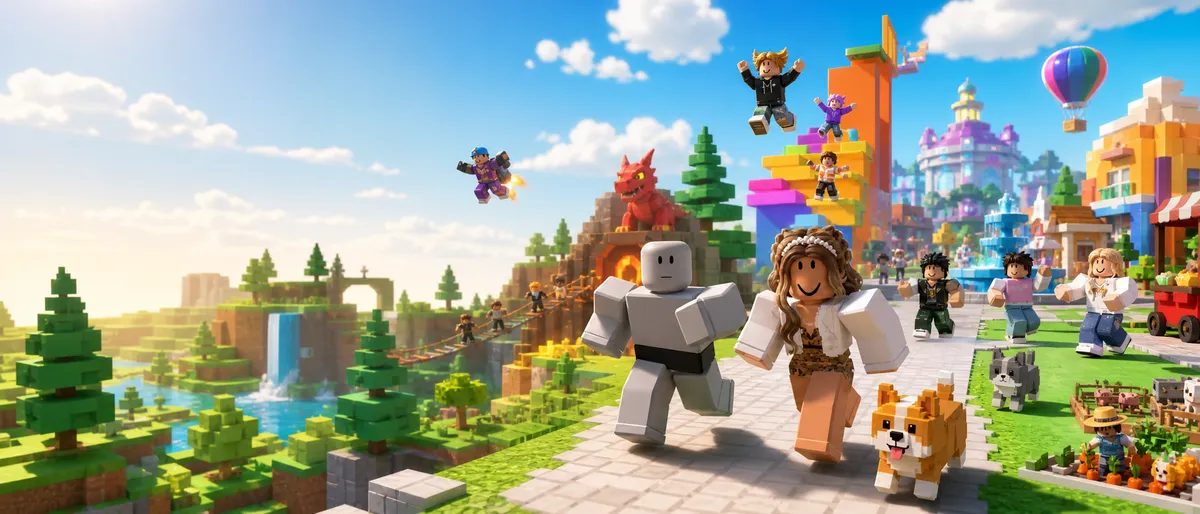

roblox games to play online, best roblox games, fun roblox games, roblox roleplay games, roblox tycoon games, roblox simulator games, roblox games for friends, roblox online multiplayer


How to Find Great Roblox Games Without Wasting Time


If you’ve ever opened Roblox and thought “What should I play?” this section is your shortcut.

Here’s the fastest discovery method that works for most people:

  • Start with Roblox Charts when you want what’s trending right now.
  • Use Discover and genres when you want a specific type of game (roleplay, tycoon, obby, etc.).
  • Use search when you already know a title, or when a friend recommends something.

A simple “3-minute discovery routine”:

  1. Open Charts and scan what’s popular (you’ll instantly see what people are playing now).
  2. Pick a genre based on your mood (social, chill, competitive, creative).
  3. Open 3 experiences, read the short description, and try one for 10–15 minutes.

If it’s not fun quickly, don’t force it. Roblox is built for fast switching.


Use Roblox Charts to Spot What’s Popular Right Now


Roblox has official Charts pages that show popular experiences, including “Top Playing Now” and other chart views. These lists update frequently, and player counts change all the time—so instead of treating “top games” like a permanent ranking, treat it like a live snapshot of what’s trending today.

Why charts are useful:

  • They help you avoid dead experiences with empty servers.
  • They reveal what’s currently “hot” in different regions or devices.
  • They make it easier to find games your friends are already playing.

A smart way to use Charts:

  • If you want social roleplay: look for roleplay-heavy names and check the description.
  • If you want progression/adventure: look for experiences that mention quests, leveling, exploring, or collecting.
  • If you want quick fun: look for obstacle, mini-game, or casual competitive experiences.

Charts are also great for parents: they show what’s popular, so you can preview and decide what fits your family’s comfort level.


Roblox Genres and What They Mean


Roblox experiences can be labeled by genre and sometimes subgenre. This helps you understand what kind of gameplay to expect before you join.

A quick genre cheat sheet (what these usually feel like):

  • Roleplay / social hangout: you create your own story, jobs, and routines; lots of chat and customization
  • Simulator: satisfying loops like collecting, upgrading, and expanding
  • Tycoon: build a business or base that grows over time
  • Obby / parkour: jump, climb, and race through obstacle towers
  • Adventure / RPG-style progression: explore, level up, unlock abilities, complete quests
  • Mini-game / party: short rounds, quick laughs, easy group play
  • Racing / sports: fast matches and friendly rivalry
  • Creative / building: design, decorate, build worlds, or create looks and outfits
  • Strategy / management: slower decisions and planning over reflexes

The cheat code is simple: pick a genre first, then choose an experience inside it.


Content Maturity Labels: How to Choose Age-Appropriate Roblox Games


Roblox uses content maturity labels and content descriptors so users and parents can make informed choices about experiences. You can typically see the label on an experience’s page along with descriptors describing what kind of content may appear.

Why this matters:

  • Roblox isn’t one single game—it’s millions of experiences made by different creators.
  • Labels help you avoid surprises and choose what’s comfortable for you or your family.

General guidance (keep it practical):

  • If you want the safest, easiest choices, start with lower-maturity experiences and “chill” genres like building, roleplay, tycoon, and cozy simulators.
  • If you’re a teen who likes more intensity, you can still use labels to choose what fits your comfort level—especially for fear, tension, or competitive stress.

The best habit: check the label before you join—especially if you’re trying a new experience.


Roblox Kids and Roblox Select Accounts: What Families Should Know


Roblox introduced age-based account options for younger users under 16 in certain contexts, including defaults for communication and age-appropriate access. The broad idea is that younger users can have:

  • more restrictive defaults (especially around chat)
  • access aligned to age and content ratings
  • expanded parental controls for spending, screen time, connections, and content

If you’re a parent or guardian, this matters because it turns safety into a system—not a constant manual task. If you’re a teen, it matters because settings and communication features can depend on your region, age status, and account type.

The best approach is not “try to unlock everything”—it’s: use the settings Roblox provides so your experience stays safe and fun.


Best Roblox Games to Play Online for Roleplay and Social Hangouts


Roleplay is one of Roblox’s biggest strengths because it’s flexible: you don’t need to be “good” at aiming or fast reactions to have fun. You just need imagination and a willingness to interact.

What roleplay games are best for:

  • hanging out with friends
  • creating stories and routines
  • customizing houses, outfits, and vehicles
  • making your own fun without strict objectives

Popular roleplay experiences often include:

  • towns and cities with homes and public places
  • jobs and “life” routines
  • lots of social interaction and customization

Example that’s widely known for open-ended roleplay:

  • Brookhaven RP is described as a sandbox town experience designed for open-ended roleplay, socializing, and exploring.

Roleplay tips that make it better instantly:

  • Join with a small goal (“let’s decorate a house,” “let’s make a café,” “let’s roleplay a school day”)
  • Use private servers if your group wants more control and less randomness
  • Set friendly rules with your friends (no griefing, no ruining scenes, keep it respectful)


Roblox Games for Pets, Collecting, and Cozy Progress


Collecting and “cozy progression” games are popular because they feel rewarding even in short sessions. You log in, do a few tasks, collect items or pets, upgrade your home or tools, and feel progress.

What these games are best for:

  • players who love collecting and customization
  • players who enjoy trading and community events
  • players who prefer calm gameplay over intense competition

A famous example:

  • Adopt Me! is widely known as a social roleplay simulator focused on adopting/raising, collecting pets, trading, and building/decorating a home.

Important caution: trading can be fun, but it’s also where scams happen most often. If you play trading-heavy games:

  • never trust “too good to be true” deals
  • never click suspicious links or share account info
  • never hand over items first unless you trust the system and the person
  • keep your spending locked down if you’re prone to impulse buying

Cozy collection games are at their best when you treat them like a relaxing hobby, not a race.


Roblox Games for Adventure, Exploration, and Long-Term Progression


Some Roblox experiences feel like long-term adventure games where you explore worlds, unlock abilities, and build a character over time.

What these games are best for:

  • players who want a “main game” they can return to for months
  • groups of friends who enjoy progression together
  • players who like leveling, quests, exploration, and unlocking new areas

A well-known progression experience:

  • Blox Fruits is commonly described as an adventure/progression experience inspired by anime-style themes, with exploration and growth mechanics.

How to enjoy progression games without burning out:

  • Set a weekly goal instead of grinding endlessly
  • Play with friends so progress feels shared, not lonely
  • Avoid comparing your pace to hardcore players
  • Keep spending rules clear (especially if boosts or passes exist)

Progression Roblox games can be incredibly satisfying—just make sure the game fits your schedule.


Roblox Tycoon Games That Feel Satisfying


Tycoon games are popular because they turn progress into something you can see. You start small, build a business/base/area, upgrade systems, and watch your world expand.

What tycoon games are best for:

  • players who love upgrading and organizing
  • players who like relaxing goals and steady progress
  • playing while chatting with friends

A good tycoon experience usually has:

  • clear upgrade paths
  • meaningful choices (not just “press button to get money”)
  • fun cosmetics or building expansions
  • a pace that feels rewarding without pushing you to spend constantly

How to pick a great tycoon:

  • Read the description: does it mention strategy, unique mechanics, or customization?
  • Try it for 15 minutes: do you feel progress, or is it repetitive?
  • Check if it’s playable without spending (it should be).

Tycoons are perfect “after school” games because they’re low stress and easy to pause.


Roblox Simulator Games That Don’t Get Boring Fast


“Simulator” is one of Roblox’s biggest categories. The best simulators have a loop that stays fun because it offers:

  • variety
  • meaningful upgrades
  • events or quests
  • new areas to unlock
  • goals that don’t feel like chores

A safe, well-known example of a long-running simulator:

  • Bee Swarm Simulator is described as a progression game where you grow a swarm of bees, collect resources, complete quests, and explore further as you upgrade.

How to avoid simulator fatigue:

  • Don’t chase every event reward
  • Focus on one or two goals at a time
  • Play in short sessions and stop while it still feels fun
  • If a simulator starts feeling like work, rotate to another genre

Simulators are great when they feel like “satisfying progress,” not pressure.


Roblox Obby and Parkour Games for Skill and Challenge


Obbies (obstacle courses) are the perfect “pure gameplay” genre: you jump, climb, time your moves, and improve through practice.

Why obbies stay popular:

  • easy to understand
  • short session friendly
  • skill-based improvement is obvious
  • fun to race friends

A widely known example:

  • Tower of Hell is described as a randomly generated obstacle tower with no checkpoints, designed around skill and persistence.

Obby tips that make you improve faster:

  • Warm up with a few easy jumps before attempting harder sections
  • Turn your camera sensitivity to a comfortable level
  • If you keep failing the same spot, slow down—speed comes after consistency
  • Race your friends in “best of 3” runs to keep it fun

Obbies are also great for content: highlights, fails, and clutch completions are easy to clip.


Roblox Games for Racing, Sports, and Quick Rivalry


If your group likes fast matches and friendly competition, racing and sports-style experiences are great because:

  • rounds are short
  • it’s easy to rotate players
  • skill gaps can be managed by casual modes and custom rules

A good “quick rivalry” night looks like:

  • 10 minutes warm-up
  • 45 minutes competitive rounds
  • 10 minutes “final” match or challenge

To keep competitive nights friendly:

  • rotate teams
  • play casual when people are tired
  • celebrate funny moments and close rounds, not only wins

Competitive Roblox is best when it’s fun first and serious second.


Roblox Games for Creativity, Fashion, and Building


Creativity is a huge part of Roblox culture: building homes, designing outfits, decorating spaces, and making things that get reactions from others.

These experiences are best for:

  • players who love customization
  • players who enjoy social compliments and sharing
  • chill hangouts with friends while creating

How to get more fun from creative games:

  • set themes (“neon room,” “cozy café,” “beach house,” “space base”)
  • do friendly contests with friends (most creative build, best outfit theme)
  • take screenshots and build a “memory album” of your best creations
  • keep it positive: creativity games should feel welcoming

Creative experiences are also a strong gateway into making your own Roblox content later.


Roblox Games to Play Online With Friends


Roblox is at its best with friends. The platform makes it easy to join servers together, hop between experiences, and build “game night traditions.”

Great friend-group formats:

  • Roleplay night: one town roleplay + one mini-game closer
  • Obby night: race to the top + “best of 3” rematches
  • Progression night: adventure/progression game sessions with shared goals
  • Cozy night: simulator/tycoon chill session while talking
  • Party night: short-round mini-games with rotating rules

A practical “friend group rule” that keeps everyone happy:

  • Always have a backup game that supports drop-in players (so late arrivals can still join).
  • Avoid games where one person missing ruins progress unless your group is very consistent.

Private servers can be useful for friend groups because they reduce random interruptions, but you should always keep spending decisions controlled and discuss it as a group before anyone pays for extra features.


Roblox Settings That Make Online Play Better


Most players skip settings and then wonder why Roblox feels laggy or stressful. A few adjustments can improve your experience a lot.

Practical settings to review:

  • Graphics quality: lower it if you get stutters or overheating (especially on laptops/phones)
  • Camera sensitivity: make it comfortable for parkour and fast movement
  • Volume mix: lower game volume if voice chat or friends’ voices are hard to hear
  • Notifications: reduce spam so you don’t feel pressured
  • Privacy options: keep communication to friends-only if you prefer a safer environment

Performance tip that helps instantly:

  • If your device gets hot or laggy, lowering graphics and closing background apps usually improves smoothness more than anything else.


How to Avoid Scams and Stay Safe While Playing Roblox Online


Because Roblox uses accounts, items, and in-game currencies, scammers try to target players—especially in trading-heavy experiences.

The safest rules to follow:

  • Never share passwords or verification codes
  • Never click “free Robux” offers or suspicious messages
  • Don’t trust trades that feel rushed or “too good to be true”
  • Avoid off-platform deals and DMs that push you to external websites
  • Use Roblox’s official reporting and blocking tools when someone is suspicious

Social safety matters too:

  • Don’t share personal info (school, address, phone number, private social accounts)
  • Keep friend requests controlled
  • If someone is creepy or bullying: mute, block, report, and move on

For teens, the healthiest mindset is: your account safety is more valuable than any item.


Parents and Guardians: A Practical Roblox Safety Checklist


If you’re a parent/guardian, you don’t need to be a Roblox expert—you just need a system.

A simple checklist that prevents most problems:

  • Link parental controls where available and review them monthly
  • Set spending limits (or require approval for purchases)
  • Manage content access using maturity labels and restrictions
  • Review who your child can communicate with and connect to
  • Use screen time tools to prevent overuse
  • Block specific experiences if needed
  • Encourage playing with real-life friends rather than random strangers

Also important: talk about behavior, not just settings. A short conversation about kindness, boundaries, and what to do if someone is inappropriate is more powerful than any menu option.


From Player to Creator: Roblox Isn’t Only for Playing


One of Roblox’s biggest “online” advantages is that you can go from playing games to creating experiences.

Even if you never become a full creator, learning the basics is valuable:

  • you understand how games are built
  • you gain skills (design, scripting logic, UI thinking)
  • you can build small worlds for your friend group
  • you can turn creativity into a real hobby

Roblox also has creator monetization programs, including the ability for eligible creators to exchange earned Robux for real money through DevEx, and Roblox has continued evolving creator payout systems over time.

If you’re a teen interested in creation, keep it healthy:

  • focus on learning and building small projects
  • avoid get-rich-quick expectations
  • follow Roblox rules and content guidelines
  • ask for trusted guidance when dealing with money, taxes, or payouts (a parent/guardian should be involved)


How BoostRoom Helps Roblox Players and Roblox Creators


BoostRoom is built around connecting buyers and sellers of real gaming services—so it fits Roblox perfectly because Roblox has two big audiences:

  • Players who want better experiences (more fun, more progress, less frustration)
  • Creators who want to build and grow (better games, better systems, better community)

How BoostRoom helps Roblox players:

  • Find guides and support for choosing the right Roblox games for your vibe
  • Improve faster in skill-based genres like obbies and competitive mini-games with structured coaching
  • Get help with Roblox settings for smoother gameplay and better comfort
  • Learn safer trading habits and better routines (without risky shortcuts)

How BoostRoom helps Roblox creators:

  • Find services for scripting support, building, UI design, optimization, thumbnails, trailers, and community setup
  • Get help planning your experience: game loop, retention, updates, and fairness
  • Improve your marketing and discoverability: better presentation, clearer descriptions, smarter update rhythm
  • Build a stronger community with moderation planning and event ideas

The goal is simple: more fun for players, more growth for creators, and a safer, more professional way to connect around Roblox services.


FAQ


What are the best Roblox games to play online right now?

Roblox trends change fast, so the best way is to check Roblox Charts (Top Playing Now) for what’s popular today, then choose based on your preferred genre like roleplay, simulator, obby, or adventure.


What Roblox games are best to play with friends online?

Roleplay towns, obbies/parkour towers, cozy simulators, tycoons, and short-round party-style games are usually best because friends can join quickly and sessions stay fun even if someone is new.


How do I find Roblox games that aren’t boring?

Pick a genre first, then try three experiences for 10–15 minutes each. If the loop doesn’t feel fun quickly, switch. Roblox is designed for fast discovery.


Are Roblox games safe for teens?

They can be safe when you use privacy settings, avoid sharing personal info, follow content maturity labels, and use blocking/reporting tools. For younger teens, parental controls help a lot.


What are content maturity labels on Roblox?

They’re labels and descriptors shown on experience pages to help users and parents understand what kind of content may appear, so you can choose age-appropriate experiences.


How do I avoid scams in Roblox games?

Never share passwords or codes, avoid off-platform links, don’t trust “free currency” promises, and be careful with trades that feel rushed or too good to be true.


Do I need to spend money to enjoy Roblox games?

No. Many experiences are fun without spending. If you do spend, set limits and avoid impulse purchases—especially in games designed around upgrades or collectibles.


How can BoostRoom help Roblox players and creators?

BoostRoom helps players find structured help (coaching, setup support, safer habits) and helps creators find services (scripting, building, UI, optimization, content and community growth).

More Reads

Related Articles

Roblox The Forge Codes (2026): How to Redeem + What Rewards Do
RobloxGuides

Roblox The Forge Codes (2026): How to Redeem + What Rewards Do

Roblox The Forge codes are one of the fastest “free boosts” you can get in 2026—especially if you’re new, rerolling your race for better passives, or trying to speed up mining during a big grind session. The catch is simple: codes in The Forge usually expire fast, and fake code lists spread even faster. That’s why this page focuses on two things you actually need: (1) the correct way to redeem codes on every device, and (2) what each reward type really does, so you can use rewards at the right time and avoid wasting them.

Read more
Roblox The Forge Locations Guide: Key Areas, Hidden Spots, and Portals
RobloxGuides

Roblox The Forge Locations Guide: Key Areas, Hidden Spots, and Portals

Roblox The Forge isn’t a “single map” game — it’s a connected world of islands, caves, portals, secret rooms, and progression gates that can either make you feel unstoppable… or completely lost. If you’ve ever spent 20 minutes wandering for one NPC, walked past a hidden entrance ten times, or reached a locked door with no clue how to open it, you’re not alone. In 2026, The Forge has expanded into multiple major islands (plus several sub-areas inside each island), and the fastest players aren’t the strongest — they’re the ones who navigate efficiently.

Read more
Best Runes & Loadouts in Roblox The Forge: Tier List + Synergy Tips
RobloxGuides

Best Runes & Loadouts in Roblox The Forge: Tier List + Synergy Tips

Runes 101: What They Are and Why They Matter Runes are enchantment items that you socket into your gear to gain two kinds of power at the same time: A main effect (example: Explosion, Burn, Life Steal, Shield, Thorns, Berserk, Freeze, Slow, Luck/Yield/Mine Speed) Secondary stat bonuses (random extra stats like Attack Speed, Lethality, Crit Chance, Dash cooldown reduction, more HP, and more) That’s why rune value is not only “what rune it is,” but also how it rolled. Two players can both have Blast Chip, but the player with a strong Attack Speed roll and a better overall quality roll will feel dramatically stronger. Runes matter because they buff three parts of your account at once: Combat speed (more damage, more procs, more sustain) Survivability (damage reduction triggers, emergency buffs, better mobility) Mining efficiency (luck, yield, mine speed, mine power) If you want faster progression in 2026, runes are one of the best “time multipliers” in the game. Rune Types: Weapon vs Armor vs Pickaxe The Forge has three rune categories, and they don’t mix: Weapon runes only go on weapons. Armor runes only go on armor pieces (helmet, chestplate, leggings). Pickaxe runes only go on pickaxes. This matters when you’re planning your stash. A “great rune” that can’t be slotted into your current gear is not useless—it’s just a future investment. How Rune Slots Work: Enhancing Is the Gate You can’t just slap runes onto new gear right away. Rune slots are locked until you enhance the item. A practical way to think about it: Enhancement levels are the “progress bar” for unlocking rune slots. As you enhance, you earn rune slot unlocks at specific milestones. Failing enhancements can reduce the enhancement level, and depending on your timing, that can also remove a slot you just unlocked. That means rune power is a two-step system: Craft or acquire good gear Enhance it to open slots Then rune it (and later re-rune it if you upgrade) If you want maximum efficiency, don’t socket your rarest rune into “temporary gear.” Save premium runes for gear you plan to keep. How to Attach and Detach Runes (Runemaker Basics) Runes are applied at the Runemaker station (available in multiple worlds). The basic flow is: Open the Runemaker Select the gear piece that has an unlocked rune slot Choose the slot and attach a compatible rune Confirm the socket Detaching (removing) runes is possible, but it costs money. This is why “planning your loadout” matters: constant swapping can turn into a gold leak. Best habit: build one loadout you use most of the time, then build a second specialized loadout later (bossing or mining), instead of swapping constantly. Rune Quality: Why One Blast Chip Feels Better Than Another Runes drop with different quality levels, and quality influences: the strength of the main effect within its possible range the strength of the secondary stat bonus within its possible range For example: Explosion effects can roll in a range of damage percent and a range of proc chance. Attack Speed secondary can roll within a range too. Your goal isn’t “get the rune.” Your goal is “get the rune with a secondary roll that matches your build, at a strong value.” Secondary Stats: The Real Reason You Keep Farming the Same Rune Each rune has a main effect, but its possible secondary bonuses are what turn it into a perfect fit for your build. Here’s the practical secondary-stat priority most players use: Best secondary stats for weapon runes Attack Speed (more hits = more DPS + more procs) Lethality (strong consistent physical damage boost) Critical Chance (especially good for boss builds) Critical Damage (best when you already have crit chance) Fracture (more stun damage; useful but usually not your top priority) Best secondary stats for armor runes Surge (lower dash cooldown = fewer hits taken) Phase (more dash invincibility frames) Vitality (bigger health pool) Endurance (more stamina comfort) Swiftness (movement speed) Stride (more dash distance) Best secondary stats for pickaxe runes Luck (boosts drop chances) Swift Mining (mine faster) Mine Power (break nodes faster) Yield (chance to gain an extra ore per node) You don’t need perfect rolls to progress, but targeting the right secondaries makes your loadout feel “built,” not random. Caps and Stacking Rules (So You Don’t Waste Great Rolls) Some traits stack freely; others have caps. Understanding caps prevents you from chasing bonuses that don’t give full value. Here are the caps that matter most for loadouts: Shield damage reduction has a high overall cap when stacked across sources. Phase (dash invincibility) has a cap, so stacking it endlessly can waste potential. Stride (dash distance) caps, same idea. Surge (dash cooldown reduction) caps, same idea. Attack Speed caps (important for fast weapons). Critical Chance and Critical Damage each have caps (so there’s a point where more becomes less valuable). Practical rule: Once you notice a stat is already extremely high on your character, stop forcing it and invest in the next best stat that still has room to grow (example: swap from more crit chance into crit damage, or from more dash distance into dash cooldown). Best Runes Tier List (2026 Meta) This tier list is based on how useful a rune is across the whole game (farming + bossing + progression), and how much impact it has even with average secondary rolls. S+ Tier (Build-Defining, Works Almost Everywhere) Blast Chip (weapon) – AoE explosion turns any farm route into faster clears Drain Edge (weapon) – lifesteal-style sustain keeps you fighting longer without resets Miner Shard / Miner Shard II (pickaxe) – your best progression rune for faster rare ore grinding S Tier (Extremely Strong, Best in Specific Playstyles) Flame Spark (weapon) – strong sustained damage over time, especially good on bosses Rage Mark (armor) – high-risk “below HP” power spike; fun and powerful in aggressive builds A Tier (Very Good, Often Chosen for Specific Roles) Ward Patch (armor) – reliable survivability layer, especially for deep caves and learning bosses Briar Notch (armor) – passive reflect that becomes better when you’re tanky and taking lots of small hits Chill Dust II (weapon) – powerful crowd-control slow for safer farming and boss control B Tier (Useful, But Usually Not the First Choice) Venom Crumb (weapon) – poison damage over time; better as a secondary rune than a main build core Frost Speck / Frost Speck II (weapon) – freeze utility can be strong but is often less consistent than raw DPS choices C Tier (Low Value or Limited Availability) Rot Stitch (situational / often listed as unobtainable in normal play) Developer-only sigil runes (not part of normal progression) Rune-by-Rune Breakdown (Best Secondary Rolls and Best Use Cases) Use this section when you already own the rune and you want to know what to do with it. Blast Chip (Explosion) – Best Rune for AoE Farming What it does: creates an explosion at the victim’s location for a percent of your weapon damage, with a chance on hit. Best for: mob farming, cramped caves, clearing groups fast, farming essence and runes. Best secondary rolls: Attack Speed Critical Chance Lethality Critical Damage Synergy tip: Blast Chip scales with how often you hit. Put it on fast weapons or rune for Attack Speed and you’ll see explosions constantly. Drain Edge (Life Steal) – Best Rune for Staying Alive What it does: heals you for a percentage of your weapon damage, with a cap per heal. Best for: long dungeon sessions, boss learning, risky zones where you take chip damage. Best secondary rolls: Attack Speed (more hits = more healing triggers) Lethality (more damage = more healing value) Critical Damage (strong on crit builds) Synergy tip: Drain Edge feels strongest when your weapon hits frequently. It’s one of the best “comfort” runes in the whole game because it turns damage into time saved. Flame Spark (Burn) – Best Boss Melter Rune What it does: burn damage based on a percent of your base weapon damage per second, for a short duration, with a chance on hit. Best for: high-HP targets, bosses, elites, long fights where DoT gets full value. Best secondary rolls: Attack Speed Critical Chance Critical Damage Lethality Synergy tip: Flame Spark is perfect when you want sustained damage without needing perfect crit gear. You’ll feel it most on bosses because they live long enough for burn to matter. Venom Crumb (Poison) – Good Utility DoT What it does: poison damage per second based on your base weapon damage, with a chance on hit. Best for: adding extra damage to builds that already have strong base hits, especially on fast weapons. Best secondary rolls: Attack Speed Lethality Critical Chance Synergy tip: Poison feels best as “extra damage while you move.” If you like hit-and-kite play, it can be a comfortable secondary rune. Frost Speck (Freeze) – Control Tool for Safety What it does: chance to freeze enemies briefly, with a cooldown. Best for: safer farming, controlling dangerous elites, reducing incoming hits during chaos. Best secondary rolls: Attack Speed Lethality Critical Chance Synergy tip: Freeze effects shine when you’re undergeared. If you’re struggling to survive, Frost Speck can be a “learning rune” that buys you time. Frost Speck II – The Better Freeze Version Frost Speck II increases freeze duration and proc chance significantly compared to Frost Speck I, and it can roll additional traits more flexibly than many lower-tier runes. If you enjoy control playstyles, Frost Speck II is the freeze rune that finally feels consistent. Chill Dust II (Snow) – The Slow Rune That Makes Fights Easier What it does: applies a movement speed and attack speed slow, with a chance on hit. Best for: controlling bosses and elites, reducing damage intake, keeping enemies “manageable” in tight mines. Best secondary rolls: Attack Speed Critical Chance Lethality Synergy tip: Slow is not “damage,” but it increases your real DPS by improving uptime. When enemies hit slower, you can stay closer and land more hits safely. Ward Patch (Shield) – The Reliable Defense Layer What it does: chance to reduce incoming physical damage when hit. Best for: tank builds, deep mine sessions, new bosses, any time you’re taking repeated physical hits. Best secondary rolls: Surge (dash cooldown reduction) Phase (dash invincibility) Vitality (HP) Endurance (stamina) Important tip: Ward Patch is commonly a one-time tutorial reward. If you sell it early, you may not be able to get it again. Treat it like a permanent account treasure. Briar Notch (Thorns) – Passive Damage for Tanky Players What it does: reflects a percentage of physical damage taken, with a cap per proc. Best for: tanky builds that take lots of small hits, swarm farming, “retaliation” playstyles. Best secondary rolls: Vitality (bigger HP = stronger thorns value ceiling feeling) Surge or Phase (survivability uptime) Endurance (comfort) Synergy tip: Briar Notch is not a “main DPS engine.” It’s a passive bonus that shines when you are already durable and fighting many enemies at once. Rage Mark (Berserk) – High Risk, High Reward What it does: when your HP is below a threshold, you gain a short burst of damage and movement power with a cooldown. Best for: aggressive builds, clutch moments, “low HP” builds that intentionally stay risky. Best secondary rolls: Vitality (makes the low-HP threshold safer to hover near) Surge (more dashes to survive at low HP) Phase (safer dashes) Important warning: Rage Mark is fun, but it rewards risky play. If you’re dying often, don’t force this rune—stability beats drama. Miner Shard (Pickaxe) – The Progression Rune Miner Shard is the reason many players suddenly “start getting better ores.” It can roll multiple mining traits (luck/yield/mine speed/mine power) and turns your pickaxe into a real build piece. Best mining plan: aim for a Miner Shard with strong Luck and/or Swift Mining first, then add more Miner Shards as you unlock more pickaxe slots. Miner Shard II – The Premium Pickaxe Upgrade Miner Shard II is a stronger version obtained from high-end content. If you’re serious about rare ore grinding, Miner Shard II is one of the best upgrades you can chase because it stacks with your entire mining setup and remains useful forever. Best Weapon Loadouts (Ready-to-Use Setups) These are practical loadouts you can copy. Each assumes you have 1–3 rune slots depending on enhancement progress. Loadout 1: Fast AoE Farm (Best for Essence, Runes, Gold) Goal: clear groups fast while staying safe and efficient. Weapon runes (priority order): Slot 1: Blast Chip Slot 2: Drain Edge Slot 3: Flame Spark or Chill Dust II (choose based on comfort) Best secondary rolls to chase: Attack Speed on Blast Chip Attack Speed or Lethality on Drain Edge Crit Chance on your third rune if you want more burst Why it works: Blast Chip wipes packs, Drain Edge keeps you alive in long sessions, and the third slot adds either extra boss damage (Flame Spark) or safer control (Chill Dust II). Loadout 2: Boss Melter (Best for High-HP Targets) Goal: stable single-target damage that scales through long fights. Weapon runes: Slot 1: Flame Spark Slot 2: Drain Edge Slot 3: Chill Dust II or Blast Chip (depending on the boss arena and adds) Best secondary rolls to chase: Crit Chance + Crit Damage across your weapon runes Attack Speed whenever possible Lethality as your “always good” damage booster Why it works: Burn gives sustained damage, lifesteal lets you stay in the fight longer, and slow makes boss patterns easier and safer. Loadout 3: Lifesteal Sustain (Best for Deep Mines and Learning Content) Goal: never leave the dungeon unless you choose to. Weapon runes: Slot 1: Drain Edge Slot 2: Blast Chip or Flame Spark Slot 3: Frost Speck II (if you want safety) Best secondary rolls: Attack Speed (top priority) Lethality Crit Damage (once you have decent crit chance) Why it works: This loadout sacrifices a little “peak DPS” for massive comfort. If your goal is long sessions and fewer resets, it’s one of the best ways to play. Loadout 4: Crowd Control Safety (Best for Hard Zones and Squishy Builds) Goal: reduce incoming hits and keep fights under control. Weapon runes: Slot 1: Chill Dust II Slot 2: Frost Speck II Slot 3: Drain Edge or Blast Chip (choose sustain or damage) Best secondary rolls: Attack Speed (for more procs) Lethality Crit Chance Why it works: Slow + freeze makes enemies feel less dangerous. This setup is perfect when you’re undergeared but still want to farm efficiently. Best Armor Loadouts (Tank, Speed, and “Never Get Hit”) Armor runes define your survivability style. Choose a plan, then stack the secondaries that support it. Armor Loadout 1: Shield Wall Tank (Most Consistent Defense) Best for: bosses, elites, deep caves, safe progression. Armor runes: Ward Patch on at least 1–2 pieces (if you own it) Briar Notch as a third piece if you want passive value Rage Mark only if you enjoy risky play Secondary roll priority: Surge Phase Vitality Endurance Why it works: Dash uptime prevents damage. Shield procs reduce damage when you do get hit. This build makes mistakes less punishing. Armor Loadout 2: Mobility Tank (Best “Real Survival” for Skilled Players) Best for: players who dodge and parry well, but want extra safety. Armor runes: Briar Notch + Rage Mark (aggressive) or Briar Notch + Ward Patch (safer) Secondary roll priority: Surge Phase Stride Swiftness Why it works: You survive by being hard to hit. The build rewards movement skill and feels amazing once your dash timing is solid. Armor Loadout 3: Retaliation Tank (Best for Swarms) Best for: lots of melee enemies, swarm farms, “let them hurt themselves” play. Armor runes: Briar Notch on multiple pieces (if you have slots) Ward Patch if available (stability) Secondary roll priority: Vitality Endurance Surge Why it works: Thorns reflects damage; big HP keeps you alive; stamina lets you keep repositioning while enemies chip themselves down. Best Pickaxe Loadouts (Luck, Speed, and Ore Volume) Pickaxe runes are the most “always worth it” category because mining is the core of the whole game. Even if you don’t care about combat builds, pickaxe runes speed up your entire account. Pickaxe Loadout 1: Rare Ore Hunter (Best for Long Farming Sessions) Runes: Miner Shard (or Miner Shard II) in every available pickaxe slot Priority traits: Luck Swift Mining Mine Power Yield Why it works: Luck improves rare drop odds, speed increases how many nodes you roll per minute, and mine power reduces time-to-break on harder rocks. Pickaxe Loadout 2: Fast Route Farmer (Best for Profit and Volume) Runes: Miner Shard (bulk) with Swift Mining and Mine Power-focused rolls Priority traits: Swift Mining Mine Power Luck Yield Why it works: If your goal is ore volume and money routes, speed beats everything. More breaks per minute means more profit, even before rare drops. Pickaxe Loadout 3: “Extra Ore” Focus (Yield Build) Yield is powerful because it directly adds ore count. But it has a big limitation: Yield is often treated as a non-stacking trait, so you don’t want to chase it endlessly at the cost of everything else. Practical approach: Aim for one good Yield roll, then build the rest around Luck + Speed. Synergy Tips: Make Your Rune Match Your Weapon Speed Your weapon’s attack speed controls how often “on hit” runes trigger. Fast weapons = more procs per minute Slow weapons = fewer procs, so you want bigger per-hit impact (crit, heavy damage, sustain) Best matches Blast Chip → fast weapons (more explosions) Drain Edge → fast weapons (more heal triggers) Flame Spark → medium to fast weapons (more burn procs; bosses live long enough) Chill Dust II → any weapon, but feels best on fast hits (consistent slows) Frost Speck II → any weapon, but faster hits increase your chance to trigger freeze when cooldown is ready If you’re unsure what to build, take a fast weapon you enjoy, add Attack Speed secondaries, and you’ll feel immediate value from almost every rune. Synergy Tips: Don’t Stack the Same Thing Past Its Real Value Some stats feel great until you hit practical limits. Examples: If your Attack Speed is already extremely high, stacking more gives smaller gains than adding crit or lethality. If your dash feels nearly constant, adding even more Surge might be less valuable than Vitality or Phase. If your build is already safe, shift into damage to clear faster and earn more. Rule: once your weakness is fixed, stop investing into that weakness and invest into your next bottleneck. Synergy Tips: Runes + Ore Traits (How to Avoid “Overlapping” Builds) Ores can already provide effects like explosion, burn, poison, crit boosts, and sustain behaviors. Runes can stack on top of those, but smart builds avoid wasting slots. Good pairings: Explosion ore traits + Blast Chip = farming monster Burn ore traits + Flame Spark = boss melting Lifesteal-style weapon identity + Drain Edge = extremely long dungeon sessions Tanky ores + Ward Patch = stable survival Mobility ores + Surge/Phase secondaries = smoother farming routes Bad pairing pattern: “A little of everything” with no focus. When your runes and ores don’t support a single plan, your build feels average at everything. Where to Get Runes (Farming Guide by Enemy Type) If you want to farm runes efficiently, you don’t roam randomly—you target enemies that have the rune in their drop pool. Here’s a practical drop roadmap: Stonewake’s Cross Miner Shard – farm the enemy type known for dropping it early (the “delver” variant) Forgotten Kingdom Blast Chip – farm bomber-type enemies Flame Spark – farm deathaxe-style enemies and certain stronger mobs Briar Notch – same family as Flame Spark drops Drain Edge – farm reaper-type enemies (harder, but worth it) Venom Crumb – farm pyromancer-type enemies Frostspire Expanse Frost Speck – farm spider-type enemies Rage Mark – farm orc-type enemies and Yetis Level II runes (Miner Shard II, Frost Speck II, Chill Dust II) – farm the golem/ice golem boss content Special notes Ward Patch is commonly tied to the tutorial quest reward. Treat it as irreplaceable unless you’re 100% sure you can get another. Some runes (like Rot Stitch) are often listed as unobtainable in normal progression, so don’t plan your build around them. When to Chase Level II Runes (And When You Shouldn’t) Level II runes are powerful, but not every player should chase them immediately. Chase II runes when: your gear is stable and you aren’t replacing it every hour you have enough enhancement progress to use multiple rune slots you can defeat the boss source consistently without wiping Don’t chase II runes yet when: you’re still early progression and need pickaxe upgrades more than perfect runes your forging quality is still inconsistent you don’t have the survivability to farm the boss safely Level II runes are best treated as “mid-to-late game polishing,” not a beginner requirement. Rune Management: What to Keep, What to Sell, What to Store Your stash gets messy fast. Here’s the simple system that keeps you efficient. Always keep Blast Chip, Drain Edge, Miner Shard (and II versions) High-quality versions of Flame Spark and Chill Dust II Any rune with a perfect secondary roll for your main build (Attack Speed for weapons, Surge for armor, Luck for pickaxe) Usually sell Low-quality duplicates with bad secondaries Runes you don’t plan to use and that don’t have a “perfect roll” value Always store instead of selling Ward Patch (unless you are absolutely sure you can re-obtain it) II runes with good rolls (even if you don’t have slots yet) BoostRoom: Get the Right Rune Loadout Faster If you want the best rune setup in The Forge but you don’t want to waste weeks farming the wrong enemies or socketing runes into gear you’ll replace tomorrow, BoostRoom helps you build a clear plan. BoostRoom is built for results that actually speed up progression: Which rune to farm next based on your current world and gear strength Which secondary rolls matter for your exact playstyle (farming, bosses, tanks, mining) When to enhance for more slots vs when to replace gear How to build a two-loadout system (main farm loadout + boss loadout) without wasting gold on constant detach costs If you want your character to feel “fully built” in 2026, BoostRoom helps you get there with fewer mistakes and faster upgrades. FAQ What is the best overall rune in The Forge? Blast Chip is widely considered the best overall for general play because AoE explosions speed up farming and progression. What is the best survival rune? Drain Edge is one of the strongest survival tools because it converts damage into healing and keeps you in dungeons longer. What is the best rune for mining? Miner Shard (and Miner Shard II) is the best mining rune because it can roll luck, yield, mining speed, and mine power traits that improve ore farming. Can I put weapon runes on armor? No. Weapon runes go on weapons, armor runes go on armor pieces, and pickaxe runes go on pickaxes. How do I unlock rune slots on my gear? You unlock rune slots by enhancing gear. Enhancement levels are the gate to adding more runes. What secondary stats should I chase for weapons? Attack Speed is the top roll for most weapon builds, followed by Lethality and crit stats (Crit Chance and Crit Damage). What secondary stats should I chase for armor? Surge and Phase are top-tier because they improve dash uptime and safety, followed by Vitality and Endurance for comfort. Is Ward Patch rare? Ward Patch is often tied to the tutorial quest reward and may be limited per account, so it’s commonly treated as a “don’t sell” rune. Are Level II runes worth farming? Yes, but they’re best once you can farm the boss source consistently and once you have gear you plan to keep long enough to justify the upgrade. What’s the best “two rune” weapon combo? A very popular combo is Blast Chip + Drain Edge because it gives both AoE clearing and sustain at the same time.

Read more
Roblox The Forge Boss Guide: How to Prepare, Win Fights, and Get Drops
RobloxGuides

Roblox The Forge Boss Guide: How to Prepare, Win Fights, and Get Drops

Boss fights in Roblox The Forge are where your progression stops feeling like “mine → craft → repeat” and starts feeling like a real skill game. Bosses (and boss-style enemies) hit harder, punish sloppy movement, and force you to understand the three systems that decide every win: gear stats, parry/dash timing, and fight pacing.

Read more