What Is Embark ID (And Why ARC Raiders Players Should Care)
Embark ID is your single account identity for Embark’s games. In normal player terms, it’s the “master account” that sits above your Steam/PlayStation/Xbox login and decides where your progress and cosmetics live.
When your Embark ID is set up properly, it does four important things:
- Keeps your progress, purchases, and cosmetics tied to one identity across Embark games.
- Enables cross-progression on supported platforms, so you can move between platforms without starting over.
- Enables cross-platform play with friends, because your Embark ID is how the social system recognizes you.
- Makes support and account recovery possible, because Embark ID is the reference support uses.
If you already played THE FINALS in the past (or participated in ARC Raiders tests), you likely already have an Embark ID—sometimes without realizing it. That’s why many reward issues happen: people accidentally create a second Embark ID, and their games end up “split” across two identities.
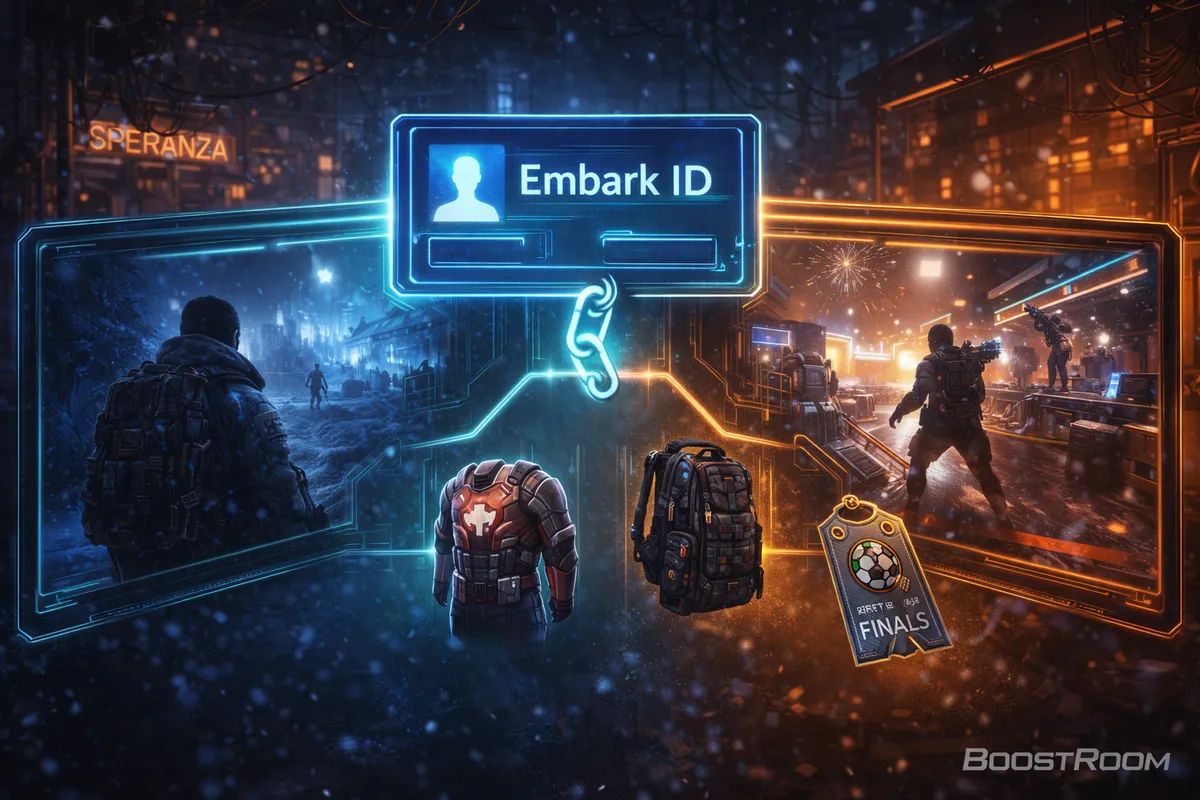
ARC Raiders x THE FINALS Rewards: The Big Idea
The crossover reward is a simple trade:
- You play THE FINALS and complete a small challenge (a contract).
- Embark verifies the completion through your Embark ID.
- Then you receive an ARC Raiders cosmetic bundle—as long as both games are connected to the same Embark ID.
The whole point is to encourage ARC Raiders players to try THE FINALS (and THE FINALS players to check out ARC Raiders), while letting Embark deliver rewards safely through the account system rather than through codes.
The Reward Requirement: Play 3 Matches in THE FINALS
In THE FINALS, Embark ran a contract specifically tied to ARC Raiders. The contract message is straightforward:
- Play 3 matches in THE FINALS to unlock a special ARC Raiders bundle.
- After completing it, launch ARC Raiders and make sure your Embark ID is connected so the entitlement can be delivered.
You do not need to be good at THE FINALS to finish this. You just need to complete the matches. For most players, the fastest approach is to queue any mode you can finish consistently—because the reward checks “matches played,” not “wins.”
What You Get: The ARC Raiders Bundle Contents
Official messaging confirms it’s a special ARC Raiders bundle earned through THE FINALS. Community breakdowns agree the bundle contains three cosmetic items.
Most players report the bundle includes:
- Ryder (Red) outfit (a red/white recolor themed after THE FINALS)
- Salvager (Black) backpack
- Soccer “FINALs Ticket” charm (a small crossover accessory)
Cosmetic names can be adjusted by the developer over time, but the “three items” pattern has stayed consistent in player reports. If Embark modifies the promotion later, the exact items may change—so always treat your in-game inbox/inventory as the final source of truth for what you received.
Eligibility Rules: Who Can Claim It (And Who Can’t)
Before you put time into it, make sure you qualify:
- One bundle per account (you can’t farm it repeatedly on the same Embark ID).
- It requires access to ARC Raiders (ARC Raiders is sold separately).
- The promotion is available until Embark disables it (it’s not always tied to a strict end date, so “do it now” is smarter than “do it later”).
- It’s not available to suspended or banned accounts.
- Abuse or fraud can result in the bundle being cancelled or reclaimed.
The important mindset: treat this like an account entitlement, not a loot drop. If your Embark ID isn’t correct, nothing else matters.
Step-by-Step: The Cleanest Way to Get the Reward (New Player Path)
Use this if you’re new and want the lowest chance of linking mistakes.
- Decide where you want your “main” Embark ID to live
- Pick the platform you care about most (Steam, PlayStation, Xbox). This becomes the platform you always sign in with first when linking other accounts.
- Launch THE FINALS and confirm you’re logged into the correct Embark ID
- THE FINALS requires Embark ID to play. That means the account you use inside THE FINALS is already tied to an Embark ID identity.
- Find the ARC Raiders crossover contract in THE FINALS and complete it
- The requirement is play 3 matches. Finish the matches normally.
- Launch ARC Raiders on the same platform account (or a linked platform)
- When ARC Raiders prompts you at first launch, choose Link Existing Account if you already have an Embark ID from THE FINALS. This is the step people miss.
- Check ARC Raiders in-game inbox/mail after you’ve logged in
- Reward delivery often appears as a message or entitlement that arrives in your inbox. If it’s not immediate, don’t panic—see the troubleshooting section below.
Step-by-Step: If You Already Play THE FINALS
If you’re already a THE FINALS player, your Embark ID already exists. Your job is to make sure ARC Raiders attaches to that same Embark ID.
- Complete the 3-match contract in THE FINALS
- Launch ARC Raiders and choose “Link Existing Account” (do not create a new one)
- When linking, sign in using the platform account that already owns your Embark ID
- Example: if your THE FINALS account is on PlayStation, sign in through PlayStation when linking your ARC Raiders platform account.
- Restart ARC Raiders once after linking (simple, but it fixes a lot)
- Open inbox/mail and check for the reward.
Step-by-Step: If You Already Play ARC Raiders
If ARC Raiders is already your main game and you haven’t touched THE FINALS:
- Confirm which Embark ID you’re using in ARC Raiders
- You can usually see your Embark ID in the social area as a DisplayName#1234 format.
- Install and launch THE FINALS (it’s free-to-play)
- Log into THE FINALS using the same platform identity tied to your ARC Raiders Embark ID
- If you accidentally log into THE FINALS with a different platform account, you might create or attach to a different Embark ID—then the reward won’t reach your ARC Raiders identity.
- Play 3 matches
- Launch ARC Raiders and claim the bundle from inbox/inventory.
How to Link the Correct Embark ID (The “Same ID” Rule)
The crossover reward has one golden rule:
Both games must be linked to the same Embark ID.
Here are the two official ways players link accounts:
- In-game linking (recommended):
- On first launch, ARC Raiders can prompt you to either create a new account or link an existing one. If you already played THE FINALS, you should link the existing Embark ID.
- Embark ID website linking:
- You can log into your Embark ID and view Connected Platforms, then link additional platform accounts there.
Important limitation:
- Your Embark ID can be linked to one account per platform (one Steam, one PlayStation, one Xbox, etc.).
- If you already have a Steam account connected to a different Embark ID, you can’t “merge” them just by clicking around—you have to resolve the conflict first.
How to Check What’s Linked (And Avoid the #1 Mistake)
The #1 mistake is having two Embark IDs without realizing it.
You can verify your setup in two places:
- Inside ARC Raiders: your Embark ID is displayed in a DisplayName#1234 format in the social area.
- On the Embark ID account page: there’s a Connected Platforms view that shows which services are linked.
Your goal is for both ARC Raiders and THE FINALS to point to the same identity and the same connected platform set.
Cross-Progression Basics: What Carries Over
Embark ID is designed to enable cross-progression on supported platforms. That means your progress and cosmetics are tied to your Embark ID rather than only to your console or Steam account.
What this means for rewards:
- If the reward is granted to your Embark ID, it should appear anywhere you play ARC Raiders as long as you log into the same Embark ID.
- If you accidentally log into a different Embark ID on another platform, you may “lose access” to the reward on that platform—not because it disappeared, but because you’re looking at the wrong identity.
The “Don’t Unlink Everything” Warning (Seriously)
Unlinking can be dangerous if you don’t understand the consequence.
If you unlink all platform accounts from your Embark ID, you can permanently lose access to the Embark ID along with progress and purchases. Re-linking the same platform to a different Embark ID does not magically transfer your progress back, because the progress is tied to the Embark ID itself.
If you’re only trying to fix a crossover reward problem, unlinking everything is the opposite of what you want. Use the troubleshooting steps first.
Common Problems That Block the Reward
If you played 3 matches and didn’t get the bundle, it’s almost always one of these:
- You completed the matches on a different Embark ID than the one your ARC Raiders account uses.
- You created a new Embark ID in ARC Raiders instead of linking your existing THE FINALS Embark ID.
- You’re playing ARC Raiders on a different platform account that isn’t connected to the Embark ID you used in THE FINALS.
- You didn’t actually complete the matches in a way the contract tracks (for example, leaving matches early can sometimes fail to progress challenges in many games).
- You received the reward but didn’t notice it because it arrived in inbox/mail rather than popping up loudly.
Troubleshooting: “I Completed It, But My Reward Isn’t Showing”
Work through this in order:
- Restart both games once
- Entitlements can sometimes sync on launch.
- Confirm you completed the contract in THE FINALS
- Make sure the contract shows as completed, not “2/3” or “in progress.”
- Confirm both games are on the same Embark ID
- This is the big one. If you’re unsure, check your connected platforms on the Embark account page.
- Check ARC Raiders inbox/mail carefully
- Many players receive the bundle via a message in the ARC Raiders inbox rather than instantly appearing as a splash screen.
- Give it a short buffer window, then relaunch ARC Raiders
- Sometimes the entitlement arrives after a small delay.
- If it still isn’t there, contact support with your Embark ID (DisplayName#1234)
- Support can see account entitlements; a screenshot of your completed contract in THE FINALS also helps.
Troubleshooting: The “Content Saved / Cannot Be Merged” Linking Error
A common Embark ID linking error is essentially:
“The account you are trying to connect to has content saved from an Embark game and cannot be merged at this time.”
Translation:
- The platform account you’re trying to link is already associated with a different Embark ID.
This usually happens when:
- You played THE FINALS years ago on one platform login,
- then later created a new Embark ID on a different platform,
- and now you’re trying to combine them.
Fix mindset:
- This is not a “click harder” problem. It’s an identity conflict problem.
- The safest fix is to decide which Embark ID you want as your main and ensure your active platforms point to it, without deleting access.
If you’re not 100% sure what to unlink or where your purchases are, don’t guess—use support. Guessing is how people lose cosmetics.
Troubleshooting: You Played 3 Matches on Console, But ARC Raiders Is on PC
This is totally doable—but only if you connected platforms correctly.
The reward goes to your Embark ID, not to “your PC.”
So you must:
- connect your console platform account (where you played THE FINALS) to the Embark ID, and
- connect your Steam account (where you play ARC Raiders) to that same Embark ID.
If your Steam account is linked to a different Embark ID, the reward will never appear on PC until you fix that identity split.
Troubleshooting: “I Got It on One Platform But Not Another”
This points to one of two issues:
- You’re logging into a different Embark ID on the other platform, or
- The other platform is not connected to the Embark ID that received the entitlement.
Confirm by checking your connected platforms. Once both platforms share the same Embark ID, the cosmetics should appear consistently.
THE FINALS Is Free—But ARC Raiders Is Not
A lot of players ask: “Do I have to buy THE FINALS to do this?”
No—THE FINALS is free-to-play on supported platforms.
But the crossover help text also clarifies that claiming the ARC Raiders bundle requires having access to ARC Raiders (it’s sold separately). So the promotion is best understood as:
- THE FINALS is the task (play 3 matches),
- ARC Raiders is where the reward is delivered (your bundle).
How to Finish the 3 Matches Fast (Without Turning It Into a Grind)
If your goal is purely “get the reward,” don’t overthink strategy.
Fast completion tips:
- Choose any mode with reliable match completion (avoid modes you might quit out of).
- Focus on finishing matches rather than optimizing K/D.
- If you’re brand new, play with a simple goal: stay with your team and complete rounds.
This keeps the contract progress clean and avoids the most common self-inflicted problem: leaving early and wondering why progress didn’t count.
Why Your Embark ID Setup Matters Beyond This Reward
Even if you don’t care about cosmetics, having one clean Embark ID makes your life easier:
- You can switch platforms without “losing” your identity.
- You can play with friends cross-platform more reliably.
- You can claim future promotions (Twitch Drops, events, crossovers) with less headache.
- You reduce the risk of accidentally deleting access to your progress.
This crossover is basically a stress-test of your account setup. If you fix it once, you’ll benefit every time Embark runs another limited reward.
BoostRoom: Finish the Reward Fast, Then Use the Momentum
Once you’ve claimed the crossover bundle, the next step is turning playtime into real ARC Raiders progress—better extracts, cleaner fights, faster upgrades.
BoostRoom helps ARC Raiders players:
- build safe, efficient extraction routes (especially when carrying “pain items” like blueprints and quest objectives),
- stack quests for faster progression,
- and run smarter loadouts for solo/duo/trio so your sessions feel consistent.
If your goal is to look good and get better results topside, use the reward as your “start line,” not your finish line.
FAQ
Do I need Embark ID to play ARC Raiders and THE FINALS?
Yes. Embark ID is required, and it’s also what enables cross-progression and cross-platform social features.
How do I get the ARC Raiders x THE FINALS reward bundle?
Complete the ARC Raiders crossover contract in THE FINALS by playing 3 matches, then launch ARC Raiders while logged into the same Embark ID to receive the bundle.
Do I need to buy THE FINALS to do this?
No. THE FINALS is free-to-play on supported platforms.
Do I need to own ARC Raiders?
Yes. The bundle is delivered in ARC Raiders and the promotion notes it requires a copy of ARC Raiders.
Why didn’t I get the reward after playing 3 matches?
Almost always because your THE FINALS progress is on a different Embark ID than your ARC Raiders account, or because your platform accounts aren’t linked to the same Embark ID.
Can I claim the reward more than once?
No. It’s one bundle per Embark ID account.
Is there an end date?
The promotion is described as available “until further notice” and stays active until Embark disables it, so it’s smart to claim it sooner rather than later.
Can I link multiple accounts to one Embark ID?
Yes, but only one per platform type (one Steam, one PlayStation, one Xbox, etc.). If a platform is already linked to another Embark ID, you’ll hit a merge/conflict error.
Is it safe to unlink platforms to fix linking issues?
Be careful. Unlinking everything can delete your Embark ID access and you can lose progress/cosmetics. If you’re unsure, contact support instead of guessing.



