CS2 Skins Explained: Floats, Patterns & Smart Picks
CS2 skins are cosmetic finishes that change how in-game items look. They do not make you aim better, reduce recoil, improve movement, increase damage, or give direct competitive power. A player with a default inventory can still outplay someone with expensive skins if they have better crosshair placement, movement, utility, economy, and decision-making. That is the first thing every beginner should remember.
Skins are about style, identity, collecting, and personal enjoyment. Some players like clean minimal designs. Some like bright colors. Some like dark tactical looks. Some like rare patterns. Some like matching stickers with their favorite color theme. Some only want a simple loadout for the items they use most. All of these approaches are valid as long as skins stay fun, safe, and within a comfortable budget.
The confusing part is that CS2 skins have several details that affect appearance and demand. A skin is not only a name. It can have a float value, wear category, pattern seed, rarity grade, finish style, stickers, StatTrak status, Souvenir status, and market restrictions. Two skins with the same name can look different. Two skins with the same wear category can have noticeably different levels of scratches or fading. Two skins with the same float can still look different because the pattern is placed differently.
This is why beginner skin choices should be slow and informed. Do not buy only because a skin is popular. Do not chase rare outcomes through risky random systems. Do not trust strangers who pressure you. Do not assume a skin is a good pick just because the price is high. Smart picks come from understanding what you are looking at: float, pattern, wear, visual appeal, item usage, safety, and comfort.
BoostRoom helps CS2 players focus on the complete game. Skins can make CS2 more enjoyable, but real progress still comes from better aim routines, smarter utility, cleaner movement, stronger communication, and better ranked habits. This page helps beginners enjoy the cosmetic side of CS2 while keeping the right mindset: skins are style, skill is performance.
What Are CS2 Skins?
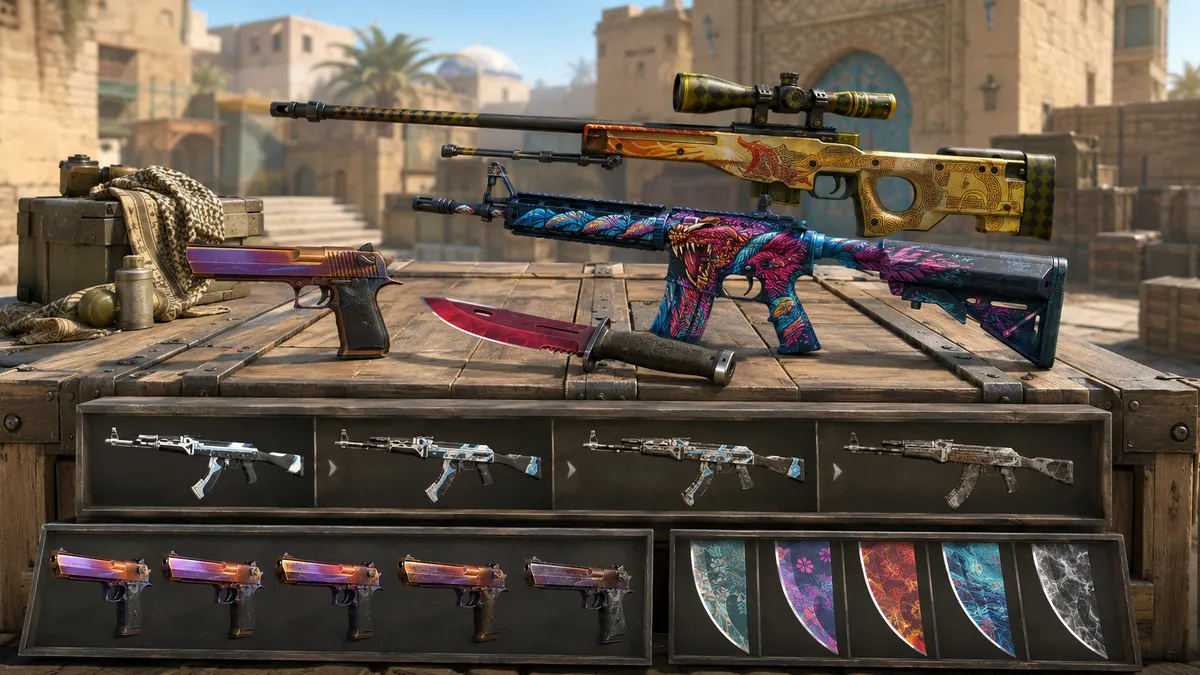
CS2 skins are visual finishes for in-game items. They are sometimes called weapon finishes because many of the most popular skins change the appearance of rifles, pistols, SMGs, knives, gloves, and other inventory items. A skin can make an item look colorful, metallic, worn, futuristic, artistic, simple, patterned, or themed around a collection.
Skins are stored in your Steam inventory. Some items can be used in matches, some can be listed on the Steam Community Market, and some can be traded after restrictions expire. Items can also have temporary holds, protection rules, or account-based restrictions depending on Steam security settings and how the item was received.
A beginner should think of skins as cosmetic collectibles. They are not upgrades. They are not required to enjoy CS2. They are not a shortcut to ranking up. They are optional personalization.
The most common beginner reason to get a skin is simple: you use an in-game item often and want it to look better. That is a good reason. For example, if you often use a certain rifle, pistol, or SMG in your matches, a cosmetic for that item may feel more enjoyable than buying a skin for something you rarely use. Smart picks usually start with the items you actually equip.
The second reason is theme. Some players build a red inventory, blue inventory, black inventory, white inventory, neon inventory, budget inventory, or clean minimal inventory. This can make your loadout feel more personal without needing rare or expensive items.
The third reason is collecting. Some players enjoy rare patterns, low floats, old stickers, special collections, or Souvenir history. That side of CS2 can get complicated quickly, so beginners should learn the basics before caring about advanced collector details.
Do CS2 Skins Affect Gameplay?
No. CS2 skins are cosmetic only. They do not change damage, recoil, fire rate, movement speed, accuracy, reload behavior, or utility. A clean skin may feel satisfying, but the in-game mechanics remain the same.
This is important because some beginners accidentally connect expensive inventories with skill. In CS2, a rare inventory does not mean the player is better. A strong player can use default items and still win duels through good movement, crosshair placement, timing, and decision-making. A weak player can have expensive cosmetics and still lose because skins do not fix gameplay mistakes.
Skins can still affect enjoyment. If you like how your loadout looks, you may feel more connected to the game. That can make practice feel more fun. But there is a difference between enjoyment and performance. A skin can make the game feel cooler. It cannot replace training.
BoostRoom’s view is simple: enjoy skins, but do not let cosmetics become the main measure of progress. If your goal is to rank up, your warm-up routine, aim consistency, map knowledge, utility usage, economy calls, and mental discipline matter much more than your inventory.
The Beginner Skin Terms You Must Know
CS2 skin listings include many words. Once you understand the main terms, the system becomes much easier.
Skin:
The cosmetic finish applied to an in-game item.
Wear:
The condition category of a skin, such as Factory New, Minimal Wear, Field-Tested, Well-Worn, or Battle-Scarred.
Float value:
The exact decimal number that controls how worn the skin is. Lower usually means cleaner. Higher usually means more worn.
Pattern seed:
A number that affects how a texture, color area, or artwork placement appears on certain skins.
Rarity:
The grade of a skin, often shown with color-coded tiers such as Consumer Grade, Industrial Grade, Mil-Spec, Restricted, Classified, Covert, and special rare items.
Finish style:
The way the design is applied to the item. Different finish styles can wear, scratch, or pattern differently.
StatTrak:
A special version of certain skins that tracks eliminations made by the current owner with that item.
Souvenir:
A special event-linked version of certain skins, usually connected to professional tournament packages or event history.
Sticker craft:
A skin customized with stickers. The sticker choice, placement, and visual match can affect appearance and appeal.
Marketable:
The item can be listed on the Steam Community Market when eligible.
Tradable:
The item can be traded with another Steam account when eligible.
Trade hold or market hold:
A Steam security delay that temporarily prevents an item from being moved, sold, or transferred.
These terms are the foundation of every smart skin choice.
CS2 Float Values Explained
Float value is one of the most important skin details. It is the exact wear number assigned to a skin. Most skin floats are discussed as values between 0.00 and 1.00. Lower float usually means the item looks cleaner. Higher float usually means more scratches, fading, darkness, or wear, depending on the skin.
Float is more precise than the wear label. A skin can be Field-Tested at 0.16 and another can be Field-Tested at 0.37. Both are Field-Tested, but they may look very different. One is near Minimal Wear, while the other is close to Well-Worn. This is why beginners should not compare only by wear name.
Float is usually set when the item is created through the game’s item system. It does not get worse because you use the skin in matches. This is one of the biggest beginner myths. A Factory New skin will not become Field-Tested after enough games. A Battle-Scarred skin will not become more scratched because you equipped it for a long time. The float is fixed.
The standard wear ranges are commonly understood like this:
Factory New: 0.00 to 0.07
Minimal Wear: 0.07 to 0.15
Field-Tested: 0.15 to 0.38
Well-Worn: 0.38 to 0.45
Battle-Scarred: 0.45 to 1.00
These ranges help you read listings quickly. But the exact appearance still depends on the specific skin. Some skins change dramatically with float. Others look similar across several conditions. That is why inspection matters.
Wear Levels: What Each Condition Means
Wear levels are the names attached to float ranges. They give a quick idea of how clean or worn a skin is.
Factory New is usually the cleanest condition. These skins often have the sharpest colors, fewest visible scratches, and most polished appearance. Factory New versions can be more expensive, especially on popular skins, because many players prefer the cleanest look.
Minimal Wear is still clean but may show small marks, mild fading, or tiny scratches depending on the skin. Many Minimal Wear skins are smart beginner picks because they can look close to Factory New while costing less.
Field-Tested is the middle condition. Some Field-Tested skins look noticeably worn, but others still look very good, especially at low float values near 0.15. Low-float Field-Tested skins can be excellent smart picks for beginners who care about value and appearance.
Well-Worn shows more visible wear. Some skins become faded, scratched, or darker in this range. But not every Well-Worn skin looks bad. Some designs still look strong, and some players like the rugged style.
Battle-Scarred is usually the most worn category. Many Battle-Scarred skins look heavily aged, faded, scratched, or darker. However, some Battle-Scarred skins have a unique look that certain players enjoy. High wear is not automatically bad if you like the visual result.
Smart picks do not always mean the cleanest condition. Smart picks mean choosing the version that looks good to you without wasting budget on differences you barely notice.
Why Two Skins With the Same Wear Can Look Different
Two skins can have the same wear category but different float values. That is the first reason they may look different. A 0.16 Field-Tested item is much cleaner than a 0.37 Field-Tested item even though both share the same wear label.
The second reason is how the specific finish wears. Some finishes show scratches in obvious locations. Others darken. Others lose color. Others keep the main artwork mostly intact while only edges or small areas change. Float affects every skin, but it does not affect every skin in the exact same visual way.
The third reason is pattern. Some skins use pattern placement that can change where colors, shapes, scratches, or artwork appear. Two skins with similar float can still look different if the pattern seed changes the visible layout.
The fourth reason is lighting and CS2’s visual presentation. A skin may look different in inventory inspect, in-game inspect, bright maps, dark areas, or under different lighting. CS2’s updated rendering can make some finishes look more reflective, colorful, or textured than they seemed in older versions of the game.
That is why inspection is part of smart picking. Do not rely only on the wear name. Do not rely only on the float number. Look at the actual item.
Float-Capped Skins Explained
Not every skin can exist at every float value. Some skins have a limited float range. These are often called float-capped skins.
For example, a skin might only exist between 0.00 and 0.50, meaning it cannot reach the highest Battle-Scarred values. Another might start above 0.06, making extremely low Factory New examples impossible. Another might only exist in certain conditions because its float range skips other wear categories.
This matters because beginners may search for a Factory New version of a skin that cannot exist in Factory New. Or they may wonder why there are no Battle-Scarred versions. The answer may be that the skin’s possible float range does not allow that wear category.
Float caps also affect supply. If a condition is possible but only within a narrow range, examples may be harder to find. This can affect demand, but beginners should avoid overpaying unless they understand the item’s float range and why the condition matters.
The simple rule is: before chasing a specific wear, check whether that wear is possible for the skin.
Patterns Explained in Simple Terms
Pattern is about placement. A pattern seed affects how a skin’s texture, colors, artwork, or special areas appear on the in-game item. Some skins are very pattern-dependent. Others barely change.
Imagine a large design printed on a sheet, then wrapped around an item in different positions. One pattern might place a bright color on the most visible side. Another might place that color on a less visible area. One pattern might center a special symbol. Another might cut it off. The skin has the same name, but the final look changes.
This is why pattern seed can matter. It does not replace float. It is a separate detail. Float tells you how worn the skin is. Pattern tells you how the design is placed.
Beginners should not panic about patterns on every skin. Many skins do not require pattern research. But for pattern-heavy finishes, pattern can be a major part of appearance and demand. If a seller says a pattern is special, do not accept the claim blindly. Inspect the item and understand why that pattern is considered desirable.
Smart beginners follow one safe rule: if you do not understand the pattern premium, do not pay the pattern premium.
Pattern Seed vs Float: The Key Difference
Float and pattern are two separate systems.
Float answers: how worn is this item?
Pattern answers: where is the design placed?
A low-float skin can have an ordinary pattern. A high-float skin can have a visually interesting pattern. A skin can be valuable because of low float, rare pattern, sticker craft, rarity, Souvenir history, StatTrak status, popularity, or a mix of several factors.
This is why beginners should not use one detail as the only decision point. A skin with a great float may still not be worth it if you dislike how it looks. A skin with a famous pattern may not be a smart pick if you do not care about collecting patterns. A skin with expensive stickers may not appeal to you if the colors clash.
Smart picking is personal. Learn the technical details, then choose based on appearance, budget, and comfort.
Pattern-Heavy Skins vs Pattern-Light Skins
Some skins are pattern-heavy. Their pattern seed can significantly change how they look. These are the skins where collectors discuss special seeds, rare color coverage, centered artwork, fade percentage, or unusual placements.
Other skins are pattern-light. They may have a seed, but the visible difference is small or not very important for normal players. Many skins look consistent enough that beginners can focus mainly on float and wear.
A beginner does not need to memorize every pattern category. The important habit is to check whether the skin you are considering is known for pattern differences. If it is not pattern-heavy, do not overthink the seed. If it is pattern-heavy, inspect before choosing.
Pattern-heavy skins are exciting, but they are also where beginners can overpay most easily. A seller may use words like “rare,” “gem,” “tier,” or “special” to create pressure. Slow down. Compare examples. Learn the visual reason. Do not rush.
Rarity Tiers Explained
Rarity tiers show how uncommon a skin is within its source system. They are often color-coded. Common rarity tiers include Consumer Grade, Industrial Grade, Mil-Spec, Restricted, Classified, Covert, and special rare items such as knives and gloves from certain cases.
Rarity affects supply, but rarity does not automatically mean beauty. Some lower-rarity skins look excellent. Some higher-rarity skins are expensive because of scarcity, not because every player likes their design. Beginners should not buy by rarity color alone.
A good beginner mindset is to separate rarity from taste. Ask two different questions:
Is the skin rare?
Do I actually like the skin?
A skin can be rare but not your style. A skin can be common but look perfect in your loadout. Smart picks are not always rare picks. Smart picks are skins you enjoy, understand, and can afford comfortably.
Rarity can still matter if you care about collecting, but beginners should learn appearance first. The first goal is not to own the rarest item. The first goal is to understand what you are looking at.
Collections, Cases, and Item Sources
Skins come from different sources. Some are part of cases. Some belong to collections. Some are connected to maps, events, or operation-style content. Some are part of Souvenir packages. Some are obtained through drops, market listings, trades, or other inventory systems.
The source can affect availability and demand. If a skin comes from a popular collection or a case with high attention, it may have more demand. If a collection is limited or older, supply may be different. If a skin is tied to a famous event or map, collectors may care more.
Beginners should understand one important difference: choosing a specific skin is different from chasing random outcomes. If you want a certain cosmetic, directly comparing available items is clearer than relying on random case openings. Random systems can be exciting, but they can also lead to overspending and disappointment. Treat cases as risky entertainment, not a smart beginner strategy.
Smart picks come from knowing what you want before you spend. Random chasing often comes from emotion.
StatTrak Skins Explained
StatTrak is a special version of certain skins that tracks eliminations made with that item by the current owner. Many StatTrak items show a small counter on the item.
StatTrak does not improve gameplay. It does not make an item stronger. It only adds tracking and a different cosmetic detail. Some players love seeing the number grow. Others prefer normal versions because they look cleaner or cost less.
For beginners, StatTrak is a preference choice. Do not pay extra for it just because it sounds premium. Choose it only if you like the tracking feature and the look. If you mostly care about clean visuals, a non-StatTrak version may be the smarter pick.
Also remember that the StatTrak counter is personal to item use. It is not proof that the owner is better. It is just a cosmetic tracker.
Souvenir Skins Explained
Souvenir skins are special versions connected to professional event packages or tournament history. They often include event-related stickers or special markings. Some collectors like Souvenir skins because they connect to a specific tournament, match, map, team, or event era.
Souvenir does not automatically mean valuable. Some Souvenir skins are common and affordable. Others are more desirable because of skin choice, collection, float, stickers, event history, or rarity. Beginners should inspect Souvenir skins carefully because the included sticker layout affects the look.
A Souvenir version may be perfect if you enjoy the event connection. A normal version may be better if you want to create your own sticker craft. There is no universal best choice.
Smart beginner rule: buy Souvenir because you like the item and its story, not because the word “Souvenir” sounds automatically rare.
Stickers and Sticker Crafts
Stickers are cosmetic items that can be applied to skins. They can show team logos, event branding, player autographs, artistic graphics, or other designs. A sticker craft is the combination of a skin and stickers.
Stickers can change the personality of a skin. A simple dark skin can become colorful with bright stickers. A cheap skin can look stylish with smart color matching. A themed inventory can feel more complete when stickers match the loadout.
But beginners should be careful with sticker value. Applied stickers usually do not add their full separate market value to a skin. A skin with expensive stickers is not automatically worth the base skin plus the full sticker price. Placement, demand, appearance, sticker age, sticker rarity, and buyer interest all matter.
For beginners, the best sticker crafts are affordable and personal. Match colors. Keep the design clean. Use stickers you like. Do not apply expensive stickers until you understand how sticker placement and scraping work.
Sticker Scraping and Why Beginners Should Be Careful
Some stickers can be scraped, changing their appearance. Scraping can make a sticker look worn, partially damaged, or visually altered. Some players use scraping creatively. Others avoid it because they want stickers to remain clean.
Beginners should be careful because scraping can change the appeal of a craft. Do not scrape valuable stickers casually. Do not scrape because someone pressures you. Do not assume scraping improves value. If you want to experiment, use cheap stickers first.
Sticker crafts should be fun, not stressful. If you are new, focus on simple clean crafts before advanced sticker work.
Name Tags and Personal Style
Name Tags let players rename certain items. They are another layer of personalization. A renamed item can feel more personal, funny, or memorable. But a custom name usually does not make the item more valuable to other players.
Use Name Tags for your own enjoyment. Keep names appropriate, readable, and something you will not regret. If your goal is a clean inventory, you may prefer no name tag. If your goal is personal style, a name tag can make the item feel unique.
Name Tags are not part of smart value by default. They are part of personal style.
What Makes a Skin a “Smart Pick”?
A smart pick is not always the cheapest skin. It is not always the rarest skin. It is not always the cleanest float. A smart pick is a cosmetic that makes sense for your usage, taste, safety, and budget.
A smart pick usually has several qualities:
It is for an item you actually use.
It looks good in the wear condition you choose.
The float makes sense for the price and appearance.
The pattern is either not important or clearly understood.
The stickers, if any, improve the look without confusing value.
The item is marketable or tradable if that matters to you.
There are no suspicious trade conditions or pressure.
You can afford it comfortably.
You like it because of your taste, not only because of hype.
This is the difference between smart picking and emotional buying. Smart picking feels calm. Emotional buying feels rushed.
Smart Pick Rule 1: Start With Items You Actually Use
The easiest smart pick is a skin for an item you use often. If you play many rifle rounds, a rifle skin may feel more rewarding. If you love pistol rounds, a pistol skin may be more enjoyable. If you rarely use a specific item, its skin may sit in your inventory without much value to your experience.
Beginners often chase flashy skins for items they barely use because those skins look popular in videos or inventories. That is not always wrong, but it may not be the smartest first choice.
Ask yourself:
Which items do I use every match?
Which items do I inspect or notice most?
Which items fit my role and playstyle?
Which skins would I actually enjoy seeing often?
A beginner loadout does not need to cover everything. Start with your most-used items. Build slowly.
Smart Pick Rule 2: Compare Wear Before You Pay More
Many players assume Factory New is always best. Visually, Factory New is usually cleanest, but it is not always the smartest pick. Sometimes Minimal Wear looks almost the same for much less. Sometimes low-float Field-Tested looks excellent. Sometimes a skin’s design hides wear well.
Before choosing, compare several conditions of the same skin. Look at Factory New, Minimal Wear, Field-Tested, and maybe Well-Worn or Battle-Scarred if the skin still looks good. Check where scratches appear. Check whether colors fade. Check whether the design still looks sharp in normal gameplay.
Do not pay more for a label if you cannot notice the difference. A smart pick is visual value, not label worship.
Smart Pick Rule 3: Low-Float Field-Tested Can Be a Great Beginner Choice
Low-float Field-Tested skins can be excellent beginner picks. They are often cheaper than Minimal Wear or Factory New versions but may still look clean enough in-game. Because Field-Tested covers a wide float range, the exact number matters a lot.
A 0.16 Field-Tested skin can look much better than a 0.36 Field-Tested skin. Both have the same wear name, but the low-float one is near the top of the category. For some skins, this is the sweet spot between appearance and budget.
This does not mean every Field-Tested skin is good. Some skins show wear strongly even at lower floats. Always inspect. But beginners should not ignore Field-Tested just because the label sounds less clean. Many smart loadouts are built around good-looking Field-Tested versions.
Smart Pick Rule 4: Avoid Paying for Pattern Hype You Do Not Understand
Pattern hype can be real, but it can also confuse beginners. Some pattern seeds are genuinely more desirable because of color placement or rare visual layouts. But if you do not know why a pattern is special, you should not pay extra for it.
Ask:
What changes on this skin because of the pattern?
Is the special part visible in-game?
Is the pattern actually rare or just described as rare?
Do I personally like it?
Would I still want this skin if no one told me the pattern was special?
If the answer is unclear, choose a normal pattern that looks good to you. Smart picks are not about impressing strangers. They are about choosing cosmetics you understand and enjoy.
Smart Pick Rule 5: Be Careful With Sticker Overpay
Sticker overpay means paying extra because a skin has applied stickers. Sometimes this makes sense. A beautiful craft with rare stickers and good placement can be desirable. But beginners often overestimate sticker value.
Applied stickers usually do not equal full sticker market value added to the skin. A sticker may be expensive by itself but less valuable when applied to a skin that does not match well. Placement matters. Theme matters. Buyer demand matters.
For beginners, the smart choice is to avoid big sticker premiums unless you understand the craft. Affordable sticker crafts are safer and more fun. You can create a great-looking loadout with simple color matching instead of chasing expensive sticker history.
Smart Pick Rule 6: Choose a Theme Before You Build a Loadout
A theme makes beginner skin choices easier. Instead of randomly buying one red skin, one green skin, one neon skin, and one dark skin, you can build a consistent look.
Common beginner themes include:
Clean black and white.
Blue and purple.
Red and orange.
Gold and yellow.
Green and tactical.
Minimal and low-clutter.
Bright and colorful.
Dark and realistic.
Budget sticker-matched.
A theme helps you avoid impulse buys. When you see a skin, ask whether it fits your loadout. If it does not, skip it. This keeps your inventory cleaner and makes each pick feel intentional.
Smart Pick Rule 7: Do Not Treat Skins as Guaranteed Investment
Skin prices can move. Some go up. Some go down. Some change with updates, supply, demand, cases, collections, events, player trends, and market attention. Beginners should not treat skins as guaranteed profit.
A smart skin pick should be something you are happy to own even if the price changes. If your only reason to buy is “this will definitely rise,” slow down. Cosmetic markets are unpredictable, and beginners are especially vulnerable to hype.
Treat skins as entertainment and personalization. Spend only what you are comfortable spending. Do not chase losses. Do not buy because of pressure. Do not use skins as a financial plan.
Safe Spending: The Beginner Budget Rule
The safest beginner budget rule is simple: spend only what you can comfortably lose without stress. If a purchase would make you nervous, it is too much. If you need the money for something important, do not spend it on cosmetics. If you feel pressure to buy quickly, stop.
Good beginner spending habits:
Set a small budget before looking.
Compare options slowly.
Avoid random chasing.
Do not buy while tilted.
Do not buy because a teammate mocked your inventory.
Do not buy because a video made rare outcomes look normal.
Do not use external gambling or betting sites.
Keep skins fun and controlled.
A good skin should make CS2 feel more enjoyable. It should not create stress.
Steam Market Basics for Beginners
The Steam Community Market is the official Steam marketplace where eligible items can be bought and sold using Steam Wallet funds. Not every item is marketable, and some items may have restrictions or holds. Steam account security settings can also affect trading and market use.
A beginner should understand that Steam Wallet funds are not the same as normal cash in your hand. Market sales add funds to Steam Wallet, which are used within Steam. This is important because some beginners wrongly assume selling a skin on the Market is the same as withdrawing money freely.
Before using the Market, check:
Is the item marketable?
Is it currently restricted?
What is the exact wear and float?
Does the listing include stickers?
Are there multiple similar listings?
Am I comfortable with the price?
The Market can be useful for official item browsing, but it still requires caution. Take your time and read item details.
Tradable, Marketable, Holds, and Trade Protection
CS2 inventory items can have different movement states. Some are tradable. Some are marketable. Some are temporarily restricted. Some are protected after trades.
Steam has trading and market restrictions designed around account security and fraud prevention. Steam also has Trade Protected CS2 items, which are protected for a period after being received in trade. These systems can affect whether items can be transferred, modified, consumed, or moved again.
For beginners, the important rule is: always read the item status before assuming you can trade or sell it. If an item is locked, protected, or restricted, wait. Do not look for shortcuts. Do not trust anyone who says they can bypass restrictions.
Security systems may feel inconvenient, but they exist because CS2 inventories can attract scams. A protected account is more important than a fast trade.
Account Safety for CS2 Skins
If you own skins, account safety becomes important. Scammers target CS2 players because inventories can contain desirable items. Even budget inventories should be protected.
Use strong account security. Steam Guard Mobile Authenticator helps protect item movement and can reduce holds when properly active. Use a unique password. Do not share login details. Do not share Steam Guard codes. Do not log in through links from strangers. Do not trust fake support messages. Do not share API keys.
Be careful with trade offers. Confirm every item. Check wear, float, stickers, and item name. Make sure the item did not change before accepting. If someone pressures you to hurry, treat that as a warning sign.
Steam Support warns about confidence scams and trade scams because scammers often pretend to be friends, support agents, trading staff, middlemen, or trusted community members. Beginners should not use random middlemen. Beginners should not send items to a “safe account.” Real account safety does not require trading your skins to a stranger.
Slow trading is safer trading.
Scams Beginners Should Avoid
CS2 skin scams often target new players who do not know the system yet. The safest defense is understanding common tricks.
Fake login links are one of the most common. A stranger sends a link that looks like Steam or a skin-checking site. You log in, and your account may be compromised.
Fake support scams involve someone claiming your account is flagged, banned, or under review. They may tell you to trade items away for safety. Do not do this.
Middleman scams involve a supposed trusted person holding items during a trade. Beginners should avoid this entirely.
Item swap scams happen when a trade offer changes or includes a similar-looking item. Always verify before accepting.
Pattern-check scams use the excuse of checking float or pattern to push you toward suspicious sites. Do not log into unknown sites from random messages.
Overpay scams offer an unusually good deal but require unusual steps first. If it feels too good to be true, it probably needs caution.
Gambling and betting site scams encourage players to deposit skins into risky systems. Avoid these completely. They can lead to loss, manipulation, and unsafe account behavior.
A smart skin user protects the account first and the inventory second.
Cases and Random Outcomes: A Safety-First View
Cases and randomized cosmetic systems are part of CS2 skin culture, but beginners should be careful. Random outcomes can be exciting, yet they can also encourage overspending. You are not choosing the exact skin you want. You are paying for a chance.
This guide does not recommend chasing rare skins through repeated random openings. If you want a specific skin, comparing available items directly is clearer and safer than hoping for a rare outcome. Random chasing can become frustrating, especially when highlight videos make rare results look more common than they really are.
For younger players especially, the safest approach is to avoid gambling-like behavior around skins. Do not use betting sites, roulette sites, jackpot sites, coinflip sites, or external case-opening sites. Do not chase losses. Do not spend because you think the next try will fix the previous one.
Skins should stay cosmetic and fun. The moment they feel like pressure, stop.
How to Inspect a Skin Before Choosing
Inspection is a major part of smart picking. A listing name does not show everything. Inspecting lets you judge appearance more clearly.
When inspecting, look at:
The most visible side of the item.
Scratch locations.
Color brightness.
Dark areas.
Sticker placement.
Pattern placement.
How it looks in first-person view.
How it looks under different lighting.
Whether wear bothers you during normal use.
Do not inspect only the inventory icon. Inventory icons can hide details. A skin may look amazing in a small image but less clean in first-person. Another may look average in a small image but excellent in-game.
Smart picks are based on real appearance, not just thumbnails.
How to Compare Two Similar Skins
When comparing two similar skins, use a simple checklist.
First, compare wear category. Are both Minimal Wear? Is one Field-Tested and one Factory New?
Second, compare float. If both are the same wear, which has the better float? Does the difference actually show visually?
Third, compare pattern. Does one have a more balanced or desirable layout?
Fourth, compare stickers. Are they clean, matching, distracting, rare, scraped, or badly placed?
Fifth, compare item status. Is one tradable or marketable sooner? Is one restricted?
Sixth, compare comfort. Which one do you actually prefer?
This prevents beginners from choosing based only on price or hype.
Budget Smart Picks
A budget smart pick is a skin that looks good without demanding a high spend. Budget skins are ideal for beginners because they let you learn floats, wear, stickers, and loadout themes without major risk.
Budget smart picks usually come from:
Lower-rarity skins with strong designs.
Minimal Wear versions of affordable skins.
Low-float Field-Tested versions.
Pattern-light skins where you do not need rare seeds.
Simple sticker crafts.
Items you use often.
Budget does not mean ugly. Many affordable skins look excellent in-game. The key is to search by appearance and wear, not only rarity.
A smart budget loadout may feel better than one expensive item surrounded by default cosmetics. Balance matters.
Mid-Budget Smart Picks
A mid-budget smart pick is usually for players who already understand wear and float and want a more polished loadout. At this stage, you can start caring more about matching themes, cleaner floats, nicer sticker crafts, and skins for several frequently used items.
Good mid-budget habits:
Choose a theme before buying.
Compare wear categories carefully.
Avoid expensive pattern premiums unless understood.
Inspect every skin before choosing.
Avoid hype-driven purchases.
Keep enough budget for multiple items instead of spending everything on one cosmetic.
Mid-budget picking is where many players overspend because they start chasing “almost premium” items. Stay disciplined. If the difference between two options is hard to see, choose the comfortable one.
High-Budget Caution
Expensive skins require more caution. The higher the value, the more important it is to understand float, pattern, stickers, restrictions, account security, and trade safety. Expensive cosmetics also attract more scammers and more pressure.
Beginners should not jump into high-value skins without experience. Learn the system with safer items first. Understand how floats look. Understand market restrictions. Understand Steam security. Understand how applied stickers affect value. Understand pattern claims. Understand that prices can move.
If an expensive skin would make you anxious, it is not a smart pick for you. Smart picking includes emotional comfort. A cosmetic should not make your account feel like a target or make every market change stressful.
Skin Picking by Player Type
Different beginners want different things. Here are safer ways to think about smart picks.
The ranked grinder should choose skins for items used often. Practical enjoyment matters more than rare patterns.
The style player should build a color theme and choose skins that look good together.
The budget player should focus on low-float Field-Tested, Minimal Wear value, and simple sticker crafts.
The collector-minded player should learn float, pattern, rarity, and source history slowly before paying premiums.
The casual player should buy only what makes matches more fun and ignore market hype.
The beginner with no skin knowledge should start small, inspect everything, and avoid random risky spending.
There is no single “best” inventory. The best inventory is the one that fits your goals without hurting your focus or budget.
What Not to Do With CS2 Skins
Do not buy skins to look skilled.
Do not spend money you need elsewhere.
Do not chase rare outcomes through repeated random openings.
Do not use gambling or betting sites.
Do not click links from strangers.
Do not trust fake support messages.
Do not trade under pressure.
Do not pay extra for patterns you do not understand.
Do not assume applied stickers add full value.
Do not treat skins as guaranteed profit.
Do not let cosmetics replace practice.
A beginner who avoids these mistakes is already ahead of many players.
How BoostRoom Helps Players Keep the Right Focus
BoostRoom helps CS2 players improve where it matters most. Skins are a fun part of CS2, but skill comes from practice, structure, and better match habits. A great inventory can make the game feel stylish, but it will not win pistol rounds, hold Banana, retake B, smoke Mid, trade teammates, or stop tilt.
BoostRoom helps players build the real foundation:
Better aim routines.
Cleaner counter-strafing.
Smarter utility usage.
Stronger map knowledge.
Better solo queue communication.
Improved economy decisions.
More consistent warm-ups.
Healthier ranked mindset.
Skins can be part of enjoying CS2, but BoostRoom keeps improvement at the center. A player who understands both cosmetics and gameplay can enjoy the full CS2 experience without confusing style with skill.
Beginner Checklist Before Choosing a CS2 Skin
Before choosing a skin, ask yourself:
Do I use this item often?
Do I like the skin in first-person view?
Do I understand the wear category?
Did I check the float?
Is the pattern important?
Did I inspect the item?
Do the stickers improve the look?
Is the item marketable or tradable if that matters?
Are there restrictions or holds?
Am I using safe official systems?
Am I avoiding suspicious links and pressure?
Am I spending within a comfortable budget?
Would I still like this skin if it became less trendy?
This checklist turns buying into a calm decision instead of an impulse.
Common Beginner Mistakes
Mistake 1: Buying only by name
A skin name is not enough. Check wear, float, pattern, and stickers.
Mistake 2: Thinking Factory New is always the best value
Factory New may be cleanest, but Minimal Wear or low-float Field-Tested can be smarter.
Mistake 3: Ignoring float inside the same wear category
Two Field-Tested skins can look very different.
Mistake 4: Paying for pattern hype without understanding it
Rare pattern claims need visual proof and knowledge.
Mistake 5: Assuming stickers add full value
Applied sticker value depends on craft quality and demand.
Mistake 6: Opening cases to chase one specific skin
Random outcomes can lead to overspending.
Mistake 7: Clicking trade links from strangers
This can lead to phishing or account compromise.
Mistake 8: Treating skins as guaranteed investment
Prices can change. Buy for enjoyment first.
Mistake 9: Spending too much too early
Start small while learning the system.
Mistake 10: Forgetting gameplay improvement
Skins are style. Skill still wins matches.
Practical Rules for Smart CS2 Skin Picks
Rule 1: Skins are cosmetic only.
They do not improve gameplay mechanics.
Rule 2: Float controls wear.
Lower usually means cleaner, higher usually means more worn.
Rule 3: Wear category is only the shortcut.
Exact float tells the better story.
Rule 4: Pattern controls placement.
Some skins depend heavily on pattern, others do not.
Rule 5: Inspect before choosing.
Do not rely only on icons or names.
Rule 6: Buy for items you use.
A skin you see often gives more enjoyment.
Rule 7: Start with budget-friendly picks.
Learn before spending more.
Rule 8: Avoid gambling-like behavior.
Do not chase random outcomes or risky sites.
Rule 9: Protect your Steam account.
Security is part of owning skins safely.
Rule 10: Keep skill first.
The best CS2 upgrade is still better gameplay.
FAQ
What are CS2 skins?
CS2 skins are cosmetic finishes for in-game items. They change appearance but do not change damage, accuracy, movement, recoil, or gameplay strength.
What is float in CS2?
Float is the exact wear number of a skin, usually discussed from 0.00 to 1.00. Lower float usually means cleaner appearance, while higher float usually means more visible wear.
What are the CS2 wear levels?
The main wear levels are Factory New, Minimal Wear, Field-Tested, Well-Worn, and Battle-Scarred. These categories are based on float ranges.
Do CS2 skins wear out when you play?
No. CS2 skins do not become more worn from playing matches. Their float value is fixed when the item is created.
What is a CS2 pattern seed?
A pattern seed controls how certain designs, colors, or textures are placed on a skin. Some skins change a lot by pattern, while others barely change.
What is the difference between float and pattern?
Float controls wear. Pattern controls design placement. They are separate details.
Are StatTrak skins better?
StatTrak skins are not stronger. They track eliminations made with that item by the current owner. They are a preference, not a gameplay upgrade.
Are Souvenir skins always valuable?
No. Souvenir skins can be interesting because of event history, but value depends on the skin, float, stickers, collection, demand, and condition.
What is a smart CS2 skin pick for beginners?
A smart pick is a skin for an item you use often, with a float and wear that look good, a pattern you understand, safe item status, and a price that fits your budget.
Can BoostRoom help me with CS2 skins?
BoostRoom helps players understand CS2 while staying focused on improvement. Skins add style, but BoostRoom helps with the gameplay habits that win matches.



