


Marvel RivalsInformational
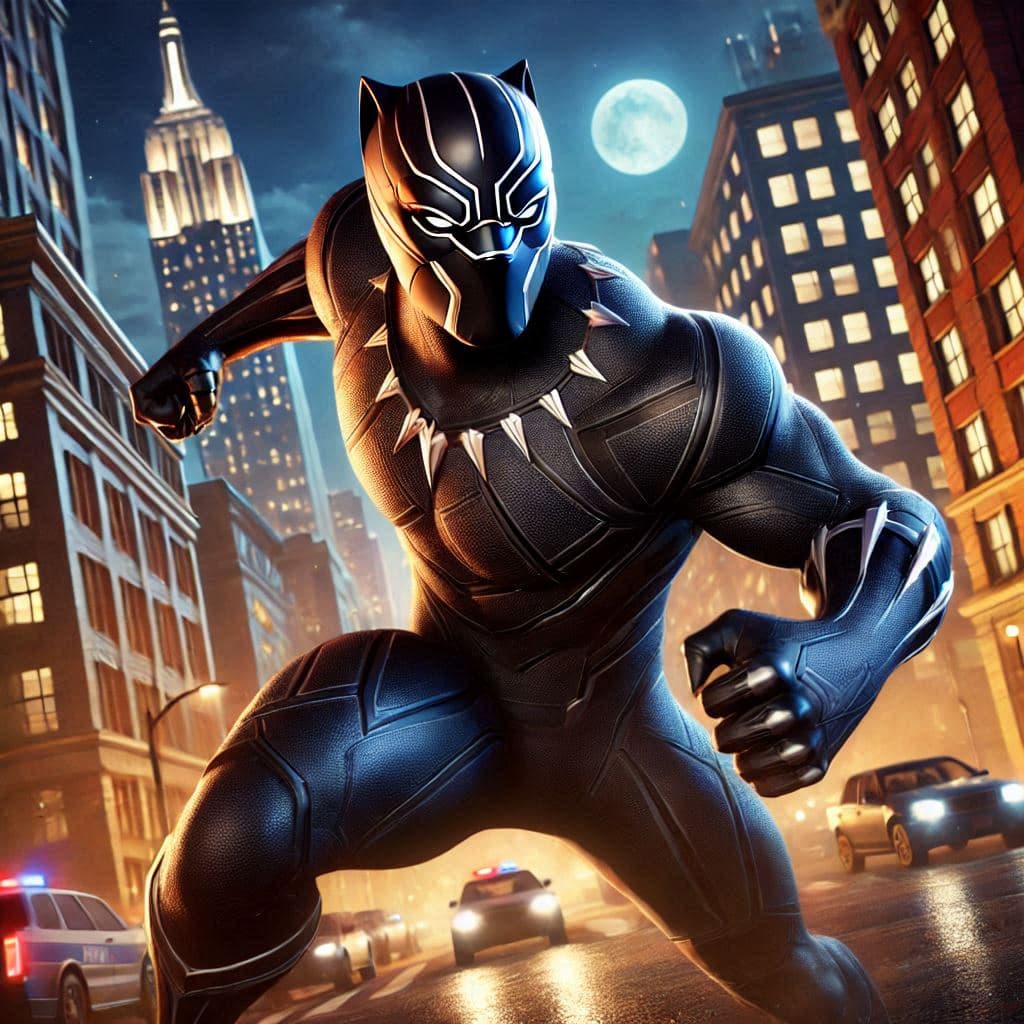
Black Panther Rival
Learn how to dominate as Black Panther in Marvel Rivals, discover his key rivalries (including Killmonger), and explore our boosting services to level up fast.
Read more

The Marvel Rivals October 1 Patch Notes (Version 20261001) introduce two cosmic-themed costumes, new customization options for Luna Snow, refreshed Pop & Win rewards, Marvel Rivals Ignite Series Stage 2 Playoff activities, and several bug fixes.
Check out some of our most popular Marvel Rivals services:
Version 20261001 was released on October 1, 2026, at 09:00 UTC. The developers confirmed that the update required no server downtime, allowing players to continue enjoying the game without a scheduled maintenance shutdown for this particular patch.
The official changes fall into four main categories:
New costumes for Luna Snow and Phoenix.
Lunar Luna and Cosmic Spark are the headline cosmetic additions. Both costumes feature in the October update's store and Pop & Win announcements, giving players different acquisition options during their respective availability windows.
Additional Luna Snow customization.
The Lunar Luna costume receives a chroma option identified as Pink Planets/Dark Nebula, alongside Ultimate Ability visual effects. These additions are particularly interesting for players who enjoy customizing their favorite hero beyond the standard costume appearance.
Ignite Series esports activities.
Stage 2 Playoff predictions and in-game broadcast viewing activities offer opportunities to earn rewards, including Units, Nameplates, and Titles.
Three fixes and optimizations.
The patch corrects an inaccurate Rogue ability description, resolves an unwanted Quick Match switch associated with Jeff's Superstar Search, and removes a lingering Chroma description from the customization interface.
There are no hero damage adjustments, healing changes, new playable characters, or new maps listed in the official Version 20261001 notes.
That matters because players searching for the latest Marvel Rivals changes may encounter information from multiple October updates. A feature introduced later in the month should not be confused with something added on October 1.

The biggest attraction in Version 20261001 is undoubtedly the cosmetic content.
Luna Snow and Phoenix both receive new looks with a cosmic theme, while Luna Snow gains additional customization possibilities.
These are cosmetic additions rather than new playable characters or alternate versions of their combat kits.
Luna Snow's Lunar Luna costume is one of the main attractions of the October 1 update.
For players who regularly use Luna Snow, this addition offers another opportunity to refresh her appearance without changing the way she functions in combat.
A cosmetic purchase does not inherently improve healing, damage, cooldowns, or survivability. Those mechanics remain governed by the hero's actual gameplay balance.
Instead, Lunar Luna is primarily about personal expression and expanding a cosmetic collection.
Players considering the costume should pay attention to several things:
Inspect the complete costume before purchasing.
Use the available in-game preview to examine how the outfit looks from different angles. A costume that looks impressive in promotional artwork may feel different when viewed during normal gameplay.
Check the included cosmetic content.
Different Marvel Rivals cosmetic offerings can contain different items. Review the actual listing to understand whether the purchase includes only the costume or additional rewards, such as an animation, emote, or other customization content.
Consider the available chroma customization.
Lunar Luna has additional customization content associated with this update. If you prefer an alternate appearance, examine the chroma options before deciding how to spend your Units.
Think about how often you play Luna Snow.
If Luna Snow is one of your most-used heroes, you will naturally see and use the costume more frequently. Players who rarely choose her may prefer to save their currency for a hero they regularly enjoy.
The Lunar Luna costume is especially relevant to collectors who prioritize customization and want to explore the appearance options introduced alongside it.
Phoenix also receives a new cosmetic addition called Cosmic Spark.
The costume joins the October content alongside Lunar Luna and provides Phoenix players with another visual option for their collection.
For fans of Phoenix, the most important consideration is whether Cosmic Spark offers an appearance they genuinely prefer over their existing costumes.
Before committing to a purchase, examine the costume preview and review the contents of its listing.
Keep the following points in mind:
Cosmic Spark is a cosmetic, not a combat upgrade.
Equipping the costume does not automatically increase Phoenix's damage, improve her abilities, or change her competitive strength.
Store availability and event availability are different.
A costume being featured in Pop & Win does not mean it can only be obtained through the lucky-draw event. Check the available store purchase option rather than assuming the event is your only route.
Promotional images are not a complete product description.
Always review the in-game item details. Do not assume that additional effects or other cosmetics are included unless the actual listing confirms them.
Think about your existing collection.
If you already own a Phoenix costume you love, Cosmic Spark might be a lower priority than cosmetics for another frequently played hero.
Cosmic Spark was also one of the featured costumes in the October Pop & Win rotation, which provided a chance to obtain it at a reduced cost.
One of the more interesting details in the patch is the introduction of the Lunar Luna chroma identified as Pink Planets/Dark Nebula.
Chromas give players additional appearance customization possibilities for supported costumes.
This is different from introducing an entirely new hero or a separate set of gameplay abilities.
For Luna Snow collectors, the chroma is worth examining because it expands the customization possibilities associated with Lunar Luna.
However, it is important not to confuse the existence of a chroma with automatically receiving every related cosmetic.
Before purchasing, check the in-game requirements, what is included, and whether ownership of the corresponding base costume is necessary.
You should also review the actual appearance in the customization interface rather than relying on the name alone.
The official October 1 notes identify the chroma content but do not provide a complete item-by-item pricing breakdown.
Alongside the Lunar Luna chroma, the patch announces Ultimate Ability visual effects.
VFX customization changes the visual presentation associated with a supported ability. It should not be interpreted as a gameplay buff.
For example, players should not assume that an alternate effect increases healing, strengthens an Ultimate, extends an ability's duration, or provides any additional competitive advantage.
The important distinction is between appearance customization and actual combat mechanics.
If you are considering Luna Snow's new effects, inspect the preview where available and determine whether the visual presentation is worth the cost.
Also check whether the VFX is sold separately, included with a particular customization option, or subject to an ownership requirement.
The October 1 patch announcement does not establish a universal purchase price for these cosmetic options, so the current in-game listing is the appropriate place to confirm their exact contents.
The October 1 patch introduced two relevant acquisition routes: the regular store offering and the Pop & Win event.
Understanding the difference is useful because a lucky-draw event and a direct purchase do not necessarily involve the same spending process.
The official patch announcement lists the new cosmetics with an availability window from October 2 at 02:00 UTC until October 30 at 02:00 UTC.
As of October 18, this announced store window has not yet ended.
To check the costumes:
Open Marvel Rivals and access the in-game Store.
Look for Lunar Luna under Luna Snow or Cosmic Spark under Phoenix.
Open the relevant costume or bundle listing.
Inspect the included items and displayed price.
Confirm whether additional customization options are available.
Complete the purchase only when you understand exactly what you will receive.
These steps are particularly important if you want more than the base costume.
A featured appearance, chroma, and Ultimate VFX should not automatically be treated as one identical product.
Always confirm the exact item you're purchasing instead of assuming that every visual shown in promotional material is included.
The October 1 update also featured Lunar Luna and Cosmic Spark through Pop & Win.
This was an alternative opportunity for players to potentially obtain the costumes at a discount.
The event involves luck, so the final spending amount can differ depending on the results.
However, the Lunar Luna and Cosmic Spark rotation ended on October 16, 2026, at 02:00 UTC.
The October 1 Pop & Win rotation is no longer active as of October 18.
Players should not confuse that expired rotation with the newer Pop & Win offerings added in the October 15 patch.
If your goal is specifically Lunar Luna or Cosmic Spark, check their store availability instead of searching for their expired event boards.
Pop & Win is one of the more unusual cosmetic acquisition systems in Marvel Rivals.
Rather than simply purchasing a costume at its listed store price, players interact with a lucky-draw system featuring cosmetic rewards.
Previous official Pop & Win announcements describe a balloon-popping interface where players spend Units for attempts.
Depending on the results, a player may obtain a desired reward earlier than expected and spend fewer Units overall.
However, it is important to understand how the system works before deciding whether it represents good value.
In Pop & Win, featured cosmetic collections are presented through reward boards.
Players spend Units on attempts to pop balloons and reveal rewards.
The system has previously featured progressively priced attempts and a guaranteed route to the featured costume through completion of its board.
An earlier official Pop & Win announcement explained that a featured costume set could be obtained for as little as 100 Units, while the full-board cost was capped at 2,400 Units for that particular offering.
Those historical figures are useful for understanding the event's design, but they should not be treated as a verified price quotation for every subsequent costume.
The October 1 announcement does not separately publish every draw cost or probability for Lunar Luna and Cosmic Spark.
For that reason, players should rely on the specific event interface for the applicable rules and prices.
The main appeal is the possibility of obtaining a cosmetic for less than its regular purchase price.
If a player receives the desired reward early, they may spend considerably fewer Units.
That possibility makes the system appealing to collectors who were already interested in the costume.
However, a potential discount is not the same as a guaranteed discount.
Consider two different situations:
You already want the featured costume.
A lucky-draw option can be worth evaluating because it may provide a less expensive way to obtain something you planned to purchase anyway. The important step is understanding the applicable maximum cost before participating.
You are only interested because the event advertises a discount.
In this situation, it is worth reconsidering whether you actually want the cosmetic. Spending Units on an unwanted reward is not necessarily good value, even if its displayed price is reduced.
The best approach is to decide what the costume is worth to you before spending anything.
One of the biggest mistakes players make with chance-based cosmetic systems is focusing only on the best possible outcome.
A low advertised starting cost can look attractive, but later attempts may require additional currency.
Another mistake is continuing to spend simply because previous attempts were unsuccessful.
Money or Units already spent should not determine whether the next attempt is worthwhile.
A good decision considers the remaining cost, the value of the reward, and your personal spending limit.
Players should also be careful about assuming that promotional discounts from a different Pop & Win rotation automatically apply to the October 1 costumes.
Special cross-pool promotions have appeared in other versions of the event, but the October 1 patch notes do not provide a separate confirmation of such a promotion for Lunar Luna and Cosmic Spark.
Treat each event's published rules as the authority rather than assuming every rotation has identical discounts.
The October 1 patch also introduced information about the Marvel Rivals Ignite Series Stage 2 Playoff prediction activities.
For players who enjoy watching high-level competitive Marvel Rivals, this offered an additional reason to follow tournament matches.
Rather than focusing exclusively on cosmetics purchased through the store, the esports activities allowed players to work toward event rewards.
The official announcement identifies rewards including:
Nameplates
Titles
Units
Additional event rewards
These rewards were connected to playoff prediction participation, in-game broadcast viewing, and related event quests.
The patch announced that Stage 2 Playoff predictions would open on October 5.
Prediction activities allow players to engage with the competitive tournament by selecting expected outcomes.
The exact available selections and eligible matches depend on the event interface.
When these activities are active, a sensible approach is to review the available matchups and understand what each prediction is asking.
Consider a team's recent performance, the opposition it has faced, and whether a matchup might favor particular playstyles.
However, competitive results are inherently uncertain.
A prediction based on a strong team's reputation is not guaranteed to be correct, and a favorite can still lose.
Players should also avoid assuming that every prediction automatically gives the same reward, because the exact conditions depend on the corresponding event quests.
The October 1 announcement specified different prediction deadlines for the Pacific, Americas, EMEA, and China playoff series.
All of those announced submission deadlines had passed by October 18, 2026.
Consequently, players reading the patch today should treat the original prediction opportunity as historical rather than assuming new submissions are still available.
The esports announcement also highlighted match viewing as part of the reward activities.
This is an important distinction because watching a tournament and completing a particular viewing quest are not necessarily the same thing.
During an eligible viewing event, players should examine the quest requirements and use the specified in-game broadcast feature.
For example, a quest may require a particular type of participation or viewing activity.
The October 1 announcement does not publish a complete requirement list for every reward, so there is no reliable basis for promising an exact number of viewing minutes or a specific reward from simply opening a broadcast.
The safest approach is to verify the requirement displayed by the event itself before assuming a reward has been earned.
Players who followed the Ignite Series also had an opportunity to learn from competitive teams.
Watching coordinated ability usage, positioning, objective control, and team engagements can be educational even when no additional cosmetic reward is available.
Although Version 20261001 does not contain a large list of gameplay adjustments, it does address three specific problems.
Each fix targets a different part of the player experience.
One concerns inaccurate ability text, another concerns event matchmaking behavior, and the third addresses the customization interface.
The first correction involves Rogue and her interaction with a stolen Adam Warlock ability.
The ability description previously contained wording suggesting that Rogue could fly freely.
The October 1 patch corrects that misleading description.
This matters because ability tooltips are an important learning resource, particularly for players trying to understand a hero's mechanics or an interaction involving copied abilities.
Incorrect text can create false expectations.
A player reading the previous description might reasonably expect an additional movement capability that was not actually supported.
However, this change is a description correction, not a confirmed new mobility adjustment.
The patch does not announce that Rogue received additional flight capabilities, movement speed, or altered ability values as part of this fix.
For Rogue players, the practical takeaway is to rely on the corrected description and actual ability behavior rather than outdated tooltip information.
This is especially helpful for players learning how her stolen abilities operate.
Check out some of our most popular Marvel Rivals services:
The second correction addresses an issue in Jeff's Superstar Search.
Before the fix, pressing the event's GO button to begin matchmaking could force the lobby to switch into Quick Match.
That was inconvenient for players who wanted to remain in their chosen mode.
The October 1 patch fixes this unwanted mode-switching behavior.
The change improves the event interface by allowing players to continue with their intended match selection rather than having it unexpectedly replaced.
Why is that useful?
Imagine preparing to play a particular mode with friends, then accessing an event activity through its matchmaking shortcut.
An unexpected switch to Quick Match interrupts that choice and requires additional attention to correct.
With the reported issue fixed, the event shortcut should no longer cause that specific unwanted transition.
This does not mean that the patch introduced a new matchmaking system or changed how every game mode works.
It corrects one particular problem associated with the event shortcut.
Jeff's Superstar Search itself originated in the September 17 update, so it should not be described as a brand-new event introduced on October 1.
Its announced event window has also since ended.
The third correction involves the Customize menu.
Previously, when players selected a Chroma and then unselected it, the description text could remain visible.
This was a user-interface problem rather than a gameplay issue.
The October 1 patch removes that lingering text behavior.
At first glance, the fix might seem minor.
However, it becomes more relevant when players are comparing several cosmetic customization options.
Clear interface feedback helps players understand which item is currently selected and prevents outdated descriptions from confusing the comparison.
For example, when examining Luna Snow's newly announced chroma, a player wants the description on screen to correspond to the item currently being inspected.
Unrelated text remaining visible could make the menu harder to understand.
The fix improves the presentation of that information.
It does not introduce a new Chroma system or confirm additional customization features beyond those separately announced in the patch.
One of the most common questions after any Marvel Rivals update is whether the strongest heroes have changed.
Players naturally want to know whether their favorite character received a buff, whether a dangerous opponent was nerfed, or whether their usual team composition needs adjustment.
For Version 20261001, the answer is straightforward.
The official October 1 patch notes do not list hero balance adjustments.
There are no announced changes to damage values, healing output, cooldown durations, Ultimate charge rates, or hero health in this specific update.
The Rogue correction involves ability-description wording rather than a confirmed change to ability strength.
Likewise, the Luna Snow and Phoenix additions are cosmetics, not combat adjustments.
That means players should not rebuild their entire competitive strategy solely because Version 20261001 was released.
Of course, the competitive environment can evolve for other reasons, including later balance updates, new strategies, and changing player preferences.
Indeed, Marvel Rivals subsequently released Season 10.5 content and a separate set of balance changes associated with the October 9 update.
Those later adjustments should be evaluated separately.
If you are researching hero strength, always check which patch version a tier list or balance explanation references.
A recommendation based on October 1 information may no longer reflect a hero's state after a later balance patch.
There is no balance change in Version 20261001 that independently requires Luna Snow or Phoenix players to adopt a new strategy.
Lunar Luna and Cosmic Spark do not create alternate competitive builds.
Players should continue choosing heroes and making decisions based on their current abilities, team composition, objective requirements, and the balance version they are actually playing.
The new cosmetics are best understood as collection and personalization options.
A smaller patch can still be worth exploring, especially when it adds limited-time cosmetics and event-related content.
Rather than searching through every game menu without a clear goal, focus on the areas connected to the changes.
If you enjoy Luna Snow or Phoenix, begin by examining their newly introduced cosmetics.
Compare the base costume appearance with any supported customization options.
Look carefully at the listed contents and purchase requirements.
You do not need to buy a cosmetic simply because it is newly featured.
The important thing is understanding what is available and whether it appeals to you.
Not every event mentioned in an older patch note remains active.
The October 1 version featured Pop & Win rewards that are no longer available through that original event rotation.
Likewise, the announced playoff prediction deadlines have already passed.
This distinction is particularly important when following older guides, videos, or social media posts.
A reward that was available when a guide was published may have different availability now.
Checking the current event interface prevents unnecessary confusion.
If you are returning to Marvel Rivals after a break, your current game version may include several updates released after October 1.
That can make it difficult to determine when a particular change was introduced.
Version 20261001 is responsible for the cosmetics, event announcements, and three corrections discussed here.
Changes introduced by later patches should be identified by their own version numbers.
This is especially useful when troubleshooting a hero interaction or learning about a new game mode.
Even though the update is relatively small, there are several easy mistakes that can lead to confusion or unnecessary spending.
Cosmetics and gameplay balance are different systems.
Purchasing Lunar Luna or Cosmic Spark should not be treated as a way to improve a hero's statistics or abilities.
If your goal is to perform better in ranked matches, practice, teamwork, positioning, and understanding the current balance environment matter far more than purchasing an appearance.
An alternate chroma should not automatically be treated as a completely independent costume.
Check the ownership requirements and contents before purchasing.
This is particularly important for Luna Snow's Lunar Luna customization.
The Ignite Series activities offered earnable rewards, but they were connected to specific participation and quest requirements.
Similarly, Pop & Win offered potential discounts, not unconditional free ownership of its featured costumes.
Understanding the acquisition method is essential.
The original October Pop & Win rotation and playoff prediction deadlines have passed.
Players reading an older article should always distinguish historical announcements from current opportunities.
This helps prevent searching for a reward board or prediction option that is no longer available.
Marvel Rivals received additional updates after Version 20261001.
Those later updates contain their own content and adjustments.
When evaluating patch notes, always confirm the version number before attributing a change to a particular release.
The update was released on October 1, 2026, at 09:00 UTC.
It was announced as a no-downtime patch, meaning no scheduled server maintenance shutdown was required for this particular release.
The main new costumes are Luna Snow's Lunar Luna and Phoenix's Cosmic Spark.
The update also introduces the Lunar Luna chroma identified as Pink Planets/Dark Nebula and associated Ultimate Ability visual effects.
Check out some of our most popular Marvel Rivals services:
The official store availability window runs from October 2 at 02:00 UTC through October 30 at 02:00 UTC.
As of October 18, that announced window has not ended.
Players should check the current in-game Store for the exact listing and purchase conditions.
The Lunar Luna and Cosmic Spark Pop & Win rotation ended on October 16, 2026.
The costume's regular store availability is a separate matter, so players should check the Store instead of looking for the expired draw.
No Luna Snow gameplay buff is listed in the official October 1 patch notes.
Her additions concern costumes, chroma customization, and Ultimate visual effects.
Any gameplay adjustments from a later patch should be evaluated separately.
Version 20261001 does not list a Phoenix damage, cooldown, or ability adjustment.
Her featured addition is the Cosmic Spark costume.
Later balance announcements are separate from this patch.
The developers corrected an inaccurate description associated with Rogue's stolen Adam Warlock ability.
The previous wording incorrectly suggested a free-flight capability.
The October 1 announcement describes a text correction rather than a new flight mechanic.
The update corrected a matchmaking issue where pressing the event's GO button could switch the lobby into Quick Match.
The fix addresses that unwanted mode change.
The Stage 2 Playoff activities offered rewards such as Units, Titles, Nameplates, and other event items.
Players had to participate in the relevant prediction, viewing, or event-quest activities according to their requirements.
The original playoff prediction deadlines have now passed.
No new playable hero or map is listed in the official October 1 patch notes.
The update focuses on cosmetics, esports activities, and minor fixes.
No.
Version 20261001 is the October 1 update.
Season 10.5 arrived through a separate update on October 9, with additional content and its own balance information.
Players should not combine the two versions when discussing their respective changes.
The Marvel Rivals October 1 patch is a focused content update that adds worthwhile cosmetic options while improving several smaller parts of the player experience.
Luna Snow's Lunar Luna and Phoenix's Cosmic Spark are the main attractions, with the Lunar Luna chroma and Ultimate VFX offering additional customization for collectors.
Pop & Win provided an alternative chance to acquire the featured costumes at a discount, while Ignite Series Stage 2 Playoff activities gave esports fans opportunities to participate in predictions and earn event rewards.
The three fixes are less flashy but still useful, particularly the Jeff's Superstar Search matchmaking correction and the Chroma description cleanup.
For players reviewing the update today, the most important practical takeaway is to distinguish cosmetics that remain within their announced store window from event opportunities that have already ended.
And if your goal is improving your competitive performance rather than expanding your costume collection, remember that Version 20261001 does not introduce new hero balance adjustments.
Focus on understanding the current gameplay environment, practicing your preferred heroes, and making informed decisions about your cosmetics and resources.
For additional gaming services and player support, you can also explore BoostRoom.
More Reads
Learn how to dominate as Black Panther in Marvel Rivals, discover his key rivalries (including Killmonger), and explore our boosting services to level up fast.
Read more
“Loadout” in Marvel Rivals isn’t like a traditional shooter where you pick attachments, perks, and equipment. In Marvel Rivals, your loadout is the combination of role identity + hero choice + team synergy + settings + habits that you bring into every match. When those pieces match your role, you feel durable as a Vanguard, lethal as a Duelist, and clutch as a Strategist—even if your teammates are random and your mechanics aren’t perfect.
Read more
Explore the epic Adam Warlock rival storyline and learn how to master Adam Warlock in Marvel Rivals. Get tips, strategies, and discover our boosting services to level up fast!
Read more
If you’re switching between PC and console (or even between PC launchers), it’s easy to assume everything “just syncs.” In reality, Marvel Rivals has a very specific account-linking system with rules about primary characters, cooldowns, platform-exclusive cosmetics, and even rank/leaderboard separation by device. Once you understand what does sync and what doesn’t, you can avoid the two biggest headaches players run into: (1) linking the “wrong” account and (2) expecting ranks or platform-exclusive items to carry over when they can’t. This guide explains crossplay, account linking, and cross-progression in one clear place—what you can share, what you can’t, and how to set it up safely so you don’t lock yourself into a 180-day cooldown mistake.
Read more