The #1 Secret to Faster Progress: Unlock Systems, Don’t Over-Grind
The early game in Legend of YMIR is not a “grind until you’re strong” MMO. It’s a “unlock systems that multiply your strength” MMO. Every major boost you feel—faster leveling, smoother Combat Power growth, better drops—comes from systems that unlock at specific Main Quest milestones or levels. If you grind mindlessly before those unlocks, you’re basically doing low-profit work.
A good early-game mindset looks like this:
- Main Quest first until it naturally blocks you (Combat Power gate, level gate, or “complete X” requirement).
- Fill the gaps with structured content (Tasks, Requests, Daily Missions, Offline Mode, and the first special dungeons).
- Upgrade safely (Forge to safe thresholds) so you pass gates without wasting rare materials.
- Use reset timers as your schedule so you don’t miss free value.
If you follow that approach, you’ll feel the “snowball effect” that strong accounts have: each day your character gets easier to play, not harder.
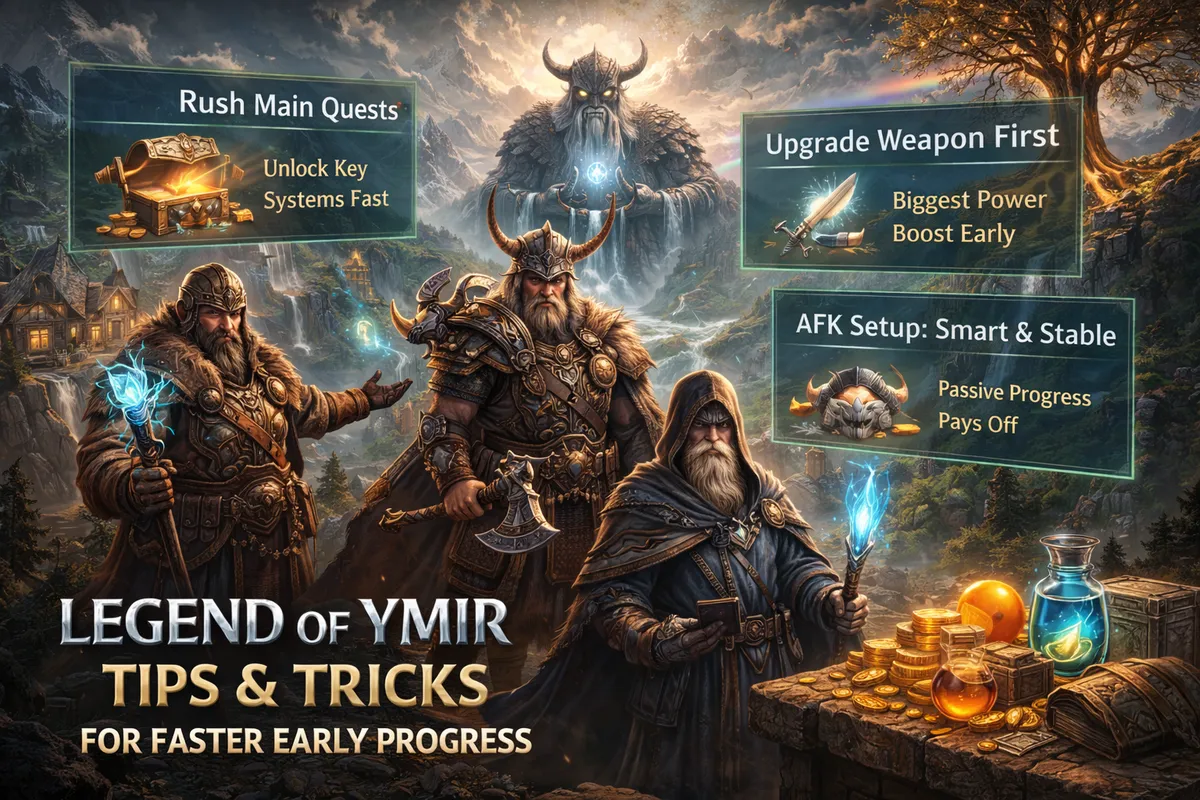
First Hour Checklist: The Fastest Start Without Regrets
Use this checklist exactly once, early, and you’ll avoid the most common beginner mistakes.
- Stay on the Main Quest path. Your fastest XP, early gear flow, and system unlocks are aligned to it.
- Equip upgrades immediately, but don’t commit hard yet. Swapping gear is normal at the start; spending big enhancement resources on temporary items is not.
- Open every newly unlocked menu once. The early UI pop-ups aren’t distractions—they’re showing you systems that will carry your power later.
- Start a “farm build” habit now. Even before you have Presets, think in two modes:
- Farm mode: fast clears, low downtime.
- Boss mode: survival, control, consistent damage.
- Manage your bag early. A full bag is a silent progress killer. Learn the item icons (equipped, tradable, time-limited) so you don’t lose value.
- Don’t chase side objectives just because they look shiny. If it doesn’t unlock a system or give you a clear upgrade right now, park it.
Your goal in the first hour isn’t to be “strong.” It’s to be efficient.
Your First Day Plan: What to Prioritize for Big Power Jumps
The first day is about unlocking your daily engines and setting up habits that pay you every reset.
- Push Main Quest hard until you unlock Tasks and other core menus.
- Start completing Normal Tasks when you need quick extra rewards.
- Do Repeatable Tasks only when you have time to finish them cleanly. You can do up to 10 per character per day, and the count resets daily.
- Use Requests when you want flexible, location-based rewards. They’re great when you’re in a town, managing inventory, or waiting on party content.
- Aim to unlock Offline Mode as soon as your Main Quest allows it. Offline Mode is one of the biggest “progress while you sleep” systems early on.
- Once you unlock Daily Mission, build your routine around completing the 10 missions. That’s your daily baseline.
A strong first-day finish looks like: Main Quest progress + Tasks unlocked + your first daily routine started + Offline Mode ready before logging out.
Reset Time Cheat Sheet: Build Your Routine Around These Timers
Reset timers are “free power.” Missing them is like skipping rewards you already earned.
- Repeatable Tasks: reset daily at 4:00 AM (Server’s Region Time).
- Daily Mission: resets daily at 4:00 AM (Server’s Region Time) and rewards include milestones for completing missions multiple times.
- Offline Mode base time: base time is 8 hours, shared across the account, and resets daily at 00:00 (Server’s Region Time).
- Valhalla default time resets:
- Hall of the Valkyries: resets daily at 4:00 AM (default time 1 hour).
- Temple of Chaos & Fólkvangr: reset every Monday at 4:00 AM (default time 7 hours).
Practical rule:
If you only have limited time, always prioritize content that resets soon or content that caps (time-limited entry, daily time, weekly time).
Main Quest + Tasks: The Fastest XP Combination Early
Main Quest is your main highway. Tasks are the best on-ramps.
Tasks unlock after a Main Quest milestone and are split into two types:
- Normal Tasks: one-time per character, no daily limits, and you can accept multiple at once.
- Repeatable Tasks: can be completed up to 10 times per character per day, and they reset daily.
How to use them for speed:
- Run Main Quest until you hit a gate, then knock out a set of Tasks to catch up in level, materials, and currency.
- Stack Tasks that are in the same region so you minimize travel.
- Use Auto Progress for Tasks when you’re doing a batch, especially if you’re multitasking.
The big mistake: doing Repeatable Tasks too early “just because they’re there.” They’re valuable, but they’re best used as gate breakers and daily fillers—not as a replacement for the Main Quest path.
Requests: The Best “Flexible” Progress Tool Most Players Underuse
Requests are one of the cleanest early progression tools because they have no requirement to start and they’re designed around helping NPCs across the continent for rewards. You pick them up at the Request Board in towns, and you can even use a specific warp scroll sold by a Misc. Merchant to move there faster.
How to use Requests to progress faster:
- Pick Requests that match your current route. If you’re already questing in a region, choose Requests that keep you there.
- Use Requests when you’re “in between” goals. They’re perfect when Main Quest gates you, when you’re waiting for party members, or when you’re managing your bag.
- Finish what you accept. Completed Requests can’t be repeated, so treat them like meaningful one-time value.
This is one of the easiest ways to turn downtime into progress without feeling like you’re grinding.
Travel and Time Savers: Auto Progress and Smart Warp Scroll Use
Early progress is often limited by travel time, not combat time. Legend of YMIR gives you convenience tools—use them strategically.
Auto Progress (Tasks):
After accepting Tasks, you can organize them and enable a feature that automatically uses Warp Scrolls to move you to the next task location. This can cut your daily “running around” dramatically.
Smart Warp Scroll rules:
- Use warp automation when you’re doing a long chain of Tasks and you want speed.
- Don’t burn warp scrolls on content you’ll naturally pass through during Main Quest.
- Save fast-travel tools for daily resets and “I’m short on time” moments.
Think of warp items as time currency: spend it when it saves you from missing daily or weekly value.
Offline Mode: The Biggest Early Progress Multiplier (Use It Correctly)
Offline Mode is one of the most powerful early systems because it lets you gain rewards without being logged in for a limited period.
Key rules that matter for fast progress:
- Offline Mode has a base time of 8 hours and it resets daily at 00:00 (Server’s Region Time).
- Usage time is shared across the account, so don’t waste it on low-value zones.
- You choose field/area and difficulty, and you must meet the Combat Power requirement for your chosen difficulty.
- The screen shows your base time, charge time, and expected rewards before you start.
How to turn Offline Mode into real acceleration:
- Always set Offline Mode before logging out. Make it as automatic as “closing the game.”
- Pick the highest difficulty you can reliably meet. More difficulty usually means better returns per hour.
- Use Offline Mode to fix weak days. If you can’t play much, Offline Mode ensures you still move forward.
- Avoid wasting offline time early on low tiers. As soon as your Combat Power rises, upgrade your Offline Mode difficulty target.
If you want fast early progress, treat Offline Mode as your “second play session” that happens while you sleep.
Daily Mission: Your Daily “Minimum Win” for Fast Growth
Daily Mission becomes a major routine anchor because it’s built around doing simple missions daily to earn rewards.
What matters most:
- Daily Mission resets daily at 4:00 AM (Server’s Region Time).
- You can claim rewards based on progress, including milestone rewards after completing Daily Missions multiple times in a day.
How to clear Daily Missions quickly:
- Do Daily Missions while you’re already doing other content. Many missions overlap with Tasks, Requests, hunting, and dungeon runs.
- Aim for the full set each day. If you stop early, you leave reward milestones behind.
- Finish before reset when possible. If your play schedule is inconsistent, do Daily Missions first.
If you’re ever unsure what to do next, the answer is usually: finish Daily Mission, then go back to Main Quest.
Valhalla: The Early Game Dungeon System You Should Never Skip
Valhalla is a special dungeon system where usage time resets daily or weekly. It includes major dungeon types and becomes one of your best sources of steady growth once you meet the requirement.
Valhalla basics that affect early speed:
- You unlock Valhalla at Level 25.
- You can check your remaining available time and choose floors, but entry may be restricted by requirements.
- You can use a Recharging Stone to add time beyond the default, and you can charge up to 10 hours (charged time does not refresh with default time).
- In the Hall of the Valkyries, using the map move button consumes a Teleport Scroll and moves you to another random room.
Reset schedule (Server’s Region Time):
- Daily at 04:00: Hall of the Valkyries (default time 1 hour)
- Every Monday at 04:00: Temple of Chaos and Fólkvangr (default time 7 hours)
Fast-progress Valhalla strategy:
- Use your default time consistently. Missing default time is lost progress.
- Save recharge items for moments that matter, like when a dungeon session will push you over a Combat Power gate or complete a weekly goal.
- Choose content you can clear smoothly. Dying repeatedly wastes your time and your momentum.
- Be aware of PvP rules and alignment changes. If you don’t want your alignment affected, choose your dungeon type carefully.
Valhalla is one of the biggest “I got strong fast” differences between players who progress smoothly and players who feel stuck.
Level 28 Milestone: Expeditions and Labyrinth (Your Progress Jumps Here)
When you reach the late-20s, two systems become major accelerators.
Expedition (Level 28):
Expeditions are available within the same server group and let you engage in boss hunts and raids. Boss expeditions support up to 5 party members. This is where you begin turning your character into a “real MMO account” with party-based rewards.
Fast-progress Expedition tips:
- Join parties that match your level requirement so you don’t waste time getting removed or failing entry.
- Focus on bosses that give you consistent rewards rather than chasing rare drops too early.
- If you’re low Combat Power, prioritize survival and participation—staying alive often increases your consistency and long-run rewards.
Labyrinth (Level 28):
Labyrinth is a special dungeon system with no time limit, including multiple labyrinth types. Because it has no time limit, it’s perfect for longer focused sessions where you want to push floors or clear objectives without a ticking clock.
Fast-progress Labyrinth tips:
- Start Labyrinth when you have time to focus. Even without a time limit, your attention matters.
- Go in with bag space and consumables ready. Long sessions can flood your inventory.
- Use Labyrinth to practice manual combat habits. The skill improvement you gain here pays off everywhere.
If your early game feels slow right before 28, don’t panic—this is where your “content options” expand and your progress speed usually jumps.
Trial of Sigrun: Extra Rewards When You’re Stuck or Want a Boost
Trial of Sigrun is designed as a reward engine for players who want to replay trials they progressed through during the Main Quest and earn additional rewards upon clearing them. It unlocks after a specific Main Quest stage.
Why it speeds up early progress:
- It gives you a structured way to earn extra rewards without random grinding.
- It’s perfect when you hit a Combat Power gate and need a clean power bump.
- It helps you practice mechanics in a controlled way, which reduces future deaths and wasted time.
Best time to do Trial of Sigrun:
- when you’re blocked by a Main Quest requirement,
- when you want a short focused upgrade session,
- or when you want to warm up before more punishing content.
Forge Upgrades: The Safe Early Enhancement Plan That Works
The Forge is where beginners either accelerate—or destroy their future resources. The good news: Legend of YMIR clearly defines safe early enhancement rules.
Critical Forge rules:
- Safe Enhancement Stage for weapons, armor, accessories, and utility equipment is up to +6.
- Fail chance starts at +7 and above.
- Starting at +10, you can use an Enhancement Supplement to increase success chance and reduce destruction chance if you fail.
- Enchantment applies only to Epic grade or higher equipment.
Fast-progress enhancement strategy (simple and effective):
- Upgrade the gear you’ll use for a while, not every new drop. If an item will be replaced in 20 minutes, it’s not worth risky investment.
- Push core pieces to +6 first. The +6 threshold is a reliable early power bump without the stress of failure rates.
- Weapon first, then core armor, then everything else. Your weapon typically gives the best “speed per resource.”
- Avoid gambling at +7 early. Failing repeatedly in early game is one of the fastest ways to feel poor and stuck.
- Use Multi Enhance thoughtfully. If you’re cleaning up multiple items, multi tools can save time—but don’t accidentally burn resources on junk gear.
The best early-game Forge goal is boring but powerful: stable +6 upgrades on the right items. That stability is what gets you into better content faster.
Skills and Potential Skills: Upgrade Smart, Then Experiment Safely
Skill growth is one of the highest “power per minute” investments early, especially when you stop spreading your upgrades too thin.
Core skill tips for fast progress:
- Prioritize the skills you actually use in your normal combat rotation. If it’s not pressed often, it can wait.
- Upgrade one main damage skill, one utility/survival skill, and one big cooldown first. Then expand.
- Use Potential Skills strategically once you reach the level requirement. Potential Skills can be enhanced from level 35 and require Growth Energy (earned when leveling) plus silver.
The biggest Potential Skill advantage for beginners:
- You can reset Potential Skills by consuming silver, and all used materials are fully refunded upon reset. That means you can experiment without permanently ruining your account.
Fast-progress rule:
- Build for speed first (farming efficiency), then build for safety (boss survivability), and use resets to fine-tune as you learn.
Preset System: Save “Farm” and “Boss” Setups for Instant Efficiency
Preset lets you save and apply your character setup, including equipment and other character information such as Potential Skills and companions.
Why this matters for early speed:
- You stop wasting time constantly re-equipping and re-tuning.
- You can instantly switch from “fast farm” to “boss survival” before hard content.
- You can keep a clean loadout for different activities without forgetting what worked.
Fast-progress Preset tips:
- Preset 1: Farming / quest clearing (fast kills, low downtime).
- Preset 2: Boss / dungeon (survivability and consistent damage).
- Preset 3: Experiment / testing (new skills or gear without breaking your main setup).
Even if you’re not a “min-maxer,” Presets reduce mistakes and save minutes every day—which adds up fast.
Inventory Management: Bag Icons, Time-Limited Items, and What to Keep
Bag management is an underrated speed skill. A full bag slows everything down, and selling the wrong items can delay upgrades for days.
Important Bag icons you should recognize:
- “E” means the item is equipped.
- A clock icon means it’s a time-limited item.
- A Trade Station icon means the item is tradable.
Fast-progress bag rules:
- Register items in Collection before you sell or dismantle. Collection registration gives additional effects that help character growth, and it’s easy to miss value if you dismantle too fast.
- Don’t let time-limited items expire unused. If you see the clock icon, decide quickly: use it, or plan around it.
- Keep tradable items until you check market value. A tradable drop can sometimes be worth more as Diamonds than as materials.
- Dismantle in batches, not constantly. You save time and reduce the chance of misclicking something important.
- Always leave bag space before long sessions (Valhalla, Labyrinth, Expeditions), because drops stack quickly.
Your goal is simple: your inventory should support speed, not interrupt it.
Collection Registration: Free Power You Should Claim Early
Collection lets you register items obtained while adventuring to obtain additional effects that support growth.
Why it accelerates early progress:
- It’s “free power” from items you were already going to collect anyway.
- It builds account strength that stays valuable even when you replace gear.
- It prevents regret, because many beginners sell or dismantle items that could have provided long-term benefits through registration.
Fast-progress Collection habit:
- Once per day (or every two days), open Collection and register anything eligible.
- Before listing tradable items, check whether they can be registered first.
It’s one of the easiest “small habit, big results” systems in the early game.
Trade Station: Earn Diamonds Faster (Without the Classic Beginner Mistakes)
Trade Station is your main in-game marketplace: you can sell tradable items you own or purchase items registered by other users within the same server group.
Key details that matter for fast progress:
- Trade Station unlock requires completing the Saga The Missing Trade Station Items.
- You can search by keyword, browse categories, and filter by enhancement level, class, and grade.
- When selling, you’ll see pricing info like recent average unit price, current minimum price, and unit price.
- If you cancel a listing, the listing fee is non-refundable.
- Sales proceeds are settled into Diamonds, and you can settle multiple eligible sales at once.
- Transaction history shows a limited recent history window.
Fast-progress trading rules:
- Don’t cancel listings unless you truly must. Non-refundable listing fees punish indecision.
- Price close to the market reality. If you underprice heavily, you lose value; if you overprice wildly, you waste time and fees.
- Sell duplicates, not your progression. If an item upgrades you or completes Collection, keep it. If it’s duplicate and tradable, consider selling.
- Use the market to solve gates. If you’re missing a key upgrade material and it’s cheap right now, buying can be faster than farming—just don’t make it a habit that drains your Diamonds.
- Set a daily “market minute.” Check once, list once, settle once—then get back to gameplay.
Trading is optional, but if you learn it early, it becomes a steady accelerator instead of a confusing side system.
Valhalla + Offline Mode + Dailies: The 30-Minute Daily Routine That Works
If you only have 30–60 minutes a day and you still want fast progress, run a “value-first” routine:
- Daily Mission first (because it resets at 4:00 AM and overlaps other content).
- Spend default Valhalla time (especially the daily Hall time once unlocked).
- Do a quick set of Repeatable Tasks if you need XP/materials and have time.
- Set Offline Mode before logging out (8-hour base time resets at midnight, shared across the account).
This routine is simple, realistic, and keeps you scaling even on busy days.
Speed Without Burnout: Practical Rules That Keep You Ahead
Fast progress isn’t only “more hours.” It’s fewer mistakes per hour.
Use these practical rules:
- Never log out without setting Offline Mode.
- Never push risky enhancements early out of frustration.
- Never ignore resets. Daily and weekly time systems are designed to be your power floor.
- Never sell items blindly. Check tradable icons and Collection first.
- Always keep two playstyles ready: farm mode and boss mode (use Presets when available).
- Always protect your momentum: if something feels slow, switch to a structured system (Tasks, Daily Mission, Trial content) instead of random grinding.
This is how strong accounts are built: not by perfect luck, but by consistent habits.
BoostRoom: Faster Early Progress With a Clear Plan
If you want to progress fast without wasting days experimenting, BoostRoom helps you turn “I think this is right” into a proven early-game route.
BoostRoom support for Legend of YMIR can include:
- A personal early-game roadmap (first hour, first day, first week) based on your available playtime.
- Upgrade priority guidance so you know what to enhance to +6 first and what to stop investing in.
- Daily routine optimization built around reset timers (4:00 AM and 00:00 Server Region Time).
- Trading guidance so you sell the right items, avoid fee traps, and build Diamonds steadily.
- Preset planning so you can switch between farm and boss setups without confusion.
If your goal is simple—level faster, get stronger, and reach the fun content sooner—BoostRoom is built to get you there with less grind and fewer regrets.
FAQ
What’s the fastest way to level early in Legend of YMIR?
Follow Main Quest until you hit a gate, then use Tasks and Daily Mission to fill the gap. Once unlocked, Offline Mode and Valhalla become your biggest daily accelerators.
When do Repeatable Tasks reset, and how many can I do?
Repeatable Tasks can be completed up to 10 times per character per day, and the count resets daily at 4:00 AM (Server’s Region Time).
How do I use Offline Mode for maximum progress?
Use Offline Mode every day before logging out. The base time is 8 hours, shared across the account, and resets daily at 00:00 (Server’s Region Time). Choose the highest difficulty you can meet reliably.
When should I start Valhalla, and what resets should I remember?
Valhalla unlocks at Level 25. Hall of the Valkyries default time resets daily at 4:00 AM, while Temple of Chaos and Fólkvangr default time resets weekly on Monday at 4:00 AM (Server’s Region Time).
What enhancement level is “safe” early on?
Safe Enhancement Stage is up to +6. Fail chance starts from +7 and above. Early on, stable +6 upgrades on key gear is the best speed strategy.
Why does my trading feel expensive when I cancel listings?
Because canceling a listing returns the item but the listing fee is non-refundable. Price carefully so you don’t need to cancel.
How do I unlock the Trade Station?
Trade Station unlock requires completing the Saga “The Missing Trade Station Items,” which introduces you to trading.



