

Hot Wheels Infinite RushService Info
Sell Hot Wheels Infinite Rush Accounts – Become a Seller
Sell Hot Wheels Infinite Rush Accounts – Become a Seller
Read more

Hot Wheels Infinite Rush multiplayer supports online racing with cross-play across PlayStation 5, Xbox Series X|S, and supported PC versions, while Nintendo Switch 2 is excluded from the shared cross-play pool. Local multiplayer supports up to four players through split-screen, and online races can support up to 12 players on Xbox-listed versions.
Yes.
Infinite Rush includes both online multiplayer and local split-screen multiplayer.
Milestone's launch information confirms:
Online multiplayer with cross-play.
Players on supported cross-play platforms can compete across hardware ecosystems rather than being limited to opponents using the exact same device. Nintendo Switch 2 is the exception.
Local split-screen for up to four players.
Up to four people can play together locally on one supported system.
Dedicated leaderboards.
Competitive players can continue improving times and scores even when they are not directly racing friends in the same session.
Synchronous and asynchronous challenges.
Milestone specifically describes the multiplayer ecosystem as supporting both forms of competition, giving Infinite Rush a broader competitive structure than only live matchmaking.
Standard and community-created racing content.
Track Builder creations can be shared with the community on supported platforms, providing another source of multiplayer racing beyond developer-made layouts.
On Xbox, the current store listing identifies online multiplayer for 2–12 players and local multiplayer for 2–4 players.
That gives Infinite Rush a substantially larger online race field than its couch multiplayer limit.
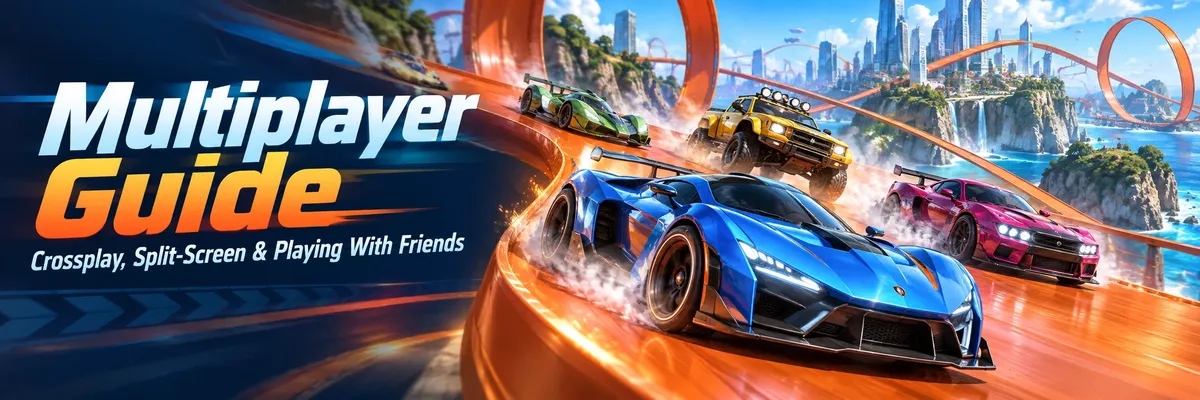
Crossplay is one of the most important multiplayer features in Infinite Rush because friends do not all need to buy the game on the same supported platform.
Milestone describes the game as having full cross-play, with Nintendo Switch 2 explicitly excluded. The announced platforms include PlayStation 5, Xbox Series X|S, and PC through Steam, Microsoft Store, and Epic Games Store, alongside Nintendo Switch 2.
So the important distinction is:
Shared crossplay ecosystem: supported PlayStation, Xbox, and PC versions.
Separate multiplayer ecosystem: Nintendo Switch 2.
Steam also specifically labels Infinite Rush as supporting Cross-Platform Multiplayer, confirming that the PC version participates in the feature.
This is the restriction most likely to cause confusion when groups buy the game on different platforms.
Milestone has repeatedly attached the same exception to its cross-play announcements:
Nintendo Switch 2 is excluded.
That means a group containing:
one PS5 player,
one Xbox Series X|S player,
and one PC player
can use the supported cross-platform multiplayer ecosystem.
A Switch 2 owner, however, cannot simply join that same cross-platform group.
If playing together is your main reason for buying the game, check everyone's platform before your group commits to separate versions.
Infinite Rush also lets players create tracks and share designs with the community.
Milestone applies another Nintendo Switch 2 restriction here: content created on Switch 2 can only be shared with other users of the same platform.
That matters for players interested in Track Builder.
A group might spend almost as much time exchanging and racing custom tracks as competing on standard courses. If one friend is using Switch 2 while everyone else is on the broader cross-platform ecosystem, both multiplayer matchmaking and community-content sharing become more restricted.
Xbox's official storefront currently lists:
Online multiplayer: 2–12 players
Local multiplayer: 2–4 players
So on supported Xbox/PC ecosystem listings, an online race can contain substantially more racers than a local couch session.
That distinction is useful when deciding how you want to play.
A four-player group sitting in the same room can use split-screen.
A larger group should look toward online multiplayer instead.
There is also a special Nintendo Switch 2 note. Milestone states that Switch 2 has six competitors per race. The publisher does not describe that footnote in enough detail on its main feature page to justify turning it into a broader claim about every Switch 2 multiplayer configuration, so the safest interpretation is simply to follow Milestone's stated six-competitor limitation for that version rather than assuming the 12-player online field used elsewhere applies identically.
The basic requirement is straightforward:
Everyone needs to be using platforms that can actually communicate with each other.
For same-platform friends, this is simple.
For cross-platform groups, confirm that no one is on Nintendo Switch 2 before troubleshooting anything else.
Before worrying about cars, races, or connection settings, establish where everyone is playing.
For example:
PS5 + Xbox Series X|S: supported by the full cross-play structure.
PS5 + PC: supported.
Xbox Series X|S + PC: supported.
PS5 + Xbox + PC: supported.
Any of the above + Nintendo Switch 2: Switch 2 cannot join their shared cross-play pool.
That one check can save a lot of unnecessary troubleshooting.
Online multiplayer games are updated over time.
If one player has not installed the current Infinite Rush update, multiplayer compatibility may be affected. Before assuming crossplay itself is broken:
close and update the game;
restart it after installation;
confirm that every participant can access online multiplayer normally.
This is basic multiplayer housekeeping, but it is particularly important shortly after launch when updates can arrive relatively quickly.
Milestone officially confirms online multiplayer and playing "with friends," but its current public feature pages do not document a universal step-by-step invite menu with exact button names for every platform.
That is worth being precise about.
Avoid guides that confidently invent menu options, invite codes, party sizes, or social-system names unless those details can be reproduced in the current game version.
Use the online/social invitation controls exposed by your current build and platform, then select the multiplayer activity you want to play.
The exact label may differ between platforms or future game updates, but the underlying requirement does not: players need to enter the online multiplayer system and join through compatible online identities.
Steam's store page states that Infinite Rush uses Epic Online Services for online multiplayer features and supports linking to a Steam account. It also lists Easy Anti-Cheat.
That is useful information when diagnosing PC-specific multiplayer problems.
If Steam works normally but Infinite Rush's online layer does not, the problem may involve more than the Steam client itself.
Do not immediately assume your friend's console or crossplay is responsible.
Split-screen lets multiple people play from one system and one display.
Infinite Rush supports up to four players locally, which is unusually useful for an arcade racer designed around quick competitive events.
You do not need four separate copies of the game for four people sitting around one console.
Instead, multiple racers share the screen.
Milestone markets split-screen specifically as an up-to-four-player feature.
Xbox reinforces that specification by listing local multiplayer as 2–4 players.
That makes Infinite Rush suitable for:
head-to-head two-player racing;
three-player sessions;
full four-player couch competition.
Naturally, adding more players means each person's individual viewport becomes smaller.
That is not a gameplay mechanic, but it is a practical consideration. On a small monitor, four-player racing can become harder to read than on a larger television.
This is an important distinction.
Hands-on reviews from both Traxion and Shacknews report that local split-screen is available for racing but does not turn the open-world islands into shared local free-roam spaces.
So do not expect four friends to load into one island and independently explore the world from four local screens.
Think of split-screen primarily as the couch-racing side of Infinite Rush.
If your goal is simply to race friends sitting beside you, that works.
If your goal is cooperative island exploration, local split-screen is not designed around that experience.
Milestone's current official game page shows mode-specific online, offline, and split-screen icons.
Based on those published mode listings, Quick Race, Elimination, Waypoints, Smashing Wheels, and Drift Master are shown with split-screen availability.
Time Attack is shown with the online icon only on the current official page.
That means local groups have several different activities instead of being restricted to ordinary first-to-finish racing.
Quick Race is the simplest option when your group just wants to race.
Milestone describes it as getting on track and going.
There is very little conceptual setup to explain: pick the racing experience and compete for the finish.
For a first local session, this is an obvious starting point because everyone can focus on handling and track knowledge rather than learning an unusual scoring system.
Elimination changes the pressure because survival matters as much as speed.
Milestone describes the mode simply: the last vehicle standing wins.
That makes consistency important.
A player who is extremely fast but repeatedly makes large mistakes can be more vulnerable here than in a normal race where there may be enough distance to recover.
When playing with friends, Elimination is also good at creating dramatic swings because somebody who looked safe can suddenly become the racer under pressure.
Waypoints turns the race into a checkpoint chase.
The objective is not merely to follow a standard circuit.
Positioning, direction changes, and route reading become more important.
This can be especially entertaining in local multiplayer because different players may approach the next objective differently rather than following exactly the same line.
Smashing Wheels is score-oriented rather than purely finish-line oriented.
Milestone describes it as hitting targets to score.
That changes how you should drive.
A player who simply tries to reach maximum speed may lose to somebody who positions their vehicle more effectively and consistently hits the objectives.
For groups with very different racing skill levels, modes like this can also feel different from traditional lap racing because raw corner speed is not the only thing deciding the result.
Drift Master rewards control through corners.
This mode fits especially well with the game's Drifter vehicle class, whose boost recharges while drifting. Milestone confirms that Drifters are specifically designed around controlled cornering and drift-based boost generation.
That does not mean everyone must use the same vehicle.
It does mean understanding how drifting works becomes much more important than simply selecting the car with the highest-looking straight-line performance.
Time Attack is the mode focused on racing the clock.
Milestone's current mode page displays it differently from the other major formats: Time Attack is shown with online availability, without the offline and split-screen icons displayed for Quick Race, Elimination, Waypoints, Smashing Wheels, and Drift Master.
That is important when planning local multiplayer.
Do not assume every mode in the game automatically supports four-player split-screen just because the overall game advertises couch multiplayer.
Check the availability attached to the specific mode you want to play.
A hands-on review from Traxion reports that Infinite Rush's online multiplayer includes ranked matches and Rush Events and that players can vote for the game mode before a match. The same review observed both standard and custom-built tracks appearing in multiplayer.
That gives online play more variety than repeating one race type endlessly.
Ranked racing adds a more competitive reason to refine your driving.
Rather than treating every event as a casual race, players are encouraged to improve:
braking points;
racing lines;
boost usage;
drift control;
car selection;
consistency.
Do not confuse ranked play with the game's general global leaderboards, though.
They are related parts of competitive multiplayer, but racing opponents directly and chasing leaderboard times are not exactly the same objective.
Traxion describes Rush Events as the game's quickfire online competition option.
That makes them useful when your group wants quick variety rather than committing to one repeated competitive format.
The important practical point is to understand the rules of the selected activity before choosing a car.
The vehicle that works perfectly in a standard race may not be the smartest choice for a drift-focused or target-focused event.
Infinite Rush has more than 150 vehicles, divided among four classes:
Versatiles;
Drifters;
Speeders;
Titans.
Each class behaves differently.
Versatiles are the easiest general-purpose starting point.
Milestone describes them as balancing speed, handling, and power.
For a casual multiplayer group where players are still learning tracks, that balance can be more useful than chasing one extreme statistic.
They are especially sensible when:
you do not know the track;
your friends use different skill levels;
you want predictable handling;
the mode does not strongly reward one specialized mechanic.
Speeders are built around pure velocity.
Their boost charges faster as their speed increases.
They become attractive on routes where you can maintain momentum.
In multiplayer, though, outright speed is only useful if you can keep the car under control while competing around other racers.
Repeated collisions erase the advantage quickly.
Drifters turn cornering into part of their boost economy.
Their boost replenishes while they drift.
That makes them a natural option for Drift Master and potentially very effective on technical courses.
But unnecessary drifting can still cost time.
Use the mechanic because it helps the route, not because the car belongs to the Drifter category.
Titans exchange top speed for raw power.
Their boost recharges rapidly, but completely draining the Boost Charge temporarily slows them down.
That creates a different multiplayer rhythm.
Instead of blindly holding boost until empty, Titan players need to manage the meter carefully.
For casual groups, their distinctive behavior can also make races more varied because not everyone is driving a lightweight speed-focused car.
Yes, because your personal Garage determines the vehicles and setups available to you.
Infinite Rush contains 150+ vehicles, and cars are earned through events, activities, challenges, rival victories, exploration, and other collection systems.
Vehicles can also use performance-modifying perks, allowing players to tune cars around their preferred driving style.
That means two multiplayer players do not necessarily arrive with identical options.
A friend who has spent more time expanding the Garage may have more vehicles available for particular situations.
However, avoid assuming that a rarer or harder-to-unlock vehicle automatically guarantees multiplayer wins.
Driver execution still matters enormously.
A well-controlled balanced car can beat a theoretically stronger option if the other driver:
repeatedly hits walls;
mistimes boost;
chooses poor racing lines;
over-drifts;
loses momentum after collisions.
Car progression gives you options. It does not replace practice.
Track Builder is one of Infinite Rush's biggest long-term multiplayer tools.
Milestone allows players to build tracks around the open environments, attaching track modules to terrain and structures. Creators can also add virtual opponents by placing action markers that control AI behavior. Supported creations can then be shared with the community.
Traxion's launch review reports that online multiplayer can include custom-built tracks as well as standard tracks.
This is important because community tracks can dramatically expand multiplayer variety.
Instead of memorizing only the developer-created race pool, players can potentially encounter:
unusual corner combinations;
extreme elevation changes;
different jump layouts;
creator-designed technical sections;
tracks designed around particular vehicle strengths.
For groups of friends, Track Builder gives you another reason to keep returning even after everyone already knows the normal race layouts.
Remember the Nintendo Switch 2 restriction again.
Milestone states that, on Switch 2, user-created content can only be shared with other users on that platform.
So if your main goal is building tracks and sharing them among a mixed-platform group, platform choice matters before you start creating.
Not every multiplayer rivalry needs everyone online at exactly the same moment.
Milestone advertises dedicated leaderboards and synchronous and asynchronous challenges.
This creates another useful way to play with friends.
Maybe your group cannot always arrange a shared online race.
You can still compete indirectly by chasing:
faster times;
better scores;
stronger event performances;
higher leaderboard placement.
This can actually create a different type of rivalry from live racing.
When racing directly, traffic and opponent behavior influence the result.
When chasing a leaderboard, the focus becomes execution.
You can repeatedly refine the same challenge until:
your line is cleaner;
your boost timing improves;
you find a better vehicle;
your setup becomes more specialized;
you finally beat your friend's result.
For players who enjoy optimization, this can provide more long-term competition than one casual race night.
Neither option is universally better.
They solve different problems.
Split-screen is ideal when:
two to four people are physically together;
everyone wants quick local races;
you do not need cross-platform connectivity;
your group is happy playing supported race modes rather than exploring the islands together.
The biggest advantage is simplicity.
Everyone is physically present, reactions happen immediately, and you do not need four separate gaming systems and copies of the game.
Online makes more sense when:
friends live elsewhere;
the group contains supported cross-platform players;
you want larger online fields;
you want ranked competition;
you want broader multiplayer matchmaking.
Xbox lists online fields of up to 12 players, giving online competition a much larger potential race size than four-player couch multiplayer.
You do not need to commit exclusively to one.
Local races are perfect when friends visit.
Online multiplayer keeps the same rivalry going when everyone returns home.
Leaderboards then provide competition even when nobody can organize a live race at all.
That combination is one of the strongest parts of Infinite Rush's multiplayer structure.
This is the biggest avoidable problem.
If three friends buy PS5, Xbox, and PC versions, they can use supported crossplay.
If another friend buys the Switch 2 version expecting to join that same cross-platform group, they cannot.
Check first.
It does not appear to.
Launch reviews specifically report that split-screen supports local racing but not shared island free roam.
If your idea of couch multiplayer is four players exploring the open world together, adjust that expectation before starting.
Milestone's official mode page differentiates availability.
Quick Race, Elimination, Waypoints, Smashing Wheels, and Drift Master show split-screen support, while Time Attack is currently displayed as online-only.
Always check the specific activity.
Infinite Rush launched recently, and search results already contain unofficial sites publishing extremely specific lobby steps, player limits, invite codes, network settings, ranking mechanics, and menu names.
Some conflict with official storefront information.
For example, Xbox officially lists up to 12 online players, while some unofficial guides claim smaller universal lobby limits.
When there is a conflict, prefer:
Milestone → official platform store → reproducible hands-on reporting → community findings.
Do not waste time troubleshooting a menu setting that may never have existed.
The fastest-looking car is not automatically the strongest choice for every mode.
Drift Master, Smashing Wheels, Waypoints, Elimination, and traditional racing reward different skills.
Build a Garage with multiple useful classes rather than forcing one favorite vehicle into everything.
Start with the simple causes before changing advanced network settings.
Confirm the platforms can crossplay.
If one player is on Nintendo Switch 2 and another is on PS5, Xbox, or PC, the problem is not your router. That pairing is excluded by the game's official crossplay rules.
Update every copy of the game.
Make sure all participants are running the current live version.
Restart the game and platform.
A fresh session can clear temporary authentication or online-service problems.
Check each platform's online services.
If PlayStation Network, Xbox networking, Steam, Epic Online Services, or another required platform service is unavailable, Infinite Rush cannot solve that upstream problem.
On Steam, remember that Epic Online Services is involved.
Steam specifically states that EOS is used for Infinite Rush's online multiplayer functionality.
Test ordinary online matchmaking.
If one player cannot enter any online multiplayer activity at all, solve that problem before trying to diagnose cross-platform friend connectivity.
Avoid immediately changing router ports, firewall rules, DNS servers, or NAT configurations based on random launch-week guides.
Start with things that can actually be verified.
A common mistake is spending more effort choosing a vehicle than understanding the objective.
Before the race begins, ask:
What actually produces the win here?
Quick Race rewards finishing.
Drift Master changes the emphasis toward drifting.
Smashing Wheels revolves around targets.
Elimination rewards survival.
Waypoints requires efficient checkpoint navigation.
Your car choice should follow that objective.
Online races involve other players.
That means even a theoretically perfect racing line may not always be available.
Focus on:
clean exits;
predictable handling;
avoiding unnecessary collisions;
controlled boost;
adapting when another car occupies your line.
A car you can drive at 95% repeatedly can be more useful than one you occasionally drive at 100% before crashing.
Infinite Rush deliberately gives all four classes distinct mechanics.
Learning only Speeders leaves you less prepared when a technical multiplayer event rewards another driving style.
At minimum, become comfortable with:
one Versatile;
one Drifter;
one Speeder;
one Titan.
That also mirrors the game's Rush Squad concept, which uses one vehicle from each category during free-roam play.
Does Hot Wheels Infinite Rush have multiplayer?
Yes. It includes online multiplayer, cross-platform multiplayer on supported platforms, local split-screen for up to four players, dedicated leaderboards, and synchronous and asynchronous competitive challenges.
Does Hot Wheels Infinite Rush have crossplay?
Yes. Milestone advertises full cross-play with one major exception: Nintendo Switch 2 is excluded.
Can PS5 and Xbox players play Hot Wheels Infinite Rush together?
They are part of the game's supported full-crossplay ecosystem. Nintendo Switch 2 is the specifically documented exclusion.
Can PC and console players play together?
Yes. Steam lists Cross-Platform Multiplayer, and Milestone advertises full cross-play across supported versions other than Nintendo Switch 2.
Can Nintendo Switch 2 play with PS5, Xbox, or PC?
No. Nintendo Switch 2 is excluded from Infinite Rush's full cross-play feature.
How many players can play online?
The Xbox store lists online multiplayer for 2–12 players.
How many players can use split-screen?
Up to four local players are officially supported.
Does Hot Wheels Infinite Rush have four-player split-screen?
Yes. Milestone and the official platform listings confirm split-screen for up to four players.
Can you explore the open world together in split-screen?
Current hands-on reviews report that local split-screen is used for races and does not support shared local free-roam exploration across the islands.
Which modes support split-screen?
Milestone currently shows Quick Race, Elimination, Waypoints, Smashing Wheels, and Drift Master with split-screen support. Time Attack is displayed with online availability only.
Can you race custom tracks online?
Yes. Milestone supports sharing Track Builder creations on compatible platforms, and Traxion's hands-on multiplayer testing reports online matches on both standard and custom-created tracks.
Can Switch 2 share custom tracks with other platforms?
No. Milestone states that on Nintendo Switch 2, content sharing is limited to other Switch 2 users.
Does the game have ranked multiplayer?
Traxion's launch testing reports ranked online matches alongside Rush Events.
Does Hot Wheels Infinite Rush use Epic Online Services on PC?
The Steam version does. Steam states that Epic Online Services is used for online multiplayer features and supports linking with a Steam account.
The Hot Wheels Infinite Rush multiplayer setup gives players several genuinely different ways to compete.
For online groups, crossplay removes most platform barriers between supported PlayStation, Xbox, and PC versions. Online fields can reach up to 12 players according to Xbox's current listing, while ranked matches, Rush Events, community tracks, dedicated leaderboards, and different race formats give competitive players more to chase than a single standard playlist.
For local groups, four-player split-screen is the main attraction. Quick Race, Elimination, Waypoints, Smashing Wheels, and Drift Master provide enough variety that couch multiplayer does not have to become the same race repeated over and over. Just remember that split-screen is focused on racing rather than shared open-world exploration.
The biggest thing to check before organizing your group is platform compatibility.
PS5, Xbox, and supported PC versions participate in the broader cross-play ecosystem. Nintendo Switch 2 does not. That one difference matters more than almost any other multiplayer setup detail.
Once everyone is on compatible hardware, build out your Garage, learn how Versatiles, Drifters, Speeders, and Titans behave, experiment with the different multiplayer modes, and use custom tracks and leaderboards to keep the competition moving after everyone already knows the standard courses.
For more gaming guides, progression content, and marketplace services, visit BoostRoom.
More Reads
Sell Hot Wheels Infinite Rush Accounts – Become a Seller
Read moreSell Hot Wheels Infinite Rush Game Keys – Become a Seller
Read moreSell Hot Wheels Infinite Rush Coaching – Become a Coach
Read moreHot Wheels Infinite Rush Boosting Jobs – Become a Booster
Read more