What to Do Before You Change Any Settings
If you’re brand new, it’s tempting to jump straight into matches and “learn by playing.” That works… up to a point. The problem is that Wild Rift can teach you the wrong habits if your controls and camera feel messy. So do this first:
- Finish the basic tutorial steps so you understand towers, minions, and how to recall.
- Play a few low-pressure games (Co-Op vs AI or Normal) where you can experiment without worrying about rank.
- Use Training Tool and Custom games to test abilities, targeting, and camera feel.
- Pick one main role and one backup role so you aren’t learning five jobs at once.
A simple beginner rule: your first goal is control. If you can reliably move, aim, and target the correct enemy, your win rate jumps even before you “know the meta.”
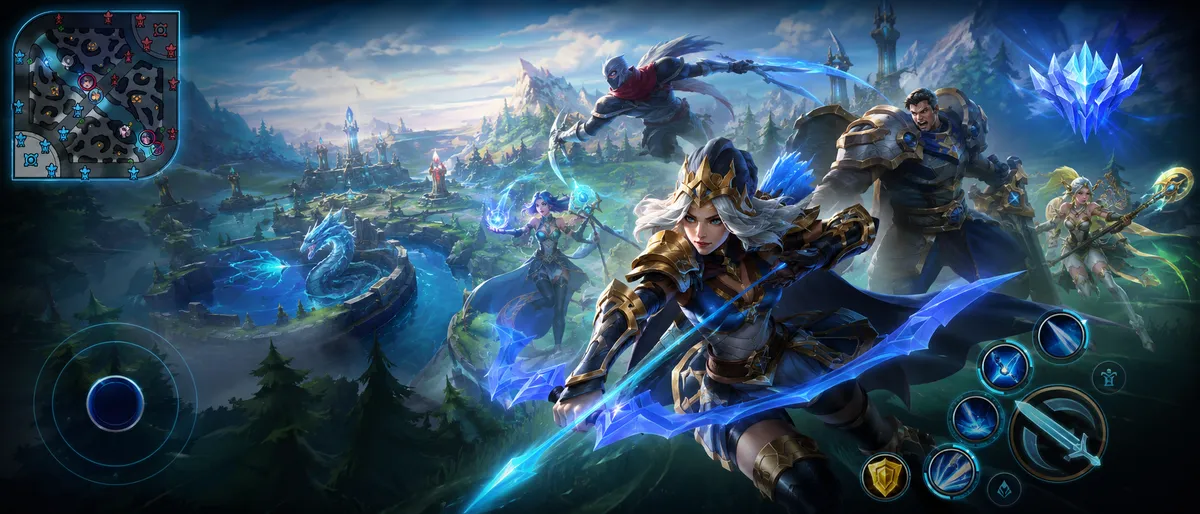
The Best Control Settings for Beginners (So Your Champion Does What You Want)
Wild Rift’s default controls are designed to be “good for everyone,” which usually means they’re not perfect for you. Your job is to make your controls predictable so you stop losing fights to misclicks.
Here are the core settings to focus on and why they matter:
- Manual aiming for skillshots
- If an ability can be aimed, practice dragging it instead of tapping. Tapping is fine for point-and-click abilities, but for skillshots it can fire in the wrong direction when the game “assists” you. You want your hands to learn accuracy early.
- Quick cast vs drag-to-aim (what to choose as a beginner)
- If quick cast feels too fast and you panic, stick to the default aiming style until you’re consistent. If you already feel comfortable, quick cast can speed up combos. The right choice is the one that makes your casts accurate under pressure.
- Attack button size and spacing
- Many beginners miss fights because the attack button and abilities are too close together or too small. Slightly increase sizes if your phone screen is small. The goal is clean taps, not fancy speed.
- Skill cancel method (make canceling easy)
- When you aim a skill and then realize it’s bad, canceling should feel natural. Choose the option that lets you cancel reliably without “accidental casts.”
- Lock movement stick (good if you mis-drag movement)
- If your movement stick slides around and your champion stutters, locking it can help. If you like flexible placement, keep it unlocked. Consistency matters more than what “pros” do.
- Centered button lock (usually better off for beginners)
- If your attack/skill buttons lock in the center and you struggle to reach them quickly, turning off centered lock can make your button positions feel more natural.
The biggest control habit to build: aim first, then cast. A lot of new players do the opposite (panic-cast and hope it hits).
Targeting Settings That Stop You From Hitting Minions by Accident
In Wild Rift, targeting is the difference between “I outplayed them” and “why am I auto-attacking a minion while their carry deletes me?”
These tools make targeting cleaner:
- Portrait lock (your best friend in teamfights)
- Portrait lock lets you lock onto a specific enemy champion. In chaotic fights near minions, towers, and monsters, this is how you avoid accidentally swapping targets. Practice using it early, even if it feels awkward at first.
- Target lock filtering (a huge quality-of-life upgrade)
- Wild Rift added a setting that helps target-lock ignore minions and structures so you can stay locked on champions more reliably. If you often switch to a minion mid-fight, enable the option that filters out minions/structures when target locking.
- Targeting priority choices (closest vs lowest health, etc.)
- Different champions want different priorities. Burst assassins often like reliable “closest champion” targeting because they dive onto whoever is in range. Poke champions may prefer options that help finish low-health enemies. Test both in Training Tool.
A beginner’s targeting rule that wins fights:
When a fight starts, decide your target before you press anything. If you don’t decide, the game decides for you.
Camera Settings: How to See More Without Losing Your Character
Wild Rift is built for mobile, so the camera isn’t the same as PC League. But you still have control over how it feels.
- Semi-locked camera is usually the sweet spot
- A fully centered camera can feel safe but limits what you see ahead of you. Semi-lock lets you keep your champion “mostly centered” while still seeing further in the direction you’re playing. This helps with dodging, chasing, and spotting ganks.
- Camera pan sensitivity (don’t set it too high)
- If panning is too sensitive, you’ll overshoot and lose track of your champion. If it’s too slow, you can’t check fights quickly. A good beginner approach is: set it low enough to be stable, then slowly raise it after a few days.
- Minimap size and clarity
- If you never look at the minimap, make it bigger. It sounds silly, but it works. Wild Rift is fast, and the minimap is your early-warning system.
A simple camera habit: every time you clear a wave, glance at the minimap. Wave → minimap → next decision.
Graphics, FPS, and Performance: The “Hidden” Setting That Affects Your Rank
A surprising number of ranked losses come from performance issues: frame drops, overheating, input delay, or unstable network. You don’t need the prettiest game—you need the smoothest.
- Prioritize stable FPS over high graphics
- Set your graphics so your game stays smooth during teamfights. If your phone supports higher frame rate options, use the highest one that stays stable. A stable 60 is better than a laggy “high.”
- Reduce heavy effects if you get stutters
- Shadows, post-processing effects, and very high resolution can cause drops. If fights feel choppy, lower effects first.
- Use a consistent connection
- If your ping spikes, avoid ranked until it’s stable. Ranked is stressful enough without lag making your inputs late.
Beginner mindset: smooth gameplay = more accurate gameplay. Accuracy wins fights.
Understanding the Map: Lanes, Objectives, and the Rotated Perspective
If you’re coming from other MOBAs, Wild Rift will feel familiar… but there are key differences.
- Three lanes + jungle + river
- The basics are the same: you farm minions, destroy turrets, and eventually destroy the Nexus to win.
- The map is smaller and faster
- Rotations happen quickly. If you win a fight, you can often turn it into an objective immediately.
- The map perspective rotates for the red side
- Wild Rift rotates the map view for red side players so both sides feel “upright.” This helps mobile gameplay but can confuse beginners at first. The game also uses visual markers at the start to show which lane is for your duo and which is for solo.
- No inhibitors in the same way as PC
- Instead of the classic inhibitor structure, Wild Rift rewards pushing to the base turret and then unleashing stronger minion pressure after it falls. This changes how comebacks and base pushes work.
What this means for beginners: don’t memorize “top/bot” the PC way. Learn by role: Baron lane (solo), Mid, Jungle, Dragon lane (duo), Support.
Roles Explained: What Each Role Is Actually Responsible For
A lot of players think roles are just “where you stand.” That’s not it. Roles are responsibilities. If you do your responsibility, you climb faster—even if your mechanics aren’t perfect.
Here’s the simplest way to understand each role:
- Baron Lane (Solo lane): survive pressure, win trades, become a frontline or split-push threat
- Jungle: control objectives, create numbers advantages with ganks, stabilize losing lanes
- Mid: control the center, roam to side lanes, provide burst or teamfight damage
- Dragon Lane (Marksman/Carry): farm safely, become the main sustained damage later
- Support: protect the carry, set up fights, control vision/space and engage/disengage
If you’re new, pick the role that matches your personality:
- Want to fight and roam? Mid or Jungle
- Want to be tanky and steady? Baron lane or Engage Support
- Want to scale and carry late? Dragon lane carry
Baron Lane Starter Plan: The Easiest Role to Learn Fundamentals
Baron lane is a great beginner role because it teaches wave control, trading, and patience.
Your job in Baron lane:
- Don’t die to early ganks (play slightly safe until you know where the enemy jungler is)
- Trade when your abilities are up and back off when they’re down
- Push when you want to recall so you don’t lose too many minions
- Be ready to join the first big objective fight if your teleport/rotation timing allows
Beginner-friendly Baron lane champions usually share one trait: simple kits. You want champions who can farm safely and contribute in fights without complicated combos.
Baron lane habits that instantly improve you:
- Stop auto-attacking the wave nonstop. If you push every wave, you become gank bait.
- When you win a trade, don’t chase forever. Use the advantage to manage the wave or get a plate/objective.
- If you lose lane, your win condition becomes teamfighting smart—build defensively, group, and peel for carries.
Jungle Starter Plan: How to Gank Without Falling Behind
Jungle is the most influential role… and also the easiest role to “feel lost” in. Beginners often make one of two mistakes:
- They farm forever and never help lanes.
- They gank nonstop and fall behind in levels.
Your job in the jungle:
- Clear camps efficiently so you don’t fall behind
- Gank only when it’s likely to work
- Show up for major objectives and help your team prepare for them
A beginner-friendly jungle plan:
- Start with a clear that keeps you healthy.
- After your first clear, look for the easiest lane to gank (the lane where the enemy is pushed up and has no escape).
- If no gank looks good, farm again and take river vision/control.
How to choose a “good gank”:
- The enemy is overextended (far from their turret)
- Your laner has crowd control (stun, root, knock-up) or strong burst
- You have a clear path to approach without being seen
- You know where the enemy jungler probably is (or you’re strong enough to fight)
Beginner objective rule:
- If your team is not ready to contest, don’t force it alone.
- If your team is ready, arrive early, not late. Getting to the objective first lets you set vision and position.
Mid Lane Starter Plan: The Role That Teaches You How to Win the Map
Mid lane sits in the center, so you can influence everything. Beginners often tunnel vision mid and forget they can decide the side lanes.
Your job in mid:
- Clear waves without dying
- Roam when you have priority
- Help objectives and skirmishes first
What “priority” means in simple terms:
- If you clear your wave first and your enemy mid is stuck farming under tower, you have priority. That means you can move first—roam, ward, help jungle, or start an objective setup.
Beginner roaming rule:
- Roam after you push, not before.
- If you roam while your wave is crashing into your turret, you lose gold and XP and fall behind even if the roam “works.”
Mid lane survival tips:
- Keep an eye on the river entrances. Mid is a gank magnet because it’s central.
- Don’t blow your escape spell aggressively unless you see the enemy jungler elsewhere.
- When you’re behind, stop forcing solo kills—focus on wave clear and teamfights.
Dragon Lane Carry Starter Plan: How to Scale Without Feeding
Dragon lane carries (marksmen) win games later, but only if they farm well and stay alive.
Your job as the carry:
- Farm consistently
- Don’t die before you hit your item spikes
- Position safely in fights (hit what you can hit)
The biggest beginner carry mistake is target obsession. New carries try to reach the enemy backline every fight and die instantly. A better rule:
- Hit the closest safe target.
- If a tank is in front of you and you can hit them safely, do it. Your damage adds up.
Laning tips that help immediately:
- If your support roams, play safe and farm under tower.
- Track enemy engage tools. If they have a hook or hard engage, stand behind minions and keep distance.
- Don’t chase kills into fog. Carries die to ambushes more than any role.
Support Starter Plan: How to Carry Without Being the One Getting Kills
Support can feel powerless to beginners because you aren’t “doing damage” the same way. But good supports decide games by controlling space and starting fights correctly.
Your job as support:
- Help your carry farm safely
- Control the lane pace
- Create good fights and prevent bad fights
Two support styles:
- Engage supports (start fights, lock targets down)
- Enchanter supports (heal/shield/boost allies and protect carries)
Beginner support rule:
- If you are engage: fight when your carry can follow.
- If you are enchanter: save key abilities for the moment danger starts, not after your carry is already low.
Support habits that win games:
- Roam when your carry is safe (wave pushed, enemy recalled, or you have vision).
- Protect the strongest teammate, not the loudest teammate.
- In teamfights, your positioning matters as much as your carry’s.
The Settings + Role Combo That Makes Ranked Feel Easy
If you only remember one thing from this guide, remember this:
- Good settings reduce mistakes you didn’t choose.
- Good role habits reduce mistakes you didn’t notice.
A strong beginner setup is:
- Enable better targeting tools (portrait lock + filtering)
- Use a stable camera mode you can control
- Make your HUD comfortable and consistent
- Commit to one role for 2–3 weeks so your brain isn’t relearning the game every match
When you stop fighting your controls and your role, your mechanics improve naturally.
First Ranked Tips: What to Expect (And How Ranked Actually Works)
Ranked feels scary because it “counts,” but the rules are more beginner-friendly than many players think.
What ranked is like in Wild Rift:
- You don’t need placement matches to start. Your ranked experience begins right away.
- Climbing uses Ranked Marks. Wins give marks; losses usually remove marks (with special protection in the lowest tiers).
- Ranked Fortitude exists to protect progress. Playing well and winning fills a bar that can create loss shields, and win streaks can sometimes accelerate your progress.
- No promotion series. You generally climb by earning enough progress, then winning to move up—no best-of series stress.
- You can queue ranked with 1, 2, 3, or 5 players. (Not 4.)
Champion select basics you should know before your first ranked:
- Ranked uses a draft format where picks alternate and each champion only appears once per match.
- You can “hover” a champion to show your teammates what you want before your pick turn arrives.
- If you don’t lock in a champion in time, the game can default to your most-played champion—so always lock in intentionally.
Beginner ranked rule:
- Go into ranked with a small champion pool.
- Pick 2–3 champions for your main role and 1–2 for your backup role. That’s enough.
A Simple “First 10 Ranked Games” Plan (So You Don’t Tilt or Autopilot)
Most beginners treat ranked like a lottery. The better approach is to treat it like practice with a scoreboard.
Here’s a clean plan for your first 10 ranked games:
- Game 1–2: Play for zero mistakes
- Your only goal is to avoid unnecessary deaths. Farm, rotate to obvious objectives, and don’t chase into fog.
- Game 3–4: Focus on minimap habits
- Every time you clear a wave or finish a camp: look minimap → decide next move.
- Game 5–6: Improve teamfight targeting
- Use portrait lock and decide your target early. Don’t swap targets randomly.
- Game 7–8: Objective timing awareness
- Stop recalling randomly right before major objectives. Recall earlier, be there early.
- Game 9–10: One improvement focus
- Pick one skill you’re weakest at (positioning, farming, roaming, warding) and focus on it only.
If you do this, you’ll improve faster than someone who plays 50 games while repeating the same mistakes.
Common Beginner Mistakes (And the Fix That Instantly Helps)
These mistakes show up in almost every new player’s match history:
- Mistake: Fighting when your abilities are on cooldown
- Fix: after you use your main ability, back up for a second. Don’t “stand there” trading autos.
- Mistake: Recalling at random times
- Fix: recall after you push a wave so the enemy can’t immediately punish you.
- Mistake: Chasing into fog
- Fix: if you can’t see the enemy, assume you’re walking into a trap.
- Mistake: Ignoring objectives because “kills feel important”
- Fix: kills are only valuable if they become gold, towers, dragons, herald, or baron pressure.
- Mistake: Blaming teammates and losing focus
- Fix: decide one thing you control every match (farm count, deaths, objective presence) and measure it.
Ranked climbing is mostly consistency. Not perfection.
BoostRoom: Improve Faster With a Clear Plan (No Guessing, No Random Builds)
If you want to get good faster, you need two things: direction and feedback. That’s what BoostRoom is built for.
BoostRoom focuses on helping players improve through:
- Personalized coaching plans based on your role (Baron, Jungle, Mid, Dragon, Support)
- Champion pool building so you always have safe picks and backup options
- Settings + control optimization so your inputs are consistent and reliable
- Replay/VOD review to spot the exact mistakes that keep repeating
- Ranked routines that build consistency without burnout
The best part: you don’t need to “grind forever.” With the right habits, a small daily routine can create huge improvement. BoostRoom is there to make sure every match teaches you something useful—so your rank rises because your skill rises.
FAQ
What is the best role for a complete beginner?
Baron lane and Support are usually the easiest to start with because they teach fundamentals without requiring perfect mechanics. If you love action and roaming, Mid can also be great.
Should I play ranked right away?
Play a few Normal or Co-Op vs AI games first so your controls and targeting feel comfortable. Then start ranked with a small champion pool so you aren’t learning everything at once.
Why do I keep auto-attacking minions instead of champions?
This is a targeting and habit issue. Use portrait lock in fights, consider enabling target lock filtering options, and decide your target before you start pressing abilities.
How many champions should I learn at first?
Aim for 2–3 champions in your main role and 1–2 in your backup role. Too many champions early slows your progress.
What’s the biggest ranked tip that helps instantly?
Arrive early to objectives and stop recalling right before fights. Most beginner games are decided by who is present and ready, not by who has the fanciest mechanics.
Do settings really matter that much?
Yes. Good settings reduce accidental inputs, improve targeting, and make fights predictable. That leads to better decisions and fewer “unfair-feeling” deaths.



