Why Skill Setup Matters More in Aion 2 Than Most MMOs
Aion 2 is designed around skill identity, combos/trigger behavior, and situational optimization. That means your performance isn’t just “press everything on cooldown.” It’s:
- choosing the right skills for the content,
- placing them on keys you can reliably press under pressure,
- and reacting quickly to what the game is asking you to do (dodge, interrupt, disengage, cleanse, burst).
A lot of players lose hours every week not because they’re “bad,” but because their setup causes constant friction:
- Defensive tools are on awkward keys, so they press them late.
- Their hotbar is cluttered, so they hesitate.
- They carry the wrong skills for the activity, so they compensate with slower play and more downtime.
If you fix your setup early, everything speeds up:
- faster questing and less potion spam,
- fewer dungeon wipes,
- and much better PvP consistency.
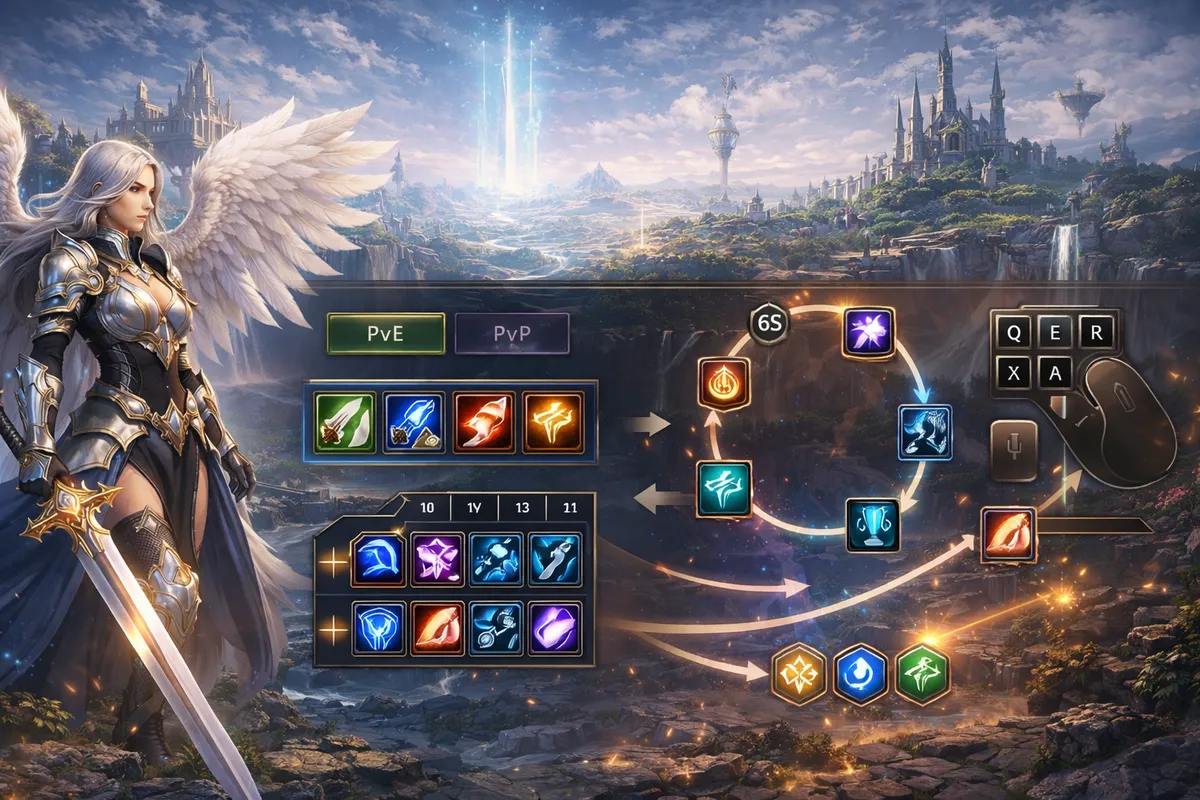
Understand the Skill Layers: Core Skills, Passives, Stigma, and Specialization
Before you organize hotbars, you need a clear mental model of what you’re organizing. In Aion 2, skills generally fall into these buckets:
- Core active skills: your bread-and-butter buttons (attacks, heals, buffs, control).
- Passives: always-on power that supports your plan (damage boosts, mitigation, resource efficiency).
- Stigma skills: advanced choices that shape your build identity and often require separate progression materials.
- Specialization options: upgrades or modifiers that change how a skill behaves once it reaches certain levels or milestones.
You don’t need to memorize every detail on day one. What you do need is this rule:
Your hotbar should represent your plan, not your entire skill book.
If you try to “bring everything,” your gameplay becomes slow and messy. If you bring a clean, focused set, your character feels sharper immediately.
The Big Myth: “Only 8 Skills”
You might hear players panic about a hard limit like “only 8 skills on the hotbar.” What matters for your setup is the practical truth: Aion 2’s optimal skill set changes by situation, and the game is built to support switching between setups rather than forcing one permanent bar forever.
So instead of thinking:
- “How do I fit my whole class into one bar?”
Think:
- “How do I build 2–4 loadouts that each feel perfect for one job?”
That mindset alone fixes most players’ hotbar problems.
Your Goal: Build a Combat Cockpit (Not a Keyboard Puzzle)
A great Aion 2 hotbar feels like a cockpit:
- your hands know where things are,
- your eyes track only what matters,
- and you make decisions without hunting for buttons.
To achieve that, you’re going to build your setup around roles (what a button does), not around skill names (what the button is called).
Here are the roles you must cover on every serious loadout:
- Damage core: your main loop (what you press most)
- Burst window: 1–2 buttons that define your “power moment”
- Survival: shields/heals/mitigation/escape tools
- Utility: interrupt, cleanse/dispels (if your class has them), control tools
- Movement: dash/dodge, gap closer (if applicable), reposition tools
- Emergency button: the “save me” key you can hit instantly
If any of these is missing, your gameplay becomes unstable in harder content.
Hotbar Layout That Works for Most Players
You want a layout that works even when your brain is stressed (boss mechanics, PvP pressure, low HP). That means:
- high-frequency buttons on the easiest keys,
- emergency buttons on “slam keys,”
- and low-frequency buttons pushed further away.
Here’s a simple, powerful keyboard layout model:
- 1–4: your core rotation loop (the buttons you press constantly)
- Q / E: your most important reactive buttons (interrupt, dodge tool, fast CC, quick heal)
- R / F: burst buttons or “big value” buttons (damage window or major defensive)
- Z / X / C: utility and situational tools (cleanse, second CC, niche buff)
- Shift + 1–4: secondary rotation tools (extra damage skills, resource skills, special procs)
- Mouse side buttons: emergency survival and movement (best use of mouse buttons)
If you play with a controller or plan to play hybrid, the principle is the same:
- face buttons = core loop,
- shoulder buttons = survival and utility,
- stick clicks = emergency or targeting functions.
The point is consistency: once your fingers learn the pattern, everything becomes faster.
The “Three Bars” System: Core, Defense, Utility
Even if the UI shows one quick bar, mentally split your bar into three zones:
- Core zone (damage/heal loop): 4–6 skills you press constantly
- Defense zone (stay alive): 2–4 skills you press when danger spikes
- Utility zone (win fights and prevent wipes): 2–4 skills that solve problems
When you do this, your brain stops treating your hotbar like “random icons” and starts treating it like a purpose-built kit.
Build Loadouts the Right Way: PvE, Boss, PvP
Aion 2 strongly rewards having separate loadouts. At minimum, build these three:
- Loadout 1: Questing / Leveling
- Loadout 2: Dungeon Boss / Group PvE
- Loadout 3: PvP / Skirmish
If you’re serious about endgame, add:
- Loadout 4: Large-scale PvP / Objective zones (more AoE, more survival, more disruption)
The key is not having many loadouts. The key is having the right ones.
Loadout 1: Questing and Leveling Setup
Your leveling loadout should be designed for one thing: speed with low downtime.
Priorities:
- fast kill-time,
- easy multi-mob handling,
- and self-sufficiency (so you don’t stop every two pulls).
Your leveling loadout should usually include:
- 1–2 AoE tools (or cleave enhancers if your class prefers that)
- 1 sustain tool (heal, shield, lifesteal, defensive uptime)
- 1 mobility tool (dash/escape/reposition)
- 1 control tool (to stop dangerous casts or manage adds)
- 1 burst tool (to delete elites or quest bosses quickly)
What to avoid while leveling:
- niche PvP tools you won’t use often,
- long-cooldown “style” skills that don’t speed up your loop,
- and overly complex setups that feel powerful but slow you down mentally.
Your best leveling setup is the one that lets you chain pulls smoothly.
Loadout 2: Dungeon and Boss Setup
Dungeon progression punishes messy bars. You need:
- reliable single-target damage (or reliable healing/mitigation if you’re support),
- mechanics coverage (interrupt, cleanse, defensive timing),
- and a clean burst plan for boss windows.
Dungeon loadout priorities:
- Consistency > speed at first
- Once you can clear reliably, you optimize for speed.
Dungeon essentials:
- Interrupt or stop tool (if your role has it)
- Major defensive (save it for boss burst windows)
- Resource efficiency (avoid going empty halfway through)
- One panic button (instant survival tool)
For dungeons, your hotbar should be simpler than your leveling bar, not more complicated. Dungeons are where clean execution matters.
Loadout 3: PvP Setup
PvP exposes bad keybinds instantly. You don’t lose fights only to damage—you lose fights to:
- failing to disengage,
- failing to control,
- failing to cleanse or react,
- and pressing the wrong thing under stress.
PvP loadout priorities:
- control and survival,
- reliable damage (not only burst),
- and instant reaction buttons.
PvP essentials:
- Engage tool (gap close, setup CC, or pressure starter)
- Disengage tool (escape, immunity window, movement reset)
- Control package (1–3 CC tools that you can chain logically)
- Anti-defense answer (dispel/anti-heal/pressure tool depending on your class)
- Emergency save (your fastest “I live” button)
If you want smoother PvP progression, put your disengage and emergency tools on your easiest keys. That one change can double your win rate early.
How to Name and Organize Loadouts for Real Life
This sounds small, but it’s huge: name your loadouts so your brain never hesitates.
Examples:
- “PvE Farm”
- “PvE Boss”
- “PvP Duel”
- “PvP Group”
Avoid vague names like “Set 1” or “Damage.” Under stress you’ll pick the wrong one.
Also keep one consistent rule:
Your core rotation keys should stay the same across all loadouts whenever possible.
If “1–4” are always your core loop, your muscle memory stays stable even when the rest changes.
Rotation Basics: Stop Trying to Memorize a Perfect Script
Most beginners try to build a “perfect rotation” like:
- press A, then B, then C, then D…
That works in target-dummy games. Aion 2 fights are more dynamic, so a better approach is a priority rotation:
- press the best available button based on your current situation.
Your rotation becomes:
- a repeatable core loop,
- plus decision rules for procs, triggers, and mechanics.
A good Aion 2 rotation is built from four pieces:
- Opener: how you start the fight
- Core loop: what you do most of the time
- Burst window: what you do when power is available
- Recovery loop: what you do when things go wrong (movement, survival, reset)
Once you build those four, your rotation scales naturally into endgame.
Build a Clean Opener
A strong opener does three things:
- sets up your damage or healing plan,
- applies your key debuff or buff (if you have one),
- and positions you safely.
For most classes, a clean opener looks like this:
- Approach / engage
- Apply your core setup effect (buff/debuff/mark)
- Begin core loop
- Save burst for the right moment (don’t auto-spend it if mechanics are about to happen)
Openers should be simple. If your opener requires 7 steps, you will mess it up in real fights.
Build a Core Loop That You Can Do While Watching Mechanics
Your core loop should be:
- 3–6 buttons,
- comfortable,
- and reliable even if you must move.
If your class can cast while moving, your loop can be more aggressive. If movement disrupts your damage or healing, your loop must be more flexible.
A core loop test:
- If you can do it while dodging and reacting, it’s good.
- If you must stare at your hotbar to do it, it’s too complex.
Burst Windows: Use “Packages,” Not Panic Spam
Burst windows are where you gain time:
- elites die faster,
- bosses lose phases faster,
- PvP targets collapse faster.
The mistake is “burst panic spam” where you press every shiny icon at once, then have nothing when you actually need it.
Instead, build a burst package:
- Burst button 1: starts your window
- Burst button 2: amplifies or executes
- One control or safety tool to protect the window
Then decide when to use it:
- on elite mobs,
- on boss vulnerability windows,
- or after you land CC in PvP.
Burst becomes consistent when you treat it like a planned sequence, not an emotional reaction.
Combos and Trigger Skills: The Easy Way to Play Them
Aion 2 combat emphasizes combo/trigger behavior. You don’t need to be technical to use it well. Use this simple rule:
- Put combo starters on your easiest keys (core loop).
- Put the triggered follow-up on the same finger family (example: 1 then 2, or Q then E).
- If a trigger appears visually, train your eyes to notice it without hunting the bar.
If you struggle with triggers:
- reduce your bar complexity,
- and run a “two-minute drill” where you only focus on recognizing trigger opportunities.
After a few sessions, it becomes automatic.
Role-Based Rotation Frameworks
Different roles should build rotations differently. Use these frameworks to keep your setup clean.
Melee DPS Rotation Framework
Melee DPS wins by staying on target and choosing good timing.
Core goals:
- maintain uptime,
- avoid unnecessary damage,
- and save mobility tools for real value.
A simple melee priority:
- Engage tool (if needed)
- Apply your key damage amplifier
- Core loop while positioning behind or safely
- Burst when target is controlled or vulnerable
- Defensive tool when you expect burst damage, not after you’re already low
Hotbar tip for melee:
- Put gap close, dodge, and emergency survival on the easiest keys. Melee loses the most time to bad movement and late defensives.
Ranged DPS Rotation Framework
Ranged DPS wins by controlling distance and maintaining clean uptime.
Core goals:
- stay at ideal range,
- avoid taking hits,
- and punish enemy mistakes.
A simple ranged priority:
- Maintain your key debuff/mark (if your class uses one)
- Use your core damage loop
- Use control tools to protect your space
- Burst when you can stand still safely (or when your kit supports moving burst)
- Save escape tools for enemy engages
Hotbar tip for ranged:
- Put “space control” CC on easy keys, not far keys. If you can’t react fast, you’ll get collapsed.
Tank Rotation Framework
Tanks progress faster when they make content stable. Your rotation isn’t “damage first.” It’s control first.
Core goals:
- hold threat/control,
- reduce incoming damage during dangerous windows,
- and keep pulls clean.
A simple tank priority:
- Pull/engage tool
- Threat/taunt maintenance
- Defensive cycling (small defensives often, big defensives on big moments)
- Control tools to stop dangerous casts
- Damage loop when safe
Hotbar tip for tanks:
- Put “target control” keys near your movement keys so you can reposition and control without losing tempo.
Healer/Support Rotation Framework
Support roles make progression smoother for everyone. A clean setup is the difference between calm clears and chaotic wipes.
Core goals:
- keep people alive efficiently,
- save big cooldowns for true danger,
- and contribute meaningful utility.
A simple support priority:
- Maintain your core heal-over-time or aura effect (if applicable)
- Use efficient heals as default
- Save burst heal for burst damage windows
- Cleanse/utility on fast keys
- Add damage during safe windows, not during panic moments
Hotbar tip for support:
- Put cleanse and your fastest emergency heal on your easiest keys. If you must hunt them, you will always be late.
Action Mode vs Legacy Mode: Choose the Right Feel for Your Brain
Aion 2 supports different control styles. Your skill setup should match your chosen style.
If you prefer a modern feel:
- you want fast movement,
- quick target acquisition,
- and reactive dodging.
If you prefer a classic MMO feel:
- you want precise target selection,
- stable tab targeting,
- and UI-first play.
The best approach for many players is hybrid:
- use one mode for PvE comfort,
- and another mode for PvP precision (especially in chaotic fights).
No matter which you use, your hotbar should stay consistent so your hands don’t get confused.
Targeting Settings That Make Rotations Feel “Sticky”
Bad targeting makes your rotation feel broken. You press skills and nothing happens, then you panic and press more, then everything fires late.
Your targeting should answer these questions:
- How do you select a main target quickly?
- How do you swap targets quickly?
- How do you avoid accidentally switching targets when you don’t want to?
- How do you keep hitting the right target while moving?
A simple targeting improvement plan:
- Use a consistent “lock” key for your main target.
- Use one method to acquire targets (tab priority or crosshair aim) instead of mixing randomly.
- Practice target swap drills in low-pressure content so PvP doesn’t become your training ground.
If your class relies on landing key control skills, targeting settings matter even more than raw damage.
Movement, Dodge, and Survivability: Bind Them Like They’re Core Damage
In Aion 2, movement and dodge mechanics are not optional—they are part of your DPS, your survival, and your progression speed.
A practical rule:
- If your dodge or dash is on a hard key, you will use it late.
- Late dodge = more damage taken.
- More damage taken = more downtime.
- More downtime = slower leveling and slower gear progress.
Bind your movement tools where they’re easy:
- Shift, Q/E, mouse side buttons, or another instant key you can hit without thinking.
Then train it:
- In easy content, deliberately dodge predictable attacks.
- Build the habit before you need it in endgame.
Skill Specialization: The “Hidden” Part of Endgame Rotations
As skills scale, specialization choices can change how your rotation feels:
- shorter cooldowns can tighten your loop,
- added effects can turn a utility skill into a damage tool,
- and improved reliability can make certain buttons core instead of niche.
The key for beginners:
- Don’t obsess early.
- But do plan to specialize the skills you press most.
If you feel stuck in progression, specialization is often one of the fastest ways to boost performance without needing a full gear overhaul.
Stigma Skills and Separate Slots: Keep Them Intentional
Many players treat Stigma skills like “extra buttons.” The smarter approach is to treat them like build-defining slots:
- Stigma choices should reinforce your playstyle plan.
- If you’re leveling, pick Stigmas that reduce downtime or increase clear speed.
- If you’re bossing, pick Stigmas that increase reliability and add mechanic coverage.
- If you’re PvPing, pick Stigmas that add control, disengage, or pressure tools.
If your UI provides separate Stigma quick slots, the same hotbar rules still apply:
- easy keys for frequently used Stigmas,
- and a clean role-based layout.
Practice Method: The 15-Minute Setup Drill
If you want your setup to “lock in” quickly, do this drill:
- Pick one loadout (start with leveling or dungeon)
- Fight for 5 minutes while focusing only on core loop (don’t press niche skills)
- Fight for 5 minutes while focusing on defensives and dodges (survive cleanly)
- Fight for 5 minutes while focusing on utility (interrupt/CC/cleanse timing)
After 15 minutes, you’ll immediately know:
- which skills are awkward to reach,
- which buttons you never press,
- and which skills deserve better placement.
Then adjust and repeat once. That’s it. Don’t spend hours tweaking every day.
The Most Common Hotbar Mistakes (And Quick Fixes)
Here are the mistakes that slow leveling and ruin PvP reactions:
- Too many “rare” skills on easy keys
- Fix: move rare skills away; keep core loop and survival on prime keys.
- Emergency defensive on a hard key
- Fix: put your fastest survival tool on a slam key like Q, E, or a mouse button.
- Burst buttons scattered across the keyboard
- Fix: group burst into a small cluster so it feels like one package.
- Interrupt too far away
- Fix: interrupt should be a reflex key, not a reach key.
- Different core rotation keys on every loadout
- Fix: keep core keys consistent across loadouts; only swap the outer ring.
- No visual tracking for cooldowns and buffs
- Fix: place key cooldowns where your eyes naturally rest; reduce clutter.
- Trying to play a PvP bar in PvE
- Fix: PvE needs speed and comfort; PvP needs control and survival.
If you fix only two of these, your gameplay will feel instantly smoother.
How to Keep Your Setup Future-Proof for Endgame
Endgame changes your priorities:
- mechanics become more punishing,
- group expectations increase,
- and PvP becomes less forgiving.
To scale cleanly into endgame:
- Keep your hotbar layout consistent.
- Add complexity slowly (one new key responsibility at a time).
- Upgrade and specialize the skills you already use, rather than constantly swapping your whole kit.
- Maintain separate PvE and PvP loadouts so you’re never “half-ready” for both.
The best endgame players are not the ones with the most complicated bars. They’re the ones with the cleanest bars and the fastest reactions.
Practical Rules
- Build your hotbar by skill roles, not skill names: core loop, burst, survival, utility, movement, emergency.
- Keep core rotation keys consistent across all loadouts; only change the outer utility ring.
- Make at least three loadouts: leveling, dungeon boss, and PvP.
- Put dodge/escape and emergency survival on the easiest keys you can hit without thinking.
- Use a priority rotation, not a fixed script: opener → core loop → burst package → recovery loop.
- If your setup feels messy, remove skills until it feels clean—then add only what you truly use.
- Practice for 15 minutes with the setup drill instead of endlessly tweaking menus.
BoostRoom Promo
If you want your Aion 2 skill setup to feel perfect fast, BoostRoom can help you build a clean hotbar and loadout system tailored to your class and goals. Instead of guessing, you get a practical setup plan: which skills belong in your core loop, how to structure burst and survival packages, and how to build separate PvE and PvP presets that scale into endgame. The result is smoother leveling, cleaner dungeons, and faster PvP reactions—without wasting days experimenting.
FAQ
What is the best hotbar setup for beginners in Aion 2?
A beginner-friendly setup puts the core loop on 1–4, reactive tools on Q/E, burst on R/F, and utility on Z/X/C. Keep survival and dodge on the easiest keys.
Do I need multiple loadouts in Aion 2?
Yes, if you want smooth progression. At minimum, use separate loadouts for leveling, dungeons, and PvP. One bar rarely fits all content well.
How do I build a rotation if my skills have triggers and combos?
Use a priority system: keep combo starters in your core loop, put follow-ups near them, and train your eyes to notice trigger prompts without hunting the bar.
Why does my rotation feel slow even with good gear?
Usually it’s setup friction: awkward keybinds, bad targeting settings, too many niche skills, or missing survival tools that cause downtime.
Should I copy a meta rotation from another player?
Use it as inspiration, but adapt it to keys you can reliably press. A slightly weaker rotation executed cleanly beats a “perfect” rotation you fumble.
How many skills should be in my core loop?
Usually 3–6. If you need more than that to function, your setup is probably too complicated for real fights.
How do I set up a PvP hotbar that wins more fights?
Prioritize disengage, control, and emergency survival on fast keys. PvP is about reaction speed and smart resets as much as damage.
Is it normal to change hotbars while leveling?
Yes, but don’t rebuild everything every day. Keep your core keys stable and adjust only when a new skill clearly replaces an old one.
What should I do first: fix hotbars or fix build choices?
Fix hotbars first. A clean hotbar immediately improves performance and helps you understand what your build actually needs.



