What Portal Is in Battlefield REDSEC
Portal in Battlefield REDSEC is a custom game creation and community playlist system that lets you do two big things:
Play community-made experiences with unusual rules, classic layouts, practice scenarios, and “just for fun” modes.
Create your own experiences by selecting Fort Lyndon (and other eligible content depending on ownership and experience type), then adjusting settings and rules with a builder and rules/logic tools.
REDSEC’s version of Portal is especially valuable because it gives players a way to use Fort Lyndon beyond standard Battle Royale and Gauntlet. Instead of one rigid ruleset, you can make Fort Lyndon feel like an extraction shooter, a close-quarters arena, a vehicle playground, a sniper school, or a hardcore tactical mode—while still staying inside the Battlefield sandbox.
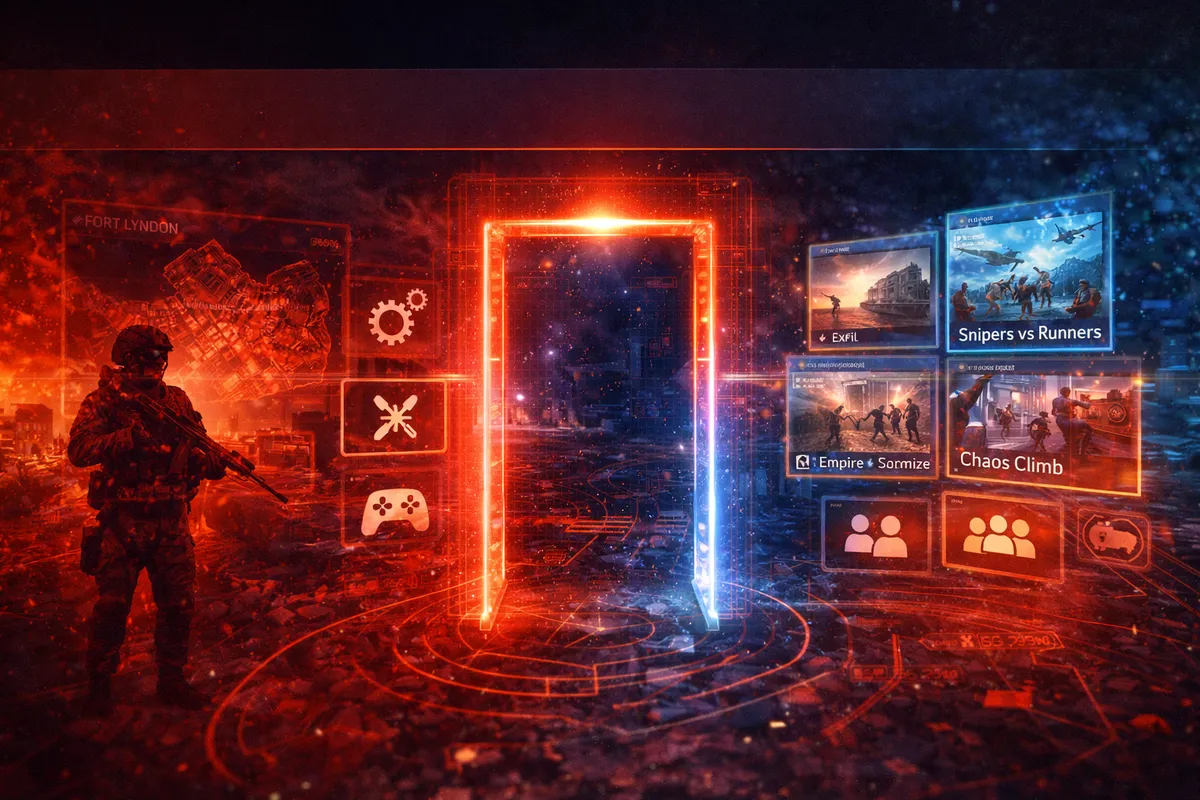
Portal vs Battle Royale vs Gauntlet: When You Should Use Each Mode
A lot of players ignore Portal because they assume it’s “not the real game.” If you’re trying to improve faster (or just have more fun), Portal is the most efficient tool you have.
Use Battle Royale when you want:
real match pressure, rotations, ring timing, third parties
win conditions that reward survival and endgame decisions
the true Fort Lyndon BR flow (looting → fights → endgame)
Use Gauntlet when you want:
round-based mission pressure and knockout scoring
fast repetitions of squad coordination
objective play and role discipline
Use Portal when you want:
practice a specific skill (aim, flying, sniping, recoil control, movement)
play a rule set you can’t get in standard playlists (hardcore variants, unusual weapons-only modes, special camera angles)
build and host custom matches with friends
experiment with mode ideas (and share them with the community)
If you’re serious about getting better, Portal is where you do “focused training,” then you bring it back into BR and Gauntlet.
How to Access Portal in REDSEC (Fast and Simple)
Portal is typically accessed from a Portal/Community area in the game’s menus, and you can also build experiences using the web-based Portal builder (you’ll sign in with your account to use it). From there, you can:
browse featured and trending experiences
search by mode name or experience code
host an experience (public or password-protected)
create or edit your own experiences in the builder
If you’re new: start by joining experiences first. Once you find what you like, you’ll understand what kinds of rule changes feel good before you try building your own.
How Experience Codes Work (And Why They Matter)
Portal experiences often have a short code you can type into the search field. That code acts like a quick “join this exact mode” shortcut.
Why codes matter:
the community browser can be noisy and hard to filter
search can bury great experiences during high traffic
codes let you share your creation instantly with friends, Discords, and communities
A practical way to use codes:
keep a small list of 5–10 “go-to” codes: aim trainer, flying trainer, hardcore mode, and a fun party mode
whenever you have 15 minutes, hop into Portal and run a focused practice session
then queue Battle Royale with warmed-up aim and better timing
Best Portal Experiences to Try First (Quick Picks by Goal)
If you just want the best starting list, use these categories:
Practice and improvement
flying trainer experiences
bot conquest or sniper challenge lobbies (where progression rules allow)
aim / recoil practice setups
Fun custom modes
Classic map nostalgia
compact classic layouts (tight infantry fights)
classic metro-style lane maps
remade community maps (varies by ownership requirements)
Now let’s go deeper and give you a curated list with codes, what each mode is for, and what to expect.
Best Custom Experience Codes (Modes)
These are popular custom “mode” experiences that players jump into for something different than standard playlists. Use the code to find them quickly.
Exfil — Code: X8XC
What it feels like: an extraction-style mode inspired by the “loot, survive, extract” loop.
Best for: learning slow-clears, comms discipline, and “risk vs reward” decision-making.
Why it’s worth your time: it trains patience, audio awareness, and smart repositioning—skills that transfer directly into REDSEC Battle Royale.
Snipers vs Runners — Code: YT6XX
What it feels like: a chase/track mode where snipers must stop runners reaching the finish line.
Best for: quick-scope timing, target leading, and tracking moving targets under pressure.
Why it’s worth your time: it forces you to hit shots on targets that never stop moving—perfect for Fort Lyndon rotation punish practice.
Empire State Zombies — Code: XGS9
What it feels like: a “zombies-style” survival mode with Battlefield chaos.
Best for: close-quarters survival, ammo discipline, and teamwork under constant pressure.
Why it’s worth your time: it sharpens panic-control in tight spaces, which is exactly what endgame building fights require.
Chaos Climb — Code: ZX45F
What it feels like: a race up a steep path while hazards fall and disrupt movement.
Best for: movement control, timing, and staying calm when the environment tries to throw you off.
Why it’s worth your time: it’s surprisingly good “mental training” for ring rotations and chaotic third parties.
Friday Night Battlefield — Code: X7QA
What it feels like: curated custom modes selected and rotated for a featured community-style playlist.
Best for: variety nights, trying modes you wouldn’t normally find, and playing the community’s best ideas without digging through the browser.
Best Custom Map Codes (Classic and Remix Layouts)
These are more “map-focused” experiences—popular for tight infantry gameplay, nostalgia, or specific practice.
TDM Noshahr Canals — Code: YM6PV
Best for: fast infantry gunfights, quick spawns, aim warmups.
Why it’s good: compact fights create constant engagements so you get rapid reps.
Operation Metro — Code: ZYDGB
Best for: close-range angle discipline, choke control, teamwork pushes.
Why it’s good: metro-style lanes punish sloppy peeks and reward coordinated utility use.
Battlefield 6 Operations by HappyCamprTV & BF Dale — Code: ZHSPM
Best for: multi-objective pacing, teamwork structure, classic Battlefield flow.
Why it’s good: it’s a strong alternative to pure chaos because it encourages squads to play objectives.
Grand Bazaar Al-Qasr Conquest — Code: ZZHFM
Best for: mid-range fights, corner discipline, micro-rotations in dense layouts.
Why it’s good: great practice for “Fort Lyndon urban blocks” style decision-making.
Airport Conquest (Terminal-style) — Code: ZC8BY
Best for: close-mid range tracking, fast rotations, quick captures.
Why it’s good: it’s a strong “all-rounder” layout for warming up.
Oxide Conquest (Rust-style) — Code: ZC8GW
Best for: pure mechanical reps—aim, movement, fast decisions.
Why it’s good: tiny layout means mistakes get punished instantly (great training).
Important note: some of these experiences may require ownership of Battlefield 6 or specific content access depending on what assets the creator used. If an experience card warns you that ownership is required, that’s normal—just switch to Fort Lyndon-based community experiences if you’re playing REDSEC standalone.
Best Portal Codes to Practice Flying
Flying is one of the fastest “power multipliers” in Battlefield-style games, but most players never practice it because learning mid-match is painful. Portal fixes that.
Flying Trainer — Code: 8V8G
Best for: learning basic control, landing, hovering, and steady tracking in open space.
Why it’s good: low-pressure environment so you can build muscle memory without throwing matches.
Ace Pursuit — Code: X8XB
Best for: jets with race-style pressure and combat enabled.
Why it’s good: it teaches speed control, line choice, and target tracking while moving fast.
Best Full XP-Style Portal Codes (Legit, Not “Farming”)
Portal XP rules have changed over time to reduce XP-farm abuse. The best way to think about it:
Verified experiences tend to be closest to standard rules and can allow fuller progression.
Custom experiences often have reduced progression, and bots can reduce rewards further.
Here are popular codes that are often used as “legit practice + progression” options when the rules allow it:
Hardcore Conquest — Code: X7SB
Best for: tactical gunfights, slower peeks, higher punishment.
Why it’s good: hardcore rules reward positioning and awareness—perfect for BR skill transfer.
Bot Conquest – Large Maps – Sniper Challenges — Code: ZZSM
Best for: long-range practice, recon challenge progress (when allowed), and consistency training.
Why it’s good: it’s structured practice for distance shooting without waiting 10 minutes between fights.
Important note: Portal has had multiple anti-farm changes. Some experiences will only provide limited XP (like match completion bonuses), and bot-heavy setups can reduce kill XP or challenge value. Treat Portal as training and fun first, progression second.
How Portal XP, Progression, and Bots Work (So You Don’t Get Surprised)
Portal is amazing, but it’s not designed to replace normal progression entirely. Expect these realities:
Some experiences provide full progression, especially when they stay close to standard rules and meet “verified” requirements.
Many custom experiences provide reduced progression, even if they’re fun and well-made.
Bots can help fill matches, but kills on bots may award reduced XP and can affect whether stats/challenges track normally depending on current rules.
The best mental approach:
Use Portal for skill building (aim, movement, vehicles, awareness) and for community fun, then use standard playlists for consistent long-term progression.
Verified Experiences vs Custom Experiences (What Creators Should Know)
Portal generally separates experiences into two quality/structure lanes:
Verified Experiences
closer to standard modes and rule sets
designed to be reliable and broadly playable
more likely to maintain stronger progression rules
Custom Experiences
wild rules, unusual modes, creative scripting
can include dramatic gameplay changes
often have reduced progression to prevent abuse
Creator tip: if you want your mode to attract a big audience quickly, build a fun custom experience first—but also consider making a verified-style version that keeps core rules intact so it feels “safe” for public players.
How to Find the Best Portal Servers Without Wasting Time
Portal browsers can get flooded—especially after updates, weekends, and event drops. Here’s a practical way to find good experiences fast:
Start with Featured or curated sections first (higher chance of quality).
Search by experience codes instead of browsing endlessly.
Filter by player count: pick lobbies that already have momentum.
Avoid anything labeled like an obvious farm or AFK lobby. Even if it exists, it usually plays poorly and can have reduced rewards.
A simple rule:
If the lobby title looks like it was built for rewards, it’s probably not built for fun.
How to Host a Portal Experience (Step-by-Step)
Hosting is how you turn a great mode into a great session with friends—or how you bootstrap your own creation.
Go to Portal/Community and search for the experience (by name or code).
Open the experience page and choose Host.
Decide public vs private. If you want friends-only, set a password.
Confirm the settings and launch.
Hosting tip: If you’re testing your own mode, always start private with a password, test the first 5 minutes, then go public only when you know the experience flows correctly.
Global Game Quota Exceeded: What It Means and What You Can Do
If you host Portal long enough, you’ll eventually see a “Global Game Quota Exceeded” style error. In plain terms: it means Portal hosting capacity is full at that moment, so the system can’t spin up another instance.
What to do (practical options):
Try again a few minutes later (peak hours get crowded).
If you can reduce match complexity, test with a smaller player count while you iterate.
Avoid repeatedly restarting servers during peak hours unless you really must.
Keep a backup plan: queue another Portal experience or jump into standard playlists until hosting is available again.
The key is not to panic: it’s a capacity issue, not your account being “broken.”
Portal in REDSEC Specifically: What You Can Build on Fort Lyndon
The most important REDSEC Portal advantage is Fort Lyndon itself. It’s huge, varied, and supports multiple “sub-maps” inside one map.
That lets you build experiences like:
a tight CQB arena inside a downtown block
a sniper school across cliffs and coastal angles
a vehicle war on open lanes and industrial yards
a parkour/race mode using terrain and rooftops
a ring-rotation trainer that teaches safe crossings and pocket-to-pocket movement
If you build on Fort Lyndon, your experience also becomes instantly relevant to players who want to improve in Battle Royale—because they’re practicing on the same map they’ll fight on later.
Best Custom Experience Ideas You Can Build on Fort Lyndon
If you’re new to creation, don’t start with “the biggest idea ever.” Start with a focused experience that solves one problem for players. Here are proven concepts that attract players:
1) Fort Lyndon Aim Warmup (10-minute loop)
fast spawns, quick fights, simple rules
designed for warming up SMG tracking and mid-range beams
2) Rotation Trainer (safe crossings + cover pockets)
teaches players how to move from pocket to pocket
rewards clean smoke timing and smart pathing
perfect for endgame improvement
3) CQB House Clearing
small building cluster
limited weapons (SMGs/shotguns only)
short rounds, fast resets
perfect for stair and door discipline
4) Sniper School (Angles + Reposition)
long sightlines, limited ammo
emphasis on two shots then reposition
optional spotting tools to teach anti-flank awareness
5) Vehicle Survival (Tank Hunt / Convoy Defense)
6) Hardcore Fort Lyndon
7) “Mini Gauntlet” Training Circuit
short rounds with changing objectives
designed for squads practicing role discipline
makes Gauntlet improvement faster without full queue time
Pick one of these, build the simplest version first, then expand.
How to Build Your Own Portal Experience (The Creator Workflow)
Portal building gets easy once you treat it like a workflow instead of a mystery:
Concept: what is the one-sentence promise of your mode?
Map + play area: where on Fort Lyndon does that promise work best?
Core rules: health, damage, respawn style, team sizes, time limits.
Sandbox curation: weapons allowed, vehicles allowed, gadgets, restrictions.
Rules/logic layer: scoring, win conditions, special events, unique mechanics.
Testing: play it with 2–8 players first, then scale up.
Publish: create your experience code and share it.
Iterate: adjust based on feedback and what players actually do.
Most failed Portal experiences skip Step 6 (testing) and then wonder why players leave in two minutes.
Choosing Your Map Area on Fort Lyndon (Designing the Play Space)
Fort Lyndon is so large that “full map” is not always the best choice. Many of the best experiences are built by selecting a specific area that matches the mode.
Design tips:
If your mode is CQB, choose dense blocks with multiple buildings and short lanes.
If your mode is sniping, choose areas with natural cover pockets and long lines of sight, but include escape routes to prevent camping.
If your mode is vehicles, choose open lanes plus a few hard-cover structures so infantry have counterplay.
If your mode is training, keep it simple: predictable spawns, predictable lanes, quick repeatability.
A strong Portal experience feels like a deliberate arena, not “the entire map with random rules.”
Core Settings That Define Your Mode (The “Feel” Layer)
Even without complex scripting, you can change a mode dramatically using core settings. Focus on these first:
Player count and team size: determines chaos vs control
Respawn rules: instant respawn for training, slower respawn for tactical play
Health and damage multipliers: hardcore vs standard
HUD options: full info vs minimal info
Time limit and score limit: fast loops beat long slogs
Friendly fire rules: only use if your audience expects it
Movement tuning: careful changes; small tweaks feel best
Weapon restrictions: creates identity (SMG-only, pistol-only, snipers-only)
Creator tip: When in doubt, keep settings close to standard and change only one or two major things. Players quit when a mode feels confusing.
Weapons and Vehicles: Curate the Sandbox Like a Playlist Designer
Portal creators often make the same mistake: they allow everything. That usually produces chaos instead of fun.
A better strategy is curation:
pick a small set of weapons that suit the mode
limit vehicles so they don’t dominate (unless the mode is vehicle-focused)
avoid gadgets that break the mode’s purpose (example: too many explosives in a pure aim trainer)
Examples of smart curation:
CQB mode: SMGs/shotguns only, limited explosives, fast respawns
Sniper school: snipers/DMRs only, restricted close weapons, limited ammo or slower resupply
Vehicle war: allow armor, but give infantry clear counterplay tools and safe cover pockets
Hardcore infantry: no armor vehicles, limited HUD, stable weapon pool
The more intentional your weapon pool is, the more “designed” your experience feels—and the more likely players stay.
Rules Editor and Logic Basics (Without Getting Overwhelmed)
Portal experiences can go beyond toggles by using rules/logic tools—often presented as visual scripting or logic editor style systems.
Think in four building blocks:
Events: something happens (player spawns, player is eliminated, objective captured, round starts).
Conditions: checks (is player on Team A? is player holding an item? is score above X?).
Actions: outcomes (award points, set player loadout, spawn a vehicle, trigger a message).
Variables: remembered values (team score, player streak, timer states).
If you’re new, start with just three useful scripts:
Script 1: Simple scoring identity
Make your mode’s scoring match its purpose. Example: reward objective play more than kills.
Script 2: Round flow
Add clean start/stop structure so players know what to do immediately.
Script 3: Anti-stall rules
Prevent camping or stalling by nudging players into action (timers, zone pressure, objective relocation).
Most great experiences don’t need 200 scripts. They need 5–15 scripts that clearly support the mode’s identity.
7 Scripting Patterns That Make Portal Modes Feel Professional
If you want your mode to feel “real,” use patterns that players instantly understand.
1) Warmup phase
A short warmup where players spawn and move before the round “counts.”
2) Clear win condition messaging
A simple HUD prompt or message at round start: “Capture A and extract,” “Reach the finish,” “Defend the convoy.”
3) Anti-camp pressure
A gentle system that stops players from staying in one corner forever (objective relocation, soft zone, or time-based point decay).
4) Smart spawn logic
Spawns that avoid immediate spawn-kills and keep fights flowing.
5) Reward objective actions
If you want objective play, score it heavily.
6) Controlled power moments
If you include special weapons/vehicles, spawn them on a timer with clear risk/reward.
7) Short rounds with fast resets
Players stay longer when rounds are short and repeatable. A 3–6 minute loop keeps energy high.
How to Build a REDSEC-Focused Training Experience That Players Actually Use
If your goal is to attract REDSEC players specifically, design your Portal mode to improve real BR skills. The most-used training modes usually do one of these:
improve close-range tracking and door fights
improve mid-range recoil control and peeks
improve rotation timing and crossing discipline
improve vehicle survival and anti-vehicle play
improve squad trades and role-based pushes
A strong REDSEC training experience has:
short downtime
fast respawns (or quick re-entry)
predictable engagement distances
limited randomness
a clear “skill loop” that repeats every minute
That’s why “CQB arenas,” “sniper schools,” and “rotation trainers” get replayed.
How to Publish and Get Players (Without Spamming)
Publishing is more than pressing “share.” If you want players to actually join, do this:
Give your experience a name that explains it instantly: “Fort Lyndon CQB Trainer,” “Exfil Extraction,” “Snipers vs Runners.”
Write a short description that tells players exactly what to do.
Use a clear tag identity: Hardcore, Training, Party, Vehicles, Snipers, Zombies, etc.
Share your experience code in communities that actually want that type of mode (not everywhere).
Host at a consistent time so players know when to find it.
If your mode is fun, players will share it for you. If it’s confusing, no amount of sharing will save it.
Avoiding the “XP Farm” Trap (How to Keep Your Experience Respected)
A big part of Portal culture is reputation. Players quickly learn which creators build quality experiences and which lobbies exist only for progression abuse.
If you want your creation to be respected and replayed:
Don’t advertise it like a farm. Make it a real mode.
Keep round flow and objectives meaningful.
Avoid AFK mechanics.
Design for fun first.
Expect that progression rules may be reduced for highly customized experiences—so your mode must stand on its own.
High-quality Portal creators win long-term because people come back even when the rewards are minimal.
BoostRoom Promo: Get Better at Portal—As a Player or Creator
Portal is a whole skill set. Playing it well means knowing which experiences actually improve your REDSEC game. Creating it well means understanding mode design, balance, and how to build a community around your server.
BoostRoom can help in two ways:
For players
a curated “training code list” customized to your goals (aim, CQB, sniping, flying, vehicles)
a weekly practice routine that converts Portal reps into Battle Royale wins
squad drills for pushes, trades, and endgame rotations
For creators
help turning your idea into a polished Portal experience
rule and flow review so players don’t quit in minute one
balancing guidance to prevent camping, spawn issues, and mode stalls
launch strategy: naming, description structure, and code-sharing plan that attracts the right audience
If you want Portal to be more than “random modes,” BoostRoom can help you turn it into a real improvement engine—or a real creator project that players actually return to.
FAQ
Can you use Portal in Battlefield REDSEC if you don’t own Battlefield 6?
Yes—REDSEC includes Portal access on Fort Lyndon. Some experiences that use Battlefield 6 multiplayer content may display ownership requirements depending on what the creator used.
How do I join a Portal experience quickly?
Use the experience code. Go to Portal/Community, search experiences, enter the code, open the experience, then join or host.
Why do some Portal servers give less XP or progression?
Portal rules have been adjusted to reduce XP-farm abuse. Custom experiences can have reduced progression, and bot-heavy setups can reduce kill XP further.
What does “Verified Experience” mean?
Verified experiences are typically closer to standard rules and core mode structures. They’re designed to be more reliable for public play and may have different progression behavior than fully custom experiences.
What does “Global Game Quota Exceeded” mean when hosting?
It’s a capacity issue—too many Portal servers are running at that moment. Try again later, and consider testing with smaller player counts while you build.
What’s the easiest Portal mode to build for a first-time creator?
A Fort Lyndon CQB trainer or a simple aim warmup mode. Keep rules minimal, make rounds short, and focus on one clear purpose.
How do I make my Portal experience more popular?
Make it instantly understandable, fun within the first 60 seconds, and repeatable. Use a clear name, clear description, and share the code in the right communities—not everywhere.
Are Portal codes permanent?
Codes can change if creators republish or replace experiences. If a code stops working, search the experience name or look for updated codes from the creator/community.



