The Inventory Mindset That Saves Hours
The goal of inventory management in Aion 2 is not “being neat.” The goal is removing decisions. Every time you stop to wonder “Should I keep this?” you lose momentum—and momentum is progression.
Here are the three mindset rules that make everything else work:
1) Your bag is not storage. It’s an active tool.
Your bag should contain only what you plan to use in the next 30–90 minutes: consumables, current upgrades, and a small space buffer for loot. Everything else belongs in storage.
2) Anything you can reliably reacquire is not worth hoarding.
Players hoard “maybe useful” items until they can’t loot anything and have to stop. If an item is common or easily farmed later, treat it as replaceable and don’t let it occupy prime bag space.
3) Sorting once a week is slower than sorting for 60 seconds after each run.
The best inventory players don’t do “big cleanups.” They do tiny, automatic resets. That’s what saves hours over time.
If you do nothing else from this guide, do this: leave town with free space, return with a plan, and reset immediately.
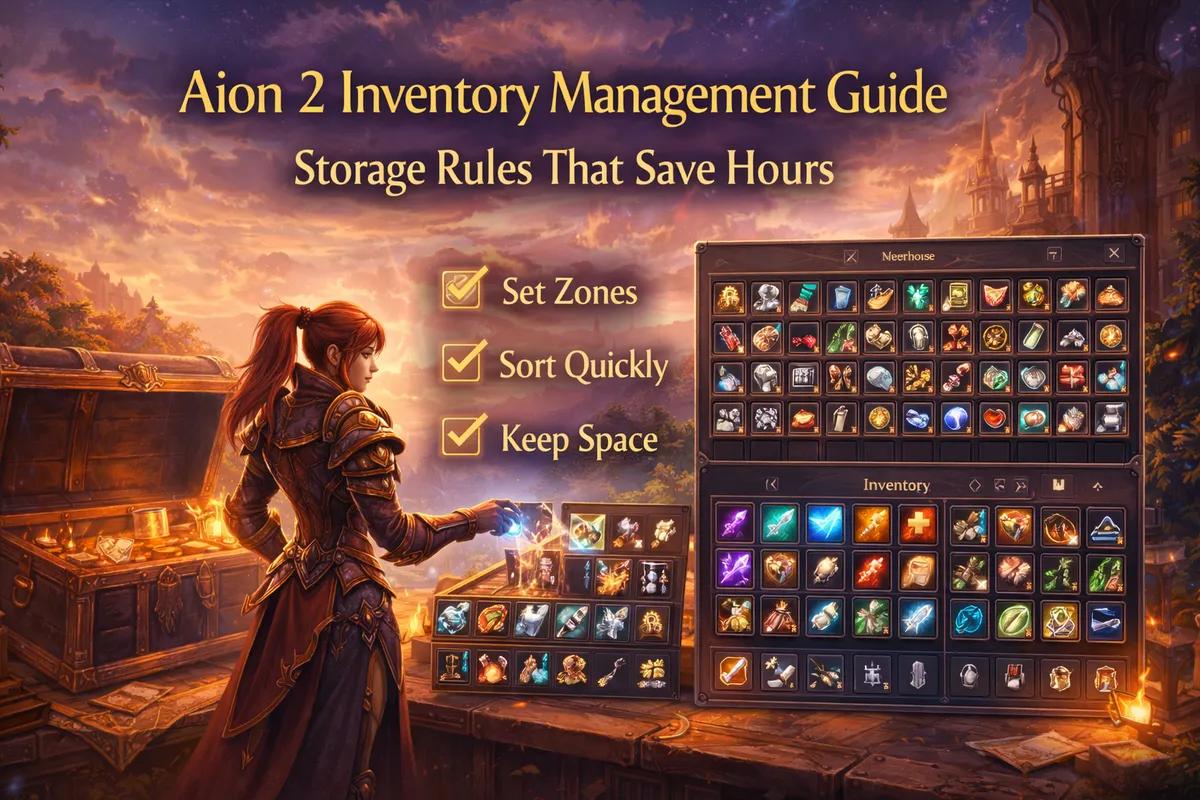
Understand Your Storage Options in Aion 2
Aion 2 inventory gets easier the moment you stop treating “storage” as one thing. You actually have multiple storage lanes, and each lane should have a job.
Your active inventory (bag):
- Job: keep you combat-ready and hold fresh loot short-term
- Rule: always leave with space; never let it become long-term storage
Warehouse storage (town storage):
- Job: long-term storage for materials, spare gear, and “future” items
- Rule: if you won’t use it today, warehouse it
Character vs server storage (important update behavior):
In recent patch notes (January 28, 2026), warehouse behavior was described as being divided into Character Warehouse and Server Warehouse, and it included a huge convenience upgrade: items stored in the warehouse could be used directly for multiple systems (crafting, morphing, supply-style requests, and integrated enhancement) without moving them into your bag. That single change, when present in your region/version, is one of the biggest inventory quality-of-life upgrades you can build around—because it means your “materials” no longer need to live in your backpack.
Mail / claim storage (temporary holding):
- Job: emergency overflow, delaying decisions, holding market sales proceeds
- Rule: do not rely on it long-term; treat it as a timed buffer
Alt characters (mules):
- Job: hold “maybe later” items you don’t want to delete
- Rule: use only when you already have a clean warehouse system; otherwise you just spread mess across characters
If you assign each storage type a job, your inventory stops feeling small—even when it is.
Set Up Your Inventory Layout in 10 Minutes
You don’t need perfection. You need a layout that makes your hand automatically move items to the right place.
Step 1: Reserve a “loot buffer” (your painkiller).
Pick the bottom-right portion of your bag and keep it empty. Your target is:
- Early game: at least 10–15 free slots
- Mid game: 20+ free slots
- Farming sessions: as many as you can without harming combat readiness
This buffer prevents the worst-case scenario: loot stops dropping because your bag is full.
Step 2: Create fixed “lanes” in your bag (the big win).
Use consistent zones. For example:
- Top-left: consumables (potions, food, scrolls)
- Top-middle: “today’s upgrades” (stones/scrolls you will actually use now)
- Top-right: utility (teleports, tickets, keys, anything you press)
- Bottom-left: temporary gear drops (until you decide)
- Bottom-right: empty loot buffer
It does not matter which exact corners you choose. What matters is that you always use the same system so your brain stops thinking.
Step 3: Turn your warehouse into shelves, not a junk drawer.
Warehouse organization that saves time:
- Row 1: crafting materials
- Row 2: upgrade materials
- Row 3: stones (manastones/enchant stones/etc.)
- Row 4: spare gear (sorted by set or role)
- Row 5: event/season items (limited—only the ones you’re sure matter)
Even if your warehouse rows differ by version, the concept stands: every row has a category.
Step 4: Learn and use any “quick store” / auto-store features.
Some Aion 2 players reference a “quick store” style button that auto-selects certain materials for storage. If your UI includes anything like that, it’s not optional—it’s your time machine. Use it every time you return to town.
The 5-Bucket System: A Simple Sorting Rule You Can Use Forever
When you loot an item, don’t ask “Is this good?” Ask which bucket it belongs to. These five buckets eliminate decision fatigue.
Bucket A: Use Now
Items you will use in the next 30–90 minutes:
- potions and basic consumables
- your active enhancement/upgrade materials for today
- dungeon keys/tickets you’re actively running
- one spare emergency item (res scroll, etc., if relevant in your version)
Bucket B: Store (Long-Term Value)
Items that are clearly valuable but not needed today:
- crafting materials
- rare upgrade materials
- stones you’ll slot later
- spare set pieces you plan to build around
- event items you’re certain will be used
Bucket C: Sell (Immediate Kinah)
Items that are not for you but have value:
- vendor trash (instant sell)
- marketable drops (list when you have enough quantity)
- duplicate materials you already have too much of
Bucket D: Extract / Dismantle
Items that should become materials:
- gear drops that are worse than your set but useful as extraction fodder
- low-value gear that converts into upgrade components
Bucket E: Delete (No Regret Trash)
Items that fail all tests:
- common, replaceable junk
- outdated low-tier items that don’t extract into anything useful for you
- duplicates you’ve hoarded “just in case” for weeks
The rule that keeps you consistent: every item must move to a bucket within 10 seconds. If you can’t decide quickly, it goes to “Store” temporarily—and you deal with it in your weekly deep clean.
What to Keep, What to Store, What to Delete
This is the part most players mess up because they treat everything like it might be important. Aion 2 rewards organization because the game has many parallel progression systems.
Use these practical filters.
Keep in your bag (always):
- potions and your core consumables
- 1–2 emergency items you actually use (not five different backups)
- your active “today upgrades” stack (the materials you will spend today)
- travel/utility items you press regularly
- a clear loot buffer
Store immediately (default):
- crafting materials (almost always)
- stones you’re not slotting today
- scrolls and upgrade items you’re saving for a milestone
- spare gear pieces for another set
- anything you’re keeping “for later”
Sell immediately (no thinking):
- vendor trash and low-value drops that don’t extract profitably
- duplicates of common items beyond a reasonable stack
- outdated consumables you never use
Extract/dismantle immediately:
- gear drops that are obviously inferior but useful as material
- pieces you only kept as “maybe” but now realize won’t be used
Delete immediately (the hardest habit, also the biggest win):
- anything you’ve carried for a week without using
- items with no clear progression purpose
- “collection clutter” that is not tied to a real goal
If you want a simple anti-hoarding rule:
If you don’t know why you’re keeping it, you’re not keeping it.
Gear Management: Stop Carrying Your Closet
Gear is the #1 bag-killer for most players because it’s emotionally hard to delete. Here’s how to manage gear without regret.
Rule 1: Your bag holds only your active set + one swap set.
If you are building PvE and PvP sets:
- carry the set you are using now
- carry only the swap pieces you need for the next activity
- Everything else goes to warehouse.
Rule 2: Keep “set building” items in one dedicated warehouse row.
Don’t scatter pieces across storage. Put them in one row labeled in your mind:
- PvE set row
- PvP/Abyss set row
- “maybe” row (limited size, see below)
Rule 3: The “Maybe Row” must stay small.
Give yourself a fixed limit—example:
- one row, or
- one page, or
- 10–20 items maximum
- When it fills up, you must process it during your weekly deep clean.
Rule 4: Don’t hoard low-tier duplicates.
If a piece is replaceable and not part of your plan, don’t store it “just in case.” Aion-style gearing is about upgrading toward milestones, not collecting every drop.
Rule 5: Keep only one of each niche swap unless you have a reason.
If you’re not actively swapping it (like a defensive piece for PvP burst weeks), it doesn’t belong in your active bag.
Gear discipline makes every other part of inventory easier.
Materials Management: Upgrade Without Becoming a Hoarder
Materials feel “too valuable to move,” so players keep them in their bag forever. That’s how you lose hours.
Your goal is a materials system that supports progression:
- you can craft without searching
- you can enhance without clogging your bag
- you can sell extras without accidentally deleting something important
Create three material tiers in your mind:
- Core materials: used constantly (keep in warehouse, withdraw only when needed)
- Milestone materials: used when you hit a breakpoint (store until ready)
- Speculative materials: “might matter later” (keep only if you have a real reason and space)
If your version supports using stored items directly for systems:
The January 28, 2026 patch notes described warehouse items being usable directly for several upgrade/crafting-style systems. If that functionality exists for you, your best move is to store materials immediately and stop carrying them at all. Your bag becomes combat-focused, and your warehouse becomes your crafting and enhancement bank.
Stack discipline (the secret money saver):
- Keep one stack of common materials (reasonable cap).
- Sell or convert overflow regularly.
- Don’t let “I might need it” turn into 9 stacks of the same item.
Do not carry your entire crafting life in your bag.
Withdraw what you need for one crafting/enhancing session, spend it, then store what remains.
Stone and Upgrade Item Rules: Manastones, Enchant Stones, Scrolls
Aion 2 progression throws many “stone-like” upgrade items at you. If you don’t create rules, they slowly occupy your entire inventory.
Rule 1: Stones live in the warehouse, not your bag.
Only withdraw stones when you are actively slotting or enhancing right now.
Rule 2: Don’t keep every tier “just in case.”
Pick a lane based on your current gear stage. If you’re past an early tier, keeping dozens of outdated stones is usually wasted space.
Rule 3: Make one “upgrade session” per day, not ten mini sessions.
Mini sessions create mess. A clean pattern:
- farm → store everything → later do one upgrade session → store leftovers
Rule 4: Track your next breakpoint.
The reason stones pile up is that players don’t know what they’re saving for. Pick one goal:
- “weapon to next safe enhancement milestone”
- “complete my PvE set sockets”
- “build my PvP survival package”
- Then store items that don’t serve that exact goal.
When your upgrades become goal-based, inventory becomes simple.
Consumables Discipline: Carry Less, Progress Faster
Carrying too many consumables is a common beginner mistake. It feels safe, but it steals space and slows looting.
Carry only what you actually use:
- your main healing consumable
- one backup stack (not five)
- a small set of buffs you press regularly
- one emergency escape/survival consumable if your playstyle requires it
The “two-stack rule” for potions:
- One stack in your bag
- One stack in warehouse
- When the bag stack drops low, restock. This keeps you prepared without hoarding.
Stop carrying niche consumables “for someday.”
If you haven’t used it in a week, warehouse it or delete/sell it.
Consumables are supposed to support speed, not create clutter.
Selling and Market Habits: Make Kinah Without Constant Town Trips
The fastest players don’t sell constantly. They sell efficiently.
Rule 1: Vendor trash immediately, market goods in batches.
If an item is low value and always vendorable, sell it right away.
If an item is marketable, store it until you have enough quantity to list in one batch.
Rule 2: Don’t list one item at a time.
This creates time waste and mail clutter. Batch listing saves minutes every session.
Rule 3: Use “price bands,” not perfect pricing.
Trying to perfectly undercut every time is a trap. Choose a price band you’re happy with and move on. Progression time is worth more than tiny price optimizations.
Rule 4: Convert overflow into kinah regularly.
Overflow materials are not “future profit” if they prevent you from farming efficiently today.
Rule 5: Don’t store vendor trash in your warehouse.
Warehouse space is valuable. If it’s vendor trash, it shouldn’t be stored.
A strong market habit is simply: sell trash fast, list valuables in batches.
Mail and Claim Storage: Safe Tricks Without Becoming a Mess
Mail and claim storage can save you in emergencies, but it can also become a disaster if you treat it like permanent storage.
Good uses:
- holding items temporarily when your bag is full mid-farm
- collecting market proceeds later in one session
- delaying a decision on a rare item until you have time to think
Bad uses:
- storing materials permanently
- leaving important items in mail and risking expiration
- letting your claim box become a second warehouse with no organization
The “mail sweep” rule:
Once per week, do a full mail sweep:
- collect currency/kinah items
- collect finished sales
- move stored goods into the correct warehouse row
- delete/resolve anything lingering
If you treat mail as a timed buffer, it saves you. If you treat it as storage, it becomes a second inventory problem.
The 60-Second Post-Run Cleanup Routine
This routine is where the real hours are saved. Do it every time you return to town.
0–10 seconds: Quick sell / dump trash
- vendor obvious trash immediately
- delete no-regret junk
10–25 seconds: Quick store materials
- use quick-store/auto-store features if available
- otherwise drag your material stacks into the warehouse row
25–40 seconds: Extract/dismantle the obvious gear
- turn fodder gear into materials (or vendor it if extraction isn’t worth it)
- keep only potential upgrades
40–55 seconds: Move marketable items to a “sell later” row
- don’t list now unless it’s truly valuable and worth immediate listing
- store it in one place so listing later is easy
55–60 seconds: Restore your loot buffer
- make sure you leave with free slots again
This routine prevents “inventory debt.” Inventory debt is when you keep delaying sorting until it becomes a huge chore. The 60-second reset keeps you always ready.
Daily and Weekly Storage Rules That Keep You Always Ready
If you want inventory to stop being a problem permanently, you need one daily habit and one weekly habit.
Daily (5 minutes): The reset that prevents clutter
- run your 60-second post-run cleanup after each major activity
- restock consumables using the two-stack rule
- move “maybe items” into the Maybe Row (don’t decide mid-session)
This prevents mess from forming.
Weekly (20 minutes): The deep clean that protects your future
Pick one day per week and do:
- process your Maybe Row (keep/store/sell/extract/delete)
- batch list market items
- convert overflow materials into kinah (sell or craft into something useful)
- review event items: keep only what you understand and will use
- clean your mail/claim storage
A weekly deep clean is not about perfection. It’s about preventing “storage creep” where old clutter slowly chokes your gameplay.
Common Inventory Mistakes That Bleed Time and Kinah
Avoid these and your efficiency jumps immediately.
Carrying materials “because I might craft later.”
Store them. Withdraw when crafting.
Holding every stone tier forever.
Pick a progression lane. Sell or convert outdated tiers.
Using your warehouse as a trash bin.
Warehouse should be organized, not stuffed.
Listing items one by one.
Batch list weekly.
Never extracting gear.
If extraction provides useful materials, skipping it is wasted value.
Over-hoarding event items.
Event items are designed to fill bags. Keep only what you understand.
No loot buffer.
A full bag is a progression killer.
Your inventory is part of your progression system. Treat it with the same respect as your gear.
Advanced Tricks for Solo and Small-Group Players
If you farm solo or run small-group dungeons, inventory discipline becomes even more important because you don’t want to slow your party or break your flow.
Solo farming rule: set a “return threshold.”
Decide before you start:
- “I return to town at 10 free slots left”
- Not at 0. Returning at 0 forces panic sorting.
Small-group dungeon rule: never sort during party downtime.
Sort after the run, not between pulls. If you need to free space mid-run, do only the fastest action:
- delete obvious trash
- do not reorganize your whole bag
Use one “overflow key” category.
Have one bag corner where you temporarily drop items mid-run. After the run, that corner becomes your sorting hotspot.
Protect your rare items with a “lock then store” habit.
If you loot something rare:
- immediately lock/favorite it (if available)
- store it after the run
- This prevents accidental deletion when you’re speed-cleaning.
Keep a clean “swap kit” for PvP and PvE.
If you swap content types often:
- store your secondary set in one warehouse row
- withdraw only when needed
- don’t carry both full sets all day unless you’re actively switching
Advanced inventory play is just consistent rules applied under pressure.
BoostRoom
If you want inventory to stop being a daily annoyance and start feeling like a progression advantage, BoostRoom can set you up with a personalized storage plan based on how you play. That includes: a clean two-set organization for PvE and PvP, a “what to keep vs sell vs extract” checklist tailored to your weekly routine, and a fast reset workflow that fits your farming routes and dungeon schedule. The difference is simple: less town time, fewer missed drops, more kinah kept, and smoother upgrades because your materials are always where you expect them to be.
FAQ
What is the fastest way to stop running out of bag space in Aion 2?
Reserve a permanent loot buffer and follow a 60-second post-run cleanup routine: sell trash, store materials, extract fodder, and restore free slots before your next activity.
Should I keep crafting materials in my bag?
No. Store crafting materials in the warehouse and withdraw only what you need for a crafting session. If your version allows using stored items directly for crafting systems, storing immediately is even better.
How do I decide what to delete without regret?
Delete items that you can easily reacquire and that don’t serve your current progression goal. If you don’t know why you’re keeping it, it belongs in “delete” or “store temporarily” for a weekly review.
How many free slots should I keep while farming?
Early game: 10–15. Mid game: 20+. If you’re doing long farm sessions, keep as many as possible without harming combat readiness.
Is it better to sell items immediately or store them for later?
Vendor trash should be sold immediately. Marketable goods should be stored and sold in batches to save time and reduce mail clutter.
What’s the best way to manage PvE and PvP gear sets without filling my inventory?
Keep only your active set in your bag. Store your alternate set in a dedicated warehouse row and withdraw it only when you plan to do that content.
Can mail be used as extra storage?
Mail is best used as temporary overflow and for collecting sales proceeds later. Don’t rely on it long-term; do a weekly mail sweep so nothing valuable expires or gets forgotten.
How often should I do a full inventory cleanup?
Do a mini cleanup after every major activity (60 seconds). Do one weekly deep clean (about 20 minutes) to process your “maybe” items and batch sell.



