CS2 Beginner’s Guide: Settings, Roles, and First Wins
Counter-Strike 2 can feel overwhelming at first because every round is short, every mistake feels visible, and every player seems to know something you do not. One teammate may talk about economy, another may ask for utility, another may call a rotation, and a new player can easily feel lost before the round even begins. The good news is that CS2 becomes much easier when you stop trying to learn everything at once.
A beginner does not need to master every map, memorize every lineup, or copy every professional player setting on day one. A beginner needs a stable setup, a small map pool, simple communication, reliable habits, and a clear role in the team. Once those basics are in place, CS2 becomes less random. You start to understand why rounds are won, why rounds are lost, and what you can do differently next time.
This guide focuses on the foundation that helps new players improve faster. It explains the settings that matter most, the team roles beginners should understand, the habits that create early wins, and the practical rules that make CS2 less frustrating. The goal is not to make you perfect overnight. The goal is to help you become useful in every match, even before you become highly skilled.
BoostRoom is built for players who want a smoother path through competitive games like CS2. Instead of wasting weeks guessing what to fix, players can use BoostRoom to move with more confidence, understand progression better, and make every session feel more productive. Whether you are completely new or trying to become more consistent, the right support can help you avoid bad habits early.
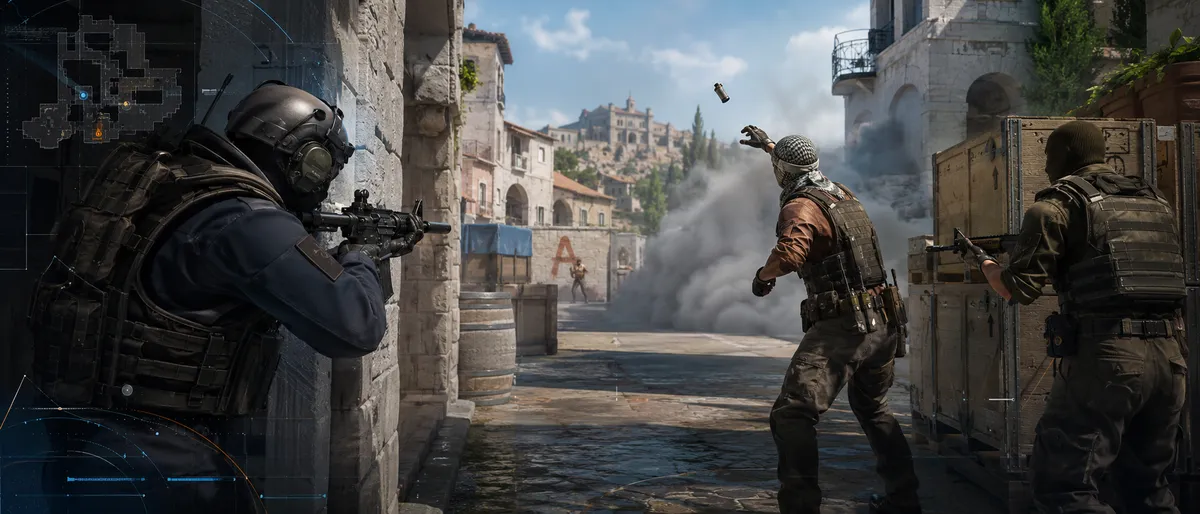
What Makes CS2 Different for Beginners
CS2 is not only about fast reactions. Reaction speed helps, but beginners often lose because of positioning, poor timing, weak communication, bad settings, or misunderstanding the round objective. The game rewards patience, teamwork, and repeatable decisions. A calm beginner who communicates, listens, and plays with the team can be more valuable than a flashy player who takes random risks.
CS2 is round-based: Every round gives both teams a new chance to adjust. Losing one round does not mean the match is lost. Winning one round does not mean the match is safe. Beginners should think in rounds, not emotions. After each round, ask one simple question: what should we change next round?
CS2 is objective-based: The main goal is not to chase highlights. The goal is to complete the round objective with your team. On the attacking side, that usually means creating space, reaching a site, and playing the objective. On the defending side, that means slowing the attackers, gathering information, holding key areas, and retaking together when needed.
CS2 is information-based: The team with better information usually makes better decisions. Beginners often stay silent because they are afraid to say the wrong thing. That is a mistake. Simple information is better than no information. A short call like “two near B,” “I hear steps mid,” or “I am low, playing safe” can help the whole team.
CS2 is consistency-based: A player who makes average decisions every round will usually improve faster than a player who makes one brilliant play and five careless mistakes. Beginners should focus on stable habits: check corners, stay with teammates, avoid unnecessary solo plays, manage money, and communicate clearly.
Best CS2 Settings for Beginners
Good settings do not automatically make you good, but bad settings can slow down your improvement. The best beginner settings are not about copying a famous player exactly. They are about making the game clear, smooth, and comfortable enough that you can focus on learning.
Video settings: The most important goal is stable performance. CS2 feels harder when your game stutters, drops frames, or feels delayed. Beginners should choose settings that keep the game smooth rather than settings that make the game look beautiful. A clean and stable visual setup helps you notice movement, read the map, and react without distraction.
Start with a resolution and aspect ratio that feels comfortable. Many players use stretched or lower resolutions, but beginners should not switch constantly. Pick one setup, play enough matches to get used to it, and only adjust if there is a clear problem. Constantly changing resolution, sensitivity, and crosshair settings can make improvement feel impossible because your muscle memory never settles.
Display mode: Fullscreen is usually the best starting choice because it gives the game priority and helps performance feel more stable. Borderless can feel convenient for switching windows, but beginners who want maximum focus should keep distractions away during matches.
Brightness and visibility: CS2 has detailed lighting and updated map visuals, so visibility matters. Your screen should not be so dark that corners are hard to read, and not so bright that everything looks washed out. Adjust brightness until enemies, utility, walls, and shadows are easy to separate.
Advanced video settings: Beginners should reduce settings that hurt performance and keep settings that improve visibility. The exact best option depends on your PC, but the rule is simple: smooth gameplay first, visual beauty second. A stable frame rate helps you learn movement, timing, and decision-making more comfortably.
Audio settings: Sound is one of the most important parts of CS2. Beginners should use headphones when possible and keep game sound clear enough to hear steps, reloads, drops, and utility. Avoid loud music or background videos while playing competitive matches. Missing one sound cue can cause a lost round.
Voice communication: Keep voice chat at a level where teammates are understandable but not painfully loud. If someone is toxic, muting is better than arguing. Communication should help you win, not destroy your focus.
Crosshair settings: A beginner crosshair should be visible, simple, and not too large. The best crosshair is one you can see clearly on every map and background. Do not spend hours changing it every match. Pick a clean crosshair, test it for a few days, and only make small changes.
Sensitivity settings: The best beginner sensitivity is one you can control. Very high sensitivity can make small corrections difficult, while extremely low sensitivity can make movement uncomfortable. A good starting point is a setting that lets you turn comfortably while still making small adjustments without overflicking. Once you choose a sensitivity, stay with it long enough to build consistency.
Mouse acceleration: Most competitive players prefer consistent mouse movement. Beginners should avoid anything that makes the same hand movement produce different results at different speeds. Consistency is easier to learn.
Keybinds: Keep keybinds simple. You should be able to move, communicate, use the scoreboard, switch equipment, and interact without looking down at the keyboard. Beginners do not need complicated binds. The best setup is one that keeps your hands relaxed and your decisions simple.
Radar settings: The radar is one of the most underrated beginner tools. A useful radar shows enough of the map to understand teammate positions and enemy information. Beginners should glance at the radar often, especially before rotating, pushing, saving, or committing to a site.
Beginner Settings Checklist Before You Queue
Before you play your first serious matches, spend a few minutes checking the basics. Many beginner problems come from entering matches before the setup is ready.
Performance check: Join a casual mode, practice server, or deathmatch-style session and confirm that the game feels smooth. If your frame rate drops often, lower settings before competitive play.
Sound check: Make sure you can clearly hear game audio and teammate voices. Sound should be clear, not overwhelming.
Microphone check: A working microphone helps a lot. Even short calls can win rounds. You do not need to talk nonstop, but you should be able to share important information.
Crosshair check: Stand in different map areas and confirm your crosshair is visible on bright and dark backgrounds.
Radar check: Make sure your radar gives useful information without forcing you to stare at it for too long.
Comfort check: Your chair, desk, mouse space, and keyboard position matter more than beginners think. A cramped setup makes long matches harder and can make your aim, movement, and focus inconsistent.
Which Mode Should Beginners Play First
CS2 has different ways to play, and beginners should not rush into the most serious environment immediately. The fastest way to improve is to use each mode for the right purpose.
Casual mode: Casual is useful for learning maps, sounds, movement, and basic round flow without the same pressure as competitive. It can be chaotic, but it helps new players become familiar with the game.
Deathmatch-style practice: This is useful for warming up, learning movement comfort, and getting used to the pace of CS2. Beginners should use it as practice, not as a scoreboard competition.
Competitive mode: Competitive is a good step once you know a few maps and basic callouts. It helps you learn structured rounds without the full pressure of Premier map pick and ban.
Premier mode: Premier is the main serious ladder experience in CS2. It uses a rating system and a map pick-ban process, so beginners should enter Premier after they understand several maps, basic economy, and team communication.
Private practice: Private practice is excellent for learning maps slowly. Walk around, check paths, learn callouts, and understand how sites connect. A beginner who knows the map layout will make better decisions even without advanced mechanics.
CS2 Roles Explained for Beginners
Roles in CS2 are not always fixed, especially in matchmaking. You will not always have a perfect team structure, and players often switch responsibilities during a match. Still, understanding roles helps beginners know what the team needs and what they should do.
Entry-style player: This player is usually the first to create space for the team. For beginners, this does not mean rushing without thinking. It means moving with purpose when the team is ready and helping the team start the round plan. New players should not force this role every round unless they are comfortable with pressure.
Support player: This is one of the best beginner-friendly roles. A support player helps teammates, communicates clearly, uses utility at the right time, follows the plan, and avoids selfish decisions. Support players may not always top the scoreboard, but they often make rounds easier for everyone.
Lurker: A lurker plays away from the main group to gather information, catch rotations, or pressure another area. This role is not ideal for most beginners because it requires timing, map knowledge, and patience. A beginner lurker who does not understand the round can accidentally leave the team unsupported.
Anchor: An anchor holds an area on defense and often has to stay calm when pressure arrives. Beginners can learn this role by playing safe, calling information early, and staying alive long enough for teammates to rotate.
Rotator: A rotator helps the team move between areas based on information. This role requires map awareness and good communication. Beginners should learn when to rotate and when to stay. Rotating too early can open a site; rotating too late can leave teammates overwhelmed.
In-game leader: In matchmaking, one player sometimes starts calling plans. Beginners do not need to be full leaders, but they can still suggest simple ideas. A clear plan like “play slow,” “group together,” or “save this round” is often better than five players doing different things.
Best Beginner Role to Start With
The best beginner role is usually support or safe anchor. These roles teach important fundamentals without forcing you to make every first move. You learn how teammates move, how rounds develop, and how to be useful even when you are not the strongest player in the lobby.
Why support is beginner-friendly: Support teaches teamwork. You learn to listen, trade, help, communicate, and play around the objective. These skills matter at every rank.
Why anchor is beginner-friendly: Anchor teaches patience. You learn to hold space, avoid panic, call information, and delay until help arrives. Many beginners over-rotate or chase action. Anchoring builds discipline.
When to try entry-style play: Try it when you understand the map area, know your team is close enough to follow, and feel ready to make a committed move. Do not entry alone just because you are bored.
When to avoid lurking: Avoid lurking until you know timing. A beginner who lurks without purpose may spend the round too far away to help. Lurking should create value, not isolation.
Beginner Map Pool: Do Not Learn Every Map at Once
One of the biggest beginner mistakes is trying to learn every CS2 map immediately. The current Active Duty environment gives players several important maps, but a beginner should start smaller. Choose two or three maps and become comfortable before expanding.
Best approach: Start with maps that are popular, easy to understand, and common in matchmaking. Mirage and Dust II are often beginner-friendly because many players know them, callouts are widely understood, and the layouts are easier to read than some more vertical or complex maps.
Second step: Add a map that teaches deeper teamwork, such as Inferno, Nuke, Ancient, Anubis, or Overpass. These maps can feel more complicated, but learning them improves your understanding of rotations, control, and timing.
Map learning order: Learn spawn areas, bomb sites, middle areas, main paths, common callouts, and rotation paths first. Do not start with advanced tricks. A player who knows where teammates are and how to rotate already has a major advantage over a beginner who only memorized one fancy play.
Use the radar while learning: The radar helps connect callouts to locations. When a teammate calls an area, glance at the radar and connect the word to the map space. Over time, callouts become natural.
CS2 Communication Rules for First Wins
Communication wins beginner matches because many low-level teams are disorganized. You do not need perfect calls. You need useful calls.
Keep calls short: Say the location, number, and action if you know it. For example, “two B,” “one mid,” “bomb seen A,” or “rotating now.” Long explanations during a round can distract teammates.
Do not guess too hard: If you are unsure, say “maybe” or “I heard one.” Bad information can make teammates rotate incorrectly. Honest uncertainty is better than confident guessing.
Call your plan: If you are saving, rotating, watching an area, or playing safe, say it. Teammates cannot read your mind.
Avoid blame during rounds: Arguing during a live round lowers the team’s chance to win. Save discussion for freeze time or after the match. Even then, keep it simple.
Use positive direction: Instead of saying “why are you there,” say “let’s group next round.” Instead of “you never help,” say “can you come with me next round?” Better wording gets better teamwork.
Mute when needed: If someone is ruining your focus, muting is a smart competitive decision. You are not required to absorb negativity to be a good teammate.
Economy Basics for Beginners
Economy is one of the main reasons beginners lose matches. CS2 is not only about playing the current round; it is about setting up the next rounds. Spending randomly can put your team in a weak cycle where everyone has different resources.
Buy together: The team should usually buy together or save together. If three teammates save and two force, the team becomes split. Mixed economy often leads to repeated weak rounds.
Understand save rounds: Saving is not giving up. It is preparing for a stronger future round. Beginners often hate saving because it feels passive, but smart saving helps win matches.
Do not spend just because you can: If your team cannot afford a strong round, ask what the plan is. A slightly better individual buy does not always help if the team is weak overall.
Think about utility and armor: Beginners often spend everything on the most expensive option and forget the rest of the round tools. A balanced buy is usually more useful than an expensive buy with no support.
Watch teammate money: Before buying, look at your team’s money. Your buy should match the team plan, not only your personal wallet.
How to Get Your First Wins in CS2
Your first wins will come faster when you stop trying to carry every round and start playing the game in a structured way. Beginner matches are often decided by which team makes fewer basic mistakes.
Play with the team: Solo plays are risky for beginners. Stay close enough that teammates can help you or use the information you create. A team of average players moving together often beats stronger players acting alone.
Choose simple round plans: Do not overcomplicate. A simple plan done together is better than a clever plan nobody follows. Grouping, taking one area, slowing down, or committing together can be enough.
Do not rush every round: Fast rounds can work, but repeating the same pace makes your team predictable. Mix slow rounds with faster rounds. Beginners often win more when they pause, listen, and gather information.
Stay alive with purpose: Staying alive does not mean hiding all round. It means not giving away your position for free. If you are alone, low on health, or holding important information, survival can be valuable.
Trade with teammates: Beginners should move in pairs or small groups. If one teammate takes contact, another should be close enough to respond. This basic teamwork can win many rounds.
Play the objective: Do not chase unnecessary fights after the objective is already favorable. Many beginner rounds are lost because players leave strong positions to hunt for extra scoreboard impact.
Save when the round is unrealistic: Trying impossible retakes every time can damage your economy. If the chance is very low and your equipment is valuable, saving can be the smarter team decision.
Reset mentally after each round: A bad round should not create five more bad rounds. Take a breath, check money, make a simple plan, and continue.
Practical Rules Every CS2 Beginner Should Follow
Beginners improve faster when they follow simple rules until the game becomes natural. These rules are not perfect for every advanced situation, but they prevent many common mistakes.
Rule 1: Do not change settings every day. Pick comfortable settings and give yourself time to adapt.
Rule 2: Learn two maps first. Deep knowledge of two maps is better than shallow knowledge of seven.
Rule 3: Use short communication. Clear information helps more than emotional commentary.
Rule 4: Buy with the team. Matching the team economy creates more winnable rounds.
Rule 5: Avoid lonely plays. Beginners should learn teamwork before relying on solo decisions.
Rule 6: Watch the radar. Radar awareness prevents bad rotations and missed opportunities.
Rule 7: Stay calm after mistakes. Everyone makes mistakes. The best players recover faster.
Rule 8: Warm up briefly. A short warm-up helps you feel ready without exhausting you.
Rule 9: Review one mistake after each match. Do not try to fix everything at once.
Rule 10: Focus on winning rounds, not looking impressive. Scoreboards matter less than useful decisions.
Common Beginner Mistakes in CS2
Most beginner mistakes are normal. The important part is noticing them early before they become habits.
Changing settings too often: Many beginners blame settings after every bad match. Sometimes settings are the issue, but often the real issue is decision-making. Make settings comfortable, then focus on play.
Ignoring sound: Sound gives important information. Playing without attention to audio makes the game harder than it needs to be.
Over-rotating: Beginners often rotate as soon as they hear something. Sometimes the enemy is faking pressure. Wait for clearer information when possible.
Not checking the radar: The radar shows teammate positions, known enemy locations, and round flow. Ignoring it creates confusion.
Buying alone: A solo buy can damage team economy. Always check teammate money.
Chasing after the objective is secured: Many rounds are lost because players leave safe positions for unnecessary fights.
Playing too fast when nervous: New players often speed up under pressure. Slowing down can improve decision-making.
Being silent: Silence makes teamwork harder. Even basic calls are valuable.
Arguing with teammates: Blame rarely wins rounds. Direction wins rounds.
Trying advanced strategies too early: Learn fundamentals first. Advanced plays only work when the basics are stable.
A Simple CS2 Beginner Practice Routine
A beginner practice routine should be short, repeatable, and easy to follow. You do not need hours of daily practice to improve. You need focused practice.
Five minutes of comfort warm-up: Move around, adjust to your sensitivity, and get your hands ready. The goal is comfort, not exhaustion.
Five minutes of basic aim practice: Use a simple practice environment to get used to tracking targets and placing your crosshair clearly. Keep it relaxed and controlled.
Five minutes of map review: Pick one map and walk through one area. Learn names, paths, and common teammate positions.
One match with one focus: Do not enter a match trying to fix everything. Choose one focus, such as communication, economy, radar checks, or staying with teammates.
Two-minute review after the match: Ask: What lost us rounds? What did I repeat? What should I focus on next match? Keep the answer simple.
This routine works because it builds consistency. Beginners who practice with purpose improve faster than players who only queue match after match without reflection.
How BoostRoom Helps CS2 Beginners Improve Faster
CS2 can be frustrating when you feel stuck and do not know why. Many beginners lose confidence because they cannot separate mechanical mistakes from decision mistakes, communication mistakes, and economy mistakes. BoostRoom helps players think about progress more clearly and approach improvement with a stronger plan.
Guided improvement feels faster: When you know what to fix first, practice becomes easier. Instead of randomly changing settings or copying every new trend, you can focus on the habits that actually affect your matches.
Better confidence matters: Confidence in CS2 does not mean arrogance. It means knowing your role, understanding the round, and trusting your basics. BoostRoom is useful for players who want to feel more prepared before entering serious matches.
Less wasted time: Many players spend months repeating the same mistakes. A clearer path helps you avoid unnecessary frustration and make each session more valuable.
Beginner-friendly progress: New players do not need to become experts immediately. They need steady improvement, better match understanding, and fewer avoidable mistakes. BoostRoom can be part of that journey for players who want support while learning CS2.
Best Mindset for New CS2 Players
Mindset is not just motivation. It affects how you communicate, how you recover after losses, and how quickly you learn.
Think in patterns: One mistake is not a problem. A repeated mistake is a pattern. If you lose one round because of bad timing, it happens. If you lose five rounds the same way, that is something to fix.
Focus on controllables: You cannot control every teammate, every opponent, or every matchmaking situation. You can control your settings, communication, economy decisions, positioning discipline, and attitude.
Do not tilt-queue endlessly: If you are frustrated, you will usually make worse decisions. Taking a break can protect your rating and your confidence.
Respect small improvement: Winning more rounds, communicating better, saving correctly, and understanding rotations are all signs of progress. Do not judge improvement only by rank.
Be easy to play with: Teammates are more likely to cooperate with calm players. A positive teammate often gets more support, better communication, and better team energy.
FAQ
Is CS2 hard for beginners?
Yes, CS2 can be hard for beginners because it has fast rounds, strong punishment for mistakes, and a lot of team-based decision-making. However, it becomes much easier when you focus on settings, communication, economy, map basics, and simple roles before advanced strategies.
What settings should a CS2 beginner change first?
Start with video performance, audio clarity, crosshair visibility, mouse sensitivity, radar size, and microphone volume. These settings directly affect how clearly you see the game, hear information, communicate with teammates, and control your actions.
Should beginners play Premier immediately?
Beginners can play Premier, but it is better to first learn a few maps, basic communication, economy rules, and team roles. Premier becomes more enjoyable when you understand the pick-ban process and can play more than one map confidently.
What is the best CS2 role for beginners?
Support and safe anchor roles are usually best for beginners. These roles teach teamwork, patience, communication, and round awareness without forcing you to make every first move.
How many maps should a beginner learn first?
A beginner should start with two or three maps. Learning a small map pool deeply is better than knowing every map badly. Once you understand callouts, rotations, and common round flow, you can add more maps.
How do I win my first CS2 matches?
Play with teammates, communicate short information, buy with the team, avoid unnecessary solo plays, focus on the objective, and stay calm after losing rounds. First wins usually come from fewer mistakes, not perfect gameplay.
Do I need expensive equipment to improve in CS2?
No. Good equipment can help comfort and consistency, but beginners improve most by using stable settings, learning maps, communicating better, and making smarter round decisions.
How long should I practice before playing matches?
A short warm-up of 10 to 15 minutes is enough for many beginners. Long practice sessions can help, but they should not make you tired before you queue. Quality matters more than length.
Why do I lose even when I get many eliminations?
CS2 is objective-based. A player can have a good scoreboard but still make decisions that lose rounds. Winning depends on timing, economy, positioning, communication, and objective play, not only individual stats.
Can BoostRoom help new CS2 players?
BoostRoom is useful for players who want a clearer improvement path, smoother progress, and more confidence while learning CS2. Beginners can benefit from structured support instead of guessing what to fix after every loss.



